What matters when choosing?
Settle the required platform and test method first. Then compare laptop configurations against the development tools you will run and the space available for your desk setup.
| Concern | What to check | Who this matters to |
|---|
| Local iOS compatibility |
Confirm whether local Xcode or iOS Simulator work is required, then check the Mac against the required Xcode release and supported macOS version. |
If my course requires local iOS builds, the laptop must run the relevant Xcode environment; around 29% of consumers put that compatibility first. |
| Android emulator capacity |
Compare RAM and available disk space with Android Developers’ 16GB RAM and 16GB disk-space Emulator baseline. Allow for your planned virtual devices. |
Running Android virtual devices alongside an IDE and coursework makes resource headroom my priority; roughly 29% of consumers focus chiefly on emulator capacity. |
| Room and portability |
Check dimensions, weight, charger and ports against the desk space and test-device connections you will use. |
When my laptop, phone and charger share a small desk, the physical setup matters every day; around 21% of consumers put a manageable setup first. |
| Physical-device testing |
Check whether the project accepts deployment to your Android device or requires particular emulator profiles and screenshots. |
If my Android tests can run on a physical phone, I do not want to choose hardware for virtual devices I will not use; roughly 21% of consumers prioritise this test-method decision. |
Joybuy laptops for these workflows
These laptops cover a Mac option for checking local iOS-tool compatibility and Windows options to assess for Android-focused work. Compare each configuration with your course requirements rather than treating memory or storage alone as proof that a project will run well.
 No image available
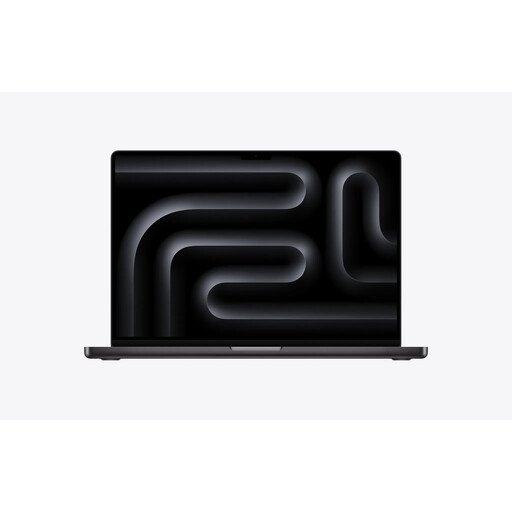
Apple MacBook Pro 16.2-inch M5 Max, 48GB/2TB, Space Black
Consider this Mac configuration if your project requires local iOS tooling; confirm that it supports the required Xcode release.
The listed configuration has an M5 Max with an 18-core CPU and 40-core GPU, 48GB unified memory, a 2TB SSD and a 16.2-inch display. Check the space available for the laptop and your development files after setup.
View on Joybuy
 No image available
Lenovo IdeaPad Slim 3 83K7009MUK, 15.3-inch, 24GB/512GB
This Windows 11 Home configuration is one to assess for Android-focused testing; it is not a local Xcode or iOS Simulator route.
It lists an AMD Ryzen 5 7535HS, 24GB DDR5 RAM, a 512GB PCIe SSD and a 15.3-inch WUXGA display. Check free storage after installing your development tools and virtual devices.
View on Joybuy
 No image available
ASUS Vivobook 15 X1504VA, 15.6-inch, 24GB/1TB
Assess this laptop for Android development if its Windows configuration matches your course tools; local iOS builds still require a compatible Mac environment.
The named variant lists an Intel Core 5 120U, 24GB RAM, a 1TB SSD and a 15.6-inch display. Allow for tools, project files and virtual-device images when judging usable storage.
View on Joybuy
 No image available
HP OmniBook Ultra Flip 14-fh0006na, 16GB/1TB
This Windows 11 Home two-in-one is worth assessing when desk space is a priority alongside Android testing; check your project’s emulator workload before choosing it.
It lists 16GB RAM and a 1TB SSD. Its 16GB memory matches Android Developers’ stated RAM baseline for the Emulator, not a guarantee for several virtual devices running together.
View on Joybuy
 No image available
Lenovo LOQ Essential 15ARP11, 15.6-inch, 16GB/1TB
Consider this Windows configuration for Android-focused work if the larger laptop fits your room and your planned emulator use fits its memory limit.
The name lists an AMD Ryzen 7 170, 16GB RAM, a 1TB SSD and GeForce RTX 5050 graphics. The configuration is described with 16GB maximum memory, so check that limit against any plan to run multiple virtual devices.
View on Joybuy
Frequently asked questions
Do I need a Mac to test mobile apps?
You do not need a Mac for Android-only testing: Android Developers supports Android Studio on Windows, macOS, Linux and ChromeOS. If your work requires local Xcode or iOS Simulator use, choose a Mac that supports the required Xcode release and macOS version, as specified by Apple Developer.
Is 16GB RAM enough for Android app testing?
Android Developers lists 16GB RAM as its best-experience baseline for the Android Emulator, not a guarantee for every project. If you plan to run several virtual devices alongside your IDE and other tools, check the resources needed for that combined workload before settling on 16GB.
Can I test on an Android phone instead of an emulator?
Yes, if your project permits physical-device testing: Android Developers supports deploying from Android Studio to an Android device. Check the required device profiles and assessment evidence first, because one phone cannot reproduce every configuration available in the Emulator.
What if I change my mind after buying a laptop online in the UK?
For applicable UK distance purchases, GOV.UK says customers must be told they can cancel up to 14 days after delivery. Check the terms and any applicable exceptions before ordering; statutory remedies for a faulty or misdescribed laptop are separate from a change-of-mind cancellation or a retailer’s voluntary policy.


