Choose the toolchain before the laptop: local Xcode 26 work requires a Mac running macOS Sequoia 15.6 or later, according to Apple Developer, while Android Emulator work is not limited to Macs. For Android virtual-device testing, Android Developers recommends at least 16GB RAM and 16GB of disk space for the emulator experience. Then check how the exact laptop will connect to your shared-desk monitor, charger and test phone.
Who needs which setup?
Android emulator and browser debugger
If you run an Android virtual device alongside an editor and browser tabs, check fitted memory and available storage before choosing by processor name. Android Developers recommends at least 16GB RAM and 16GB of disk space for the emulator experience.
iOS layout debugger
If your work requires Xcode locally, Mac compatibility is a requirement rather than a brand preference. Apple Developer states that Xcode 26 requires a Mac running macOS Sequoia 15.6 or later.
Shared-office desk-hopper
If you move between desks with a physical test phone, check the laptop’s connections against each monitor, charger and cable you expect to use. A portable design alone does not establish that everything can connect at once.
What matters when buying?
Settle any local Xcode requirement first. For other mobile-layout work, assess the development tools you will run, then the connections needed at a shared desk.
| Concern | What to check | Who this matters to |
|---|
| Emulator headroom |
Check fitted RAM and available disk space. Android Developers recommends at least 16GB RAM and 16GB of disk space for the Android Emulator experience. |
If I run a virtual device beside my editor and browser, I need room for the tools I use together; roughly 40% of consumers put emulator headroom first. |
| Local Xcode eligibility |
For Xcode 26, check for a Mac running macOS Sequoia 15.6 or later, as specified by Apple Developer. |
When my debugging needs local Xcode, choosing an otherwise capable non-Mac laptop would miss the required toolchain. Around 30% of consumers prioritise local Xcode eligibility. |
| Shared-desk connections |
Check simultaneous monitor, charging and wired-phone connections against the exact laptop, cables and dock. |
I want to sit down at a shared desk and connect my display and test phone without discovering a missing connection; roughly 20% of consumers make desk connectivity their primary concern. |
| Portability |
Check the exact model’s weight, power accessories and connections after confirming tool compatibility. |
If I carry the laptop between desks, I value an easier-to-move setup, provided it still runs my tools; around 10% of consumers put portability first. |
Buying pitfalls
-
Choosing by processor name while overlooking memory
An Android virtual device needs resources alongside your other tools. Android Developers recommends at least 16GB RAM and 16GB of disk space for the emulator experience; larger virtual devices may need more.
Check fitted RAM and available storage for your planned development tools before comparing processor options.
-
Assuming any laptop can run local Xcode
Apple Developer states that Xcode 26 requires a Mac running macOS Sequoia 15.6 or later.
Decide whether local Xcode is part of your workflow before considering a Windows or Linux laptop.
-
Assuming USB-C settles every desk connection
Apple lists two Thunderbolt 4/USB-C ports with DisplayPort support for the MacBook Air. Whether those ports suit simultaneous charging, monitor and wired-phone use depends on the equipment at your desk.
List what must connect at once, then check the exact laptop, monitor and dock specifications together.
Your setup may call for a compatible dock, adapter or additional cable.
-
Assuming a charger comes in the box
Dell’s cited XPS 13 listing states that a charger is not included and specifies a 27–65W charging range; bundles can differ between products.
Check the exact listing’s included accessories, charging requirements and plug arrangement.
For that XPS 13 listing, you will need a suitable power adapter if you do not already have one.
Relevant brands to consider
Apple
MacBook Air is a portable Mac option to examine when local Xcode work is required.
- Apple’s UK MacBook Air specifications list 16GB unified memory as a starting configuration and two Thunderbolt 4/USB-C ports with DisplayPort support.
- Check the exact model’s macOS version and whether its ports accommodate your monitor, charging and physical test phone.
Lenovo
The ThinkPad X1 Carbon Gen 13 Aura Edition illustrates a Windows business-ultralight option for moving between shared desks.
- A cited Lenovo UK configuration lists 16GB LPDDR5X memory, a 512GB SSD, a 14-inch anti-glare display, a UK power adapter and three years of listed support.
- Lenovo describes its memory as “Memory on Package”; choose the capacity carefully and confirm the exact configuration’s ports and support terms.
Dell
XPS 13 is a compact Windows line to examine if its particular configuration suits your tools and desk setup.
- Dell describes the cited XPS 13 as its thinnest and lightest XPS laptop; that is Dell’s product-line claim, not an independent comparison.
- The cited Dell listing says a charger is not included and gives a 27–65W charging range. Check the bundle for the model you select.
Joybuy laptops for these workflows
These choices cover Windows laptops for browser-focused work and a MacBook Air for buyers considering local Xcode work. For Android emulation, confirm the required software on the exact configuration; for any shared desk, check the monitor, power and phone connections.
 No image available
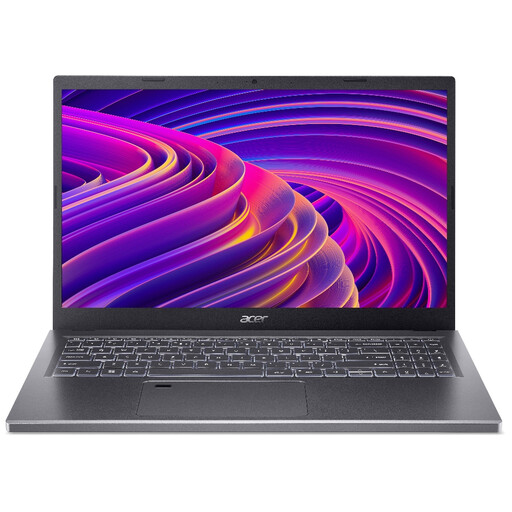
Acer Aspire 5 A515-48M, Ryzen 5 7530U, 16GB RAM, 512GB SSD
A Windows laptop to consider for browser debugging and Android-focused work. Its title lists a 15.6-inch Full HD display; confirm the exact model and processor because the listing details differ, and check monitor connections and available storage for your tools.
View on Joybuy
 No image available
ASUS Vivobook 14 X1407QA-LY003W, Snapdragon X, 16GB RAM, 512GB SSD
A compact Windows option for browser-focused debugging. Before choosing it for Android emulation, confirm that your required tools work with this Windows-on-ARM configuration and that enough storage remains available after setup.
View on Joybuy
 No image available
MSI Summit E13 AI Evo, Core Ultra 7 155H, 32GB RAM, 1TB SSD
Consider this Windows laptop if your workflow calls for the listed 32GB memory configuration and touch display. The product title specifies a 13-inch FHD+ 60 Hz display; confirm the exact screen size, port layout and available storage for your desk and tools.
View on Joybuy
 No image available
HP OmniBook X Flip 16-as0004na, 16-inch touchscreen, 16GB RAM, 512GB SSD
A Windows 2-in-1 to consider if a larger touch display suits your layout work. Check its exact ports and charger bundle for your shared desk, and its weight if you move frequently between desks.
View on Joybuy
 No image available
Apple 13-inch MacBook Air (2026), M5, 16GB, 1TB SSD, Sky Blue
A Mac option for buyers who need local Xcode work. Apple Developer requires macOS Sequoia 15.6 or later for Xcode 26, so confirm the installed version; also check this configuration’s ports, charger bundle and available storage for your desk setup.
View on Joybuy
Frequently asked questions
Do I need a Mac to debug a mobile layout?
Not for every mobile-layout task: Android Emulator work is supported across several operating systems. If you must run Xcode 26 locally, though, Apple Developer requires a Mac running macOS Sequoia 15.6 or later.
Is 16GB RAM enough for Android virtual-device testing?
It meets Android Developers’ stated best-experience memory baseline for the Android Emulator, alongside 16GB of disk space. Treat that as a starting check, not a guarantee for every combination of virtual devices and other open tools.
Can I connect a shared-office monitor and a test phone at the same time?
Check the exact laptop and desk equipment before assuming you can. Match its port types and count to the monitor or dock, phone cable and charging connection you need simultaneously.
Will an ultralight laptop include a charger?
Check the specific product bundle rather than assuming it will. Dell’s cited XPS 13 listing says a charger is not included and specifies a 27–65W charging range; another listing may have different contents.


