What matters when choosing
Start with the browser and phone-testing workflow, then check how the laptop will fit the desk. A larger screen or a different set of ports may help your wider work, but neither changes what browser emulation can establish.
| Concern |
What to check |
Who this matters to |
| Quick responsive checks |
Confirm that your intended desktop browser and developer tools run on the exact configuration. Choose a screen and keyboard you can use comfortably with the page and tools open. |
If I mainly need to catch a menu that wraps or fails to close at a narrow width, I want to change viewports without disrupting the rest of my work. Around 42% of consumers put quick responsive inspection first. |
| Real-phone confidence |
Plan access to a representative phone and test the menu's touch, focus and navigation states in the mobile browser that matters to your site. |
When a menu is about to go live, I need to know how it behaves on a phone, not just in a laptop preview. For around 33% of consumers, real-device validation is the primary concern. |
| Shared-desk fit |
Compare the laptop's size with the available space and check the exact configuration against the monitor, power source and accessories you use. |
If I move between desks or connect a monitor for other tasks, I need the laptop to fit and connect without slowing the changeover. Desk setup is the main priority for around 25% of consumers. |
Joybuy laptops for shared-desk checks
These laptops offer different screen sizes and configurations for a shared-desk workflow, including a compact macOS option and larger Windows models. Check that your intended browser and tools work on the exact model, and match its connections to your desk before choosing.
 No image available
ASUS Vivobook 14 X1407QA-LY003W Copilot+ PC, Snapdragon X, 16GB, 512GB, Quiet Blue
Consider this 14-inch model if a compact laptop suits the space at your shared desk.
The named configuration has a Snapdragon X processor, 16GB memory and a 512GB SSD. Before buying, confirm that the desktop browser and developer tools you intend to use run on this configuration, and check its connections against your desk.
View on Joybuy
 No image available
ASUS Zenbook DUO UX8406CA-QL135W, 14-inch dual OLED touch, Core Ultra 7 255H, 16GB, 1TB
Consider the dual-screen design if you want to keep a page and other work visible at the shared desk; decide whether that arrangement suits the space available.
The named configuration has an Intel Core Ultra 7 255H processor, 16GB memory and a 1TB SSD. Confirm the exact display resolution before ordering, as the product information gives conflicting figures, and check browser and developer-tools compatibility.
View on Joybuy
 No image available
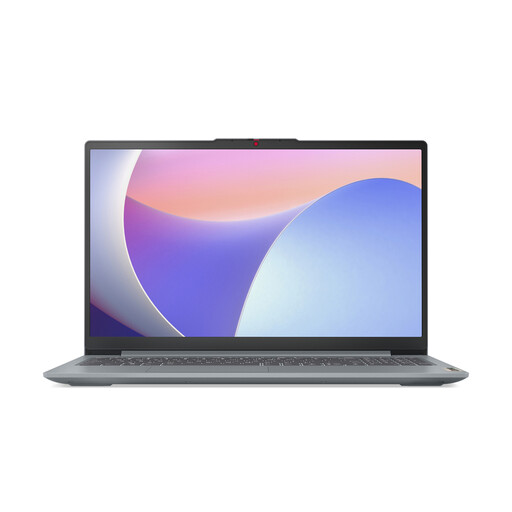
Lenovo IdeaPad Slim 3 15IAH8, 83ER00G4UK, 15.6-inch, Core i5, 8GB, 512GB
The 15.6-inch screen is an option if you have room for a larger laptop at the desk; compare its footprint with a 13- or 14-inch model if you move between spaces.
The named configuration has an Intel Core i5 processor, 8GB memory and a 512GB SSD. Check that your intended browser and developer tools run on it, and assess unplugged use if the laptop will move between desks.
View on Joybuy
 No image available
Acer Aspire Lite AL15-36P-C29Z, 15.6-inch Full HD, Intel N150, 8GB, 128GB, Silver
This 15.6-inch option suits a desk where a larger laptop fits, provided its storage meets the needs of your wider work.
The named configuration has an Intel N150 processor, 8GB memory and a 128GB SSD. Confirm the supplied Windows edition and whether it permits installation of your intended browser and developer tools before ordering.
View on Joybuy
 No image available
Apple MacBook Air 13-inch (2026, M5), 10-core CPU and GPU, 16GB, 1TB, Sky Blue
Consider this compact MacBook Air if your existing menu-checking workflow requires macOS.
The named configuration has an M5 chip with a 10-core CPU and 10-core GPU, 16GB memory and a 1TB SSD. Confirm your browser and developer-tools workflow, then check the exact model's connections and any adapters needed at the shared desk.
View on Joybuy
Common questions
Do I need a powerful laptop just to check a mobile navigation menu?
High-end graphics hardware is not a requirement for an initial responsive-menu check in Chrome DevTools. Prioritise a usable screen, keyboard, compatible browser and the connections you need; assess additional performance against other applications you run alongside the check.
How can I check the menu from a laptop?
Open the page in Chrome DevTools Device Mode and inspect the menu at the viewport widths and orientations where its layout changes. Chrome for Developers also documents CPU and network throttling, but these controls provide an approximation rather than a result from a phone.
Can Chrome Device Mode replace a phone test?
No, not when you need confidence in how the menu behaves on a real phone. Chrome for Developers says Device Mode does not run the page on a mobile device; test the relevant interactions in the target mobile browser, and use remote debugging where it fits your device and workflow.
What if a laptop bought in the UK is faulty or differs from its description?
For a UK consumer goods contract, the Consumer Rights Act 2015 requires goods to be of satisfactory quality, as set out by legislation.gov.uk; GOV.UK also identifies faulty goods as covered by the Act. Keep the listing and order confirmation, and raise the particular fault or description difference with the seller. A remedy for a faulty or misdescribed laptop is a different question from a change-of-mind return.


