Laptops for mobile-menu checks on Joybuy
These choices include conventional laptops for browser-led checks and a touchscreen convertible for direct interaction. For any of them, match the exact configuration to your tools and standing-desk connections, and use a real phone for final menu tests.
 Image unavailable
ASUS Vivobook 14 X1407QA-LY003W Copilot+ PC, Quiet Blue
Consider this conventional laptop if your menu checks are browser-led and you need to move between desks.
14-inch model with Snapdragon X, 16GB RAM and a 512GB SSD.
Check that your required browser, extensions and development tools work with this Snapdragon Windows configuration, and confirm the connections needed for your desk display.
View on Joybuy
 Image unavailable
HP OmniBook X Flip 16-as0004na touchscreen laptop
Consider this 2-in-1 if you want to interact directly with the screen or reposition it for a demonstration.
16-inch touchscreen model with Intel Core Ultra 5 226V, 16GB RAM, a 512GB SSD and Windows 11 Home.
Its screen is larger than the 14-inch convertible examples; check its carrying weight and external-display connections if you move between desks or use a monitor.
View on Joybuy
 Image unavailable
Acer Aspire Lite AL15-36P-C29Z, Silver
Consider this conventional laptop for browser-based checks if its software and display connections fit your workflow.
15.6-inch Full HD model with Intel N150, 8GB DDR4 RAM and a 128GB SSD.
Check whether Windows 11 Home in S Mode applies to the selected configuration and permits your required tools. Confirm USB-C display-output support before planning to connect a monitor through that port.
View on Joybuy
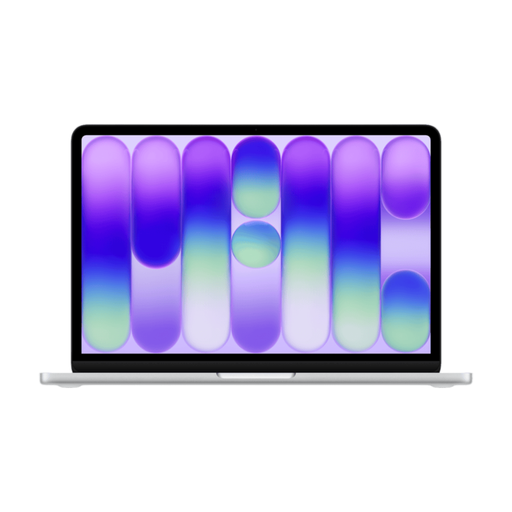 Image unavailable
Apple 13-inch MacBook Neo (2026), Silver
Consider this 13-inch option if a compact laptop suits your browser-led checks and its software supports your workflow.
A18 Pro chip with 6-core CPU and 5-core GPU, 8GB memory and a 256GB SSD.
Confirm the operating system, required browser tools and external-display connections for this exact model before choosing it for a standing-desk setup.
View on Joybuy
Common questions
Can Chrome DevTools replace a real-phone menu test?
No. Chrome for Developers describes device mode as an approximation that does not run your site on a mobile device. Use it for rapid viewport checks, then confirm the menu's behaviour on a representative phone.
Do I need a touchscreen laptop to check a mobile menu?
No; a non-touch laptop can be used for browser-based layout checks. A touchscreen or convertible hinge may help if you also want direct on-screen interaction or demonstrations, but it does not turn desktop emulation into a real-phone test.
How should I use a laptop at a standing desk for longer sessions?
Position the screen and input devices separately rather than relying on the built-in keyboard when the laptop is raised. The Health and Safety Executive advises a separate keyboard and mouse for prolonged laptop use with an elevated screen; try the arrangement at your intended desk height.
Does regular employee use call for a workstation assessment?
Yes, under the UK conditions described by the Health and Safety Executive: employers must assess the workstation when a worker uses display screen equipment daily as part of normal work for continuous periods of an hour or more. The assessment concerns the workstation and the work being done, not a particular laptop brand.
What accessories should I check before buying?
Check whether you need a riser, separate keyboard and mouse, or a compatible adapter or dock for your display. Confirm what comes with the exact configuration: Lenovo, for example, says the pen for the cited Yoga 7 model is optional and sold separately.


