What matters when choosing?
Start with the browser and workplace software you must run, then check whether the screen and shared-desk connections suit your work. Decide separately whether your release process also needs testing on a physical phone.
| Concern |
What to check |
Who this matters to |
| First-pass menu inspection |
Confirm that your required browser and developer tools run on the chosen operating system. Try the page and device toolbar together at the screen size you intend to use. |
If I frequently adjust menu breakpoints, I need to see the page and inspection tools without fighting for space. Roughly 50% of consumers put these first-pass checks first. |
| Real-device release checks |
Arrange access to a relevant phone; for connected Android debugging, check USB connectivity and workplace permission. |
When I approve a release, a simulated viewport cannot settle questions about touch or the target mobile browser. Around 33% of consumers make real-device validation their primary need. |
| Shared-desk fit |
Check the exact operating system, ports and compatibility with your office monitor, dock and peripherals. |
If I move between desks, I need a machine that works with the office setup and its supported software. About 17% of consumers prioritise that day-to-day fit. |
Joybuy laptop choices
These Windows and macOS laptops are choices for browser-based, first-pass mobile-menu checks in a shared office. Choose by software compatibility, usable screen space and desk connections; none replaces a physical phone for release checks that depend on mobile-device behaviour.
 No image available
ASUS Vivobook 15 X1504VA, Core 5 120U, 24GB, 1TB SSD
Consider this model if you want a 15.6-inch screen for checking the page beside your browser tools. Confirm that its connections match the monitor, dock and peripherals at your shared desk.
View on Joybuy
 No image available
ASUS Vivobook 14 X1407QA-LY003W, Snapdragon X, 16GB, 512GB SSD
This 14-inch option is worth considering if a smaller laptop suits your shared-desk setup. Before choosing its Snapdragon X configuration, confirm compatibility with your required browser, developer tools and workplace applications.
View on Joybuy
 No image available
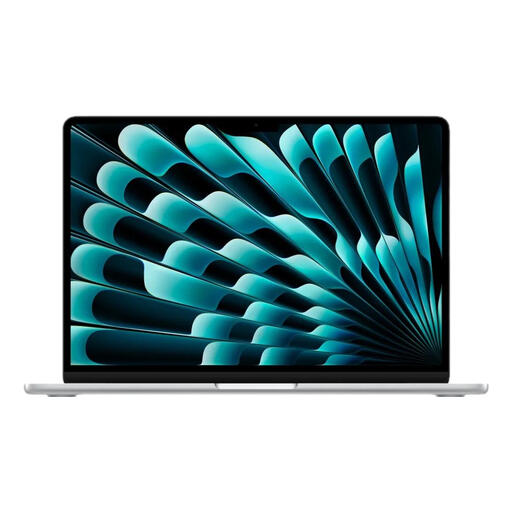
Apple 13-inch MacBook Air (2026), M5, 16GB, 1TB SSD, Silver
Consider this MacBook Air if your browser-testing and office tools support macOS. Apple lists two Thunderbolt 4/USB-C ports for the 13-inch M5 model, so check desk accessories; confirm the exact CPU configuration before ordering.
View on Joybuy
 No image available
Microsoft Surface Laptop 7 15-inch, Snapdragon X Elite, 16GB, 256GB SSD, Maya
The 15-inch touchscreen may appeal if you want more room for the page and inspection tools. Confirm the exact processor configuration, required software compatibility and connections to your office monitor or dock.
View on Joybuy
 No image available
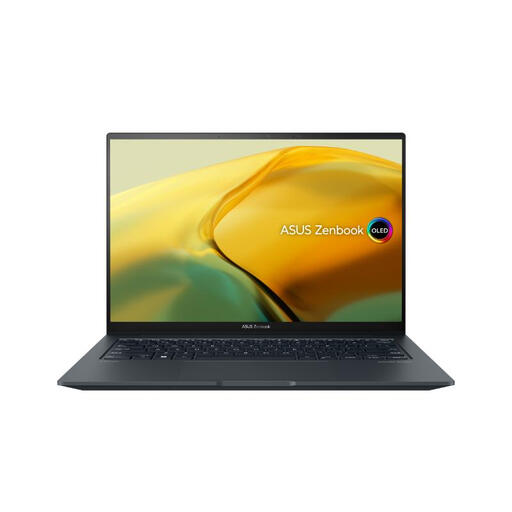
ASUS ZenBook UX3404VC-M3130W, 14.5-inch OLED, Core i9, 16GB, 1TB SSD, RTX 3050
This 14.5-inch Windows 11 Home laptop is another option for first-pass browser checks. Check its exact port configuration against the shared-office dock and monitor; the listed processor and graphics hardware do not remove the need for real-phone testing.
View on Joybuy
Frequently asked questions
Do I need a powerful laptop just to check a mobile menu?
Not for basic responsive checks: prioritise a laptop that runs your required browser and developer tools. Chrome for Developers documents mobile-viewport simulation and CPU and network throttling in Device Mode; consider additional processing capability if your work also involves demanding local builds, development services or virtual machines.
Can Chrome DevTools confirm that a menu works on a real phone?
No. Chrome for Developers says Device Mode approximates mobile behaviour without running the code on a mobile device. Test on a relevant physical phone when touch interaction or the target mobile browser matters to the release.
Can I inspect a live Android phone from my laptop?
Yes, Chrome for Developers documents remote debugging of content running on an Android device from a Windows, Mac or Linux computer. The phone needs USB debugging enabled and a connection to the computer; check permission first for company-managed devices.
Which laptop connections should I check for a shared desk?
Check the monitor input, dock, charging arrangement and any wired-network or USB-A accessories against the exact laptop configuration. Apple lists two Thunderbolt 4/USB-C ports on the 13-inch M5 MacBook Air, for example, so some desk equipment may need a compatible adapter or dock.
How should I compare warranty and support?
Compare the terms offered for the exact laptop and seller, including the repair route, battery terms and any optional accidental-damage cover. If workplace IT will manage the device, confirm that it supports the chosen configuration before ordering.


