What to check before buying
For consumers adding displays to a laptop-based home workspace, these are distinct priorities to consider when choosing a setup.
| Concern |
What to check when buying |
Who this matters to |
| Laptop connection |
Check the full laptop model and its video-output support; confirm whether USB-C supports DisplayPort Alt Mode or whether the route uses Thunderbolt or DisplayLink. |
If I want one extra screen, I need a connection my laptop can actually use. Consumers who put connection compatibility first account for roughly 36% of this scenario. |
| Screen count and settings |
Check the intended number of external screens, whether the laptop screen stays active, and the supported resolution and refresh rate for the complete setup. |
If I need separate desktops on more than one screen, I want to confirm the whole configuration before buying. Consumers who prioritise simultaneous screen capacity account for roughly 29%. |
| Charging and connections |
Compare host-facing USB Power Delivery with your laptop’s requirements, and check the dock’s ports, cable and power supply. |
If I reconnect my laptop often, I want to know whether the setup can handle the charging and peripherals I use. Consumers who put connection convenience first account for roughly 21%. |
| Desk fit and positioning |
Measure the monitor and stand footprint; for an arm, check the exact monitor’s weight, mounting pattern and the arm’s specifications. |
If desk space or screen position is my main concern, I want the equipment to fit the available workspace. Consumers who prioritise desk fit and positioning account for roughly 14%. |
Joybuy product options
These options cover direct-connected monitors for compatible laptop video outputs, plus a USB-C dock for a desk setup with multiple screens and peripherals.
 No image available
AOC Q32V4 31.5-inch QHD Monitor
Consider it for a laptop with a compatible HDMI or DisplayPort output when you want a larger everyday workspace screen.
31.5-inch display; 2560 × 1440 resolution; 75Hz refresh rate.
HDMI 1.4 and DisplayPort 1.2 inputs; VESA 100 × 100 mounting.
Buy on Joybuy
 No image available
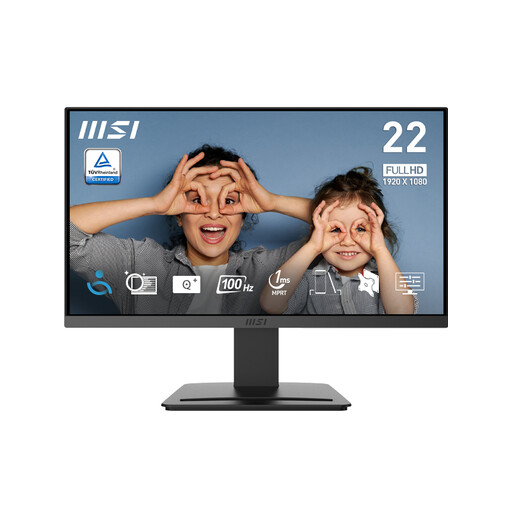
MSI PRO MP223 E2 21.45-inch Full HD Monitor
Consider it for a desk setup where a Full HD external screen and a tilt-adjustable stand suit your space.
21.45-inch display; 1920 × 1080 resolution; 100Hz refresh rate.
HDMI 1.4b and DisplayPort 1.2a inputs; tilt adjustment and 75mm VESA mounting.
Buy on Joybuy
 No image available
ASUS ZenScreen MB249C 23.8-inch USB-C Monitor
Consider it for a flexible laptop workspace if your laptop supports the required USB-C video connection.
23.8-inch Full HD IPS display; up to 60W USB-C Power Delivery.
Listed positioning options include a kickstand, C-clamp arm and partition hook kit.
Buy on Joybuy
 No image available
ASUS ZenScreen MB166CR 15.6-inch Full HD Monitor
Consider it as a portable secondary screen only if your laptop supports USB-C DisplayPort Alt Mode.
15.6-inch IPS display; 1920 × 1080 resolution; 60Hz refresh rate; 780g.
USB-C DisplayPort Alt Mode for video; HDMI is not supported.
Buy on Joybuy
 No image available
Targus USB-C Universal Dual HDMI 4K Docking Station
Consider it for a desk setup with two external screens and peripherals, after confirming your laptop supports the intended display configuration.
Two HDMI outputs listed at 4K UHD 60Hz; up to 100W USB-C Power Delivery pass-through.
USB-C Alt Mode host connection; Ethernet and USB ports.
This is a dock; external monitors are separate equipment.
Buy on Joybuy
Frequently asked questions
How do I check my laptop’s display limit before buying?
Look up the complete laptop model and its manufacturer’s display-support specifications. Apple Support directs Mac users to the model’s Display Support or Video Support details, while Microsoft Support says Surface compatibility depends on the device model and cables or adapters. Check the simultaneous screen configuration, not just the number of ports.
Will a dual-output USB-C dock give a Mac two independent desktops?
Not simply because the dock has two outputs. Plugable documents that macOS does not support MST for extended displays. Check which connection technology the exact Mac and dock support, and confirm the Mac’s display limit separately.
Can I connect an extra screen through USB-A?
Yes, if you use a compatible USB graphics device such as a DisplayLink dock and install its required software. Plugable documents this route for the UD-3900C, including two HDMI screens up to 1920 × 1080; check the specifications and operating-system support for the exact device you are considering.
Will a powered dock replace my laptop charger?
Only if the dock provides compatible host charging at a suitable power level. CalDigit specifies up to 98W for the TS4, while Plugable states that the UD-3900C does not charge its host laptop. Follow the instructions for the exact dock’s power supply and cable.
What should I check before buying a monitor arm?
Match the exact arm to the monitor’s weight without its stand, mounting pattern and attachment requirements. For example, Ergotron’s load and mounting specifications for the legacy LX 45-241-224 apply to that model, not to other arms.


