What should you check before buying?
Decide where the screen will sit or be stored, then check its connection and positioning options against your laptop and desk.
| Priority | What to check | Your needs |
|---|
| Desk fit and screen size |
Measure usable width and depth, including the stand and space for your laptop and input devices. Consider screen size alongside the work you need to see at once. |
I want more room for documents without losing the working surface around the screen. Which? notes that smaller monitors can suit limited spaces; Samsung UK describes 24–27-inch screens as an option for compact spaces. |
| Video and charging |
Match the laptop’s documented video output to the monitor input and required cable. For a USB-C hub monitor, check video-mode support and compare its power delivery with the laptop’s charging requirements. |
One cable would simplify my desk, but only if it can carry video and charge my particular laptop. The DisplayPort standards organisation explains that display video over USB-C uses a compatible alternate mode. |
| Positioning |
Check the stand’s height and tilt adjustments. If using an arm, match its load range and mounting method to the monitor and desk as well as the VESA pattern. |
For long sessions, I need to position the screen comfortably rather than work around a fixed stand height. Workstation setup also matters for sustained display-screen use, as the UK Health and Safety Executive advises. |
| Storage and movement |
Compare a portable screen’s size, weight, stand and power arrangement. Check any driver and operating-system requirements for the connection you intend to use. |
When the desk is shared, being able to put the second screen away matters more to me than having the working area of a fixed desktop display. |
Joybuy monitor options
These options cover fixed displays for a small desk and an ASUS ZenScreen model with flexible placement. Match each screen’s dimensions and connections to your own setup before choosing.
 No image available
ASUS ZenScreen MB249C IPS USB-C
Consider this 23.8-inch Full HD screen if you need more placement flexibility than a conventional fixed stand. The product information describes a kickstand, carrying handle and mounting options, plus USB-C video and up to 60W power delivery. Check your laptop’s video and charging support; if you plan to move the screen often, confirm its weight, as the listed figures conflict.
View on Joybuy
 No image available
DELL P2425H 24-inch Full HD monitor
For a permanent desk, this model lists a 24-inch Full HD display, height, tilt and swivel adjustment, and HDMI and DisplayPort connections. Match an input to your laptop and check the stand footprint. Confirm the exact refresh-rate specification if it matters to you, and do not assume the mentioned USB-C connection provides laptop video or charging without checking its functions.
View on Joybuy
 No image available
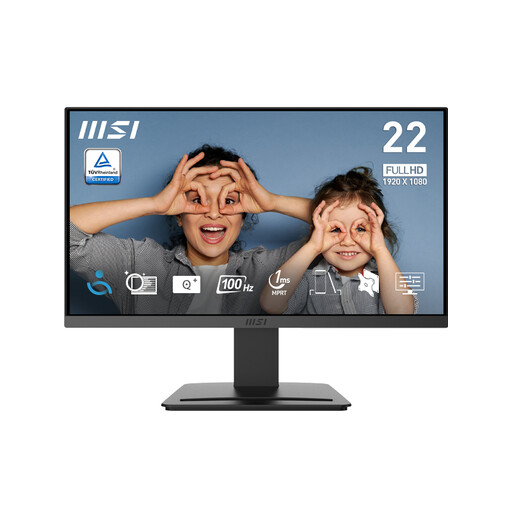
MSI PRO MP223 E2 21.45-inch Full HD monitor
The listed 21.45-inch screen is worth considering when you prefer a smaller panel on a permanent desk. It has a stated 1920 × 1080 resolution, tilt adjustment, HDMI 1.4b and DisplayPort 1.2a inputs. Check the monitor’s full physical dimensions and the laptop connection you will use.
View on Joybuy
 No image available
Samsung Essential S3 S31D (LS24D310EAUXXU)
This 24-inch Full HD option suits a fixed desk if its stand dimensions leave enough room for your other equipment. HDMI and VGA inputs and tilt adjustment are listed. Check the laptop’s output and whether tilt alone gives you the positioning you need; do not assume laptop charging through the monitor.
View on Joybuy
 No image available
KOORUI E2412F 24-inch FHD monitor
For a permanent work surface, this model lists a 24-inch Full HD IPS display, tilt adjustment, HDMI and DisplayPort inputs. Check its physical dimensions against your desk and match a video input to your laptop. If you want one-cable laptop charging, confirm that requirement separately before choosing it.
View on Joybuy
Common questions
What monitor size should I consider for a compact desk?
Start with the usable desk area, including space for your laptop and input devices, rather than a size rule. Samsung UK identifies 24–27-inch monitors as an option for compact spaces, while Which? notes that smaller screens can suit limited space; neither establishes that one size fits every desk.
Will any USB-C monitor display video from my USB-C laptop?
No. Display video over USB-C needs compatible functionality, such as DisplayPort Alt Mode or supported Thunderbolt display output, not just a matching connector. Check the laptop’s external-display specification, the monitor input and the required cable.
Can a USB-C monitor charge my laptop?
It can when the laptop and monitor support compatible USB-C charging and the available power suits the laptop. Dell UK lists up to 90W power delivery for the P2425HE, for example, but you still need to compare that specification with your laptop’s requirements.
Can a portable monitor use my laptop’s USB-A port?
Some models offer a specific USB-A connection route. ASUS says the ZenScreen MB16ACE supports a hybrid USB Type-A connection that requires a DisplayLink driver. Check operating-system support and whether you can install the driver on a managed work or school laptop.


