What should you check before buying?
Decide where the screen will live, then check the laptop-to-screen connection and the position you can achieve at that workspace.
Fixed monitor
Choose when: You mainly work at one desk and want more room for documents on a screen that stays in place.
Allow for: Desk space and a suitable screen position; a direct video connection does not necessarily charge the laptop.
Portable second screen
Choose when: You change work areas or need to put the display away after work.
Allow for: Less screen area and fewer fixed positioning options than a desktop display; connection modes may also differ by model.
Dock
Choose when: A compatible laptop needs connections for several peripherals or the external-display arrangement it supports.
Allow for: The laptop’s own display limit: Microsoft Support and Apple Support both describe limits that depend on the computer and display arrangement.
| Priority | What to check | Your needs |
|---|
| Screen space |
Compare screen size and resolution with the desk space and the windows you need open. Check that the laptop supports the resolution you intend to use. |
I want to see a document and its reference material without arranging everything on the laptop display. |
| Video connection |
Match the laptop’s video-capable port to the monitor input and cable. For USB-C, confirm display-output support on the exact laptop port; Microsoft Support notes that USB-C functionality can vary by hardware and software. |
My second screen needs to work through the connection available on my laptop, whether that is a direct video output or a compatible USB-C route. |
| Charging |
Compare the monitor’s or dock’s stated power delivery with the laptop’s charging requirement. Dell UK states 90W for the P2725DE, while LG UK states up to 15W for the 27U631A-B; those figures do not establish compatibility with a particular laptop. |
A single cable would be useful at my desk, but I can keep using the laptop charger if the screen cannot provide enough power. |
| Screen position |
Check the stand’s stated adjustments and the space available for it. If considering an arm, confirm the monitor mounting, weight and desk attachment requirements. |
For long sessions at one desk, I want to position the screen as part of a comfortable workstation rather than choose by diagonal size alone. |
| Storage and movement |
Check a portable screen’s dimensions, stand, supplied connection method and any software requirement. ASUS says its ZenScreen MB16ACE needs a DisplayLink driver for its hybrid USB Type-A connection. |
The work area has to be cleared, so a display I can move and store matters more to me than a permanently installed screen. |
| Multiple displays |
Check the exact laptop model’s external-display limit before selecting a dock. Microsoft Support notes that a display adapter may not support more than one external monitor; Apple Support says MacBook Air limits depend on the model, resolution and refresh rate. |
I want separate extended displays, not merely the same picture repeated across screens. |
Fixed monitors on Joybuy
These options are fixed monitors for a laptop-based desk setup. Match their stated screen details to your available space, then confirm the connection and any charging capability needed for your particular laptop.
 No image available
BenQ MA320UP 32-inch Nano Glossy IPS 4K UHD USB-C monitor
Consider this fixed screen where a 32-inch display fits the desk and you want more room for work windows. Its name specifies 4K UHD, an IPS panel and USB-C; confirm that your exact laptop port supports the intended video connection and check its charging needs before planning a one-cable setup.
View on Joybuy
 No image available
ASUS ProArt PA278CFRV IPS QHD 100Hz monitor
This QHD IPS model is an option for a permanent document-work desk. Check the connections on the specific variant against your laptop; if USB-C is important to your setup, confirm its availability and functions before choosing it.
View on Joybuy
 No image available
LG 27UP650K 27-inch 4K IPS monitor
For a fixed desk where a 27-inch 4K screen suits the available space, this model lists HDMI and DisplayPort connections. Confirm that the laptop can use your intended connection and resolution; check charging arrangements separately if you want a one-cable desk.
View on Joybuy
 No image available
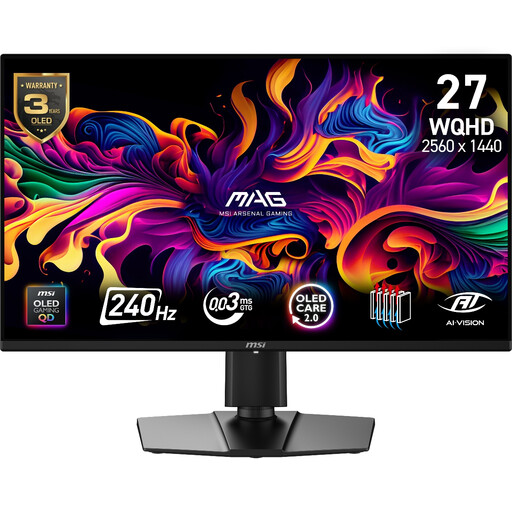
MAG 274QP QD-OLED X24 27-inch WQHD monitor
This gaming-labelled model can also be considered as a fixed second screen if its 2560 × 1440 resolution and desk footprint meet your work needs. Its name states a QD-OLED panel and 240Hz refresh rate; check the required laptop connection rather than assuming those display specifications establish compatibility.
View on Joybuy
 No image available
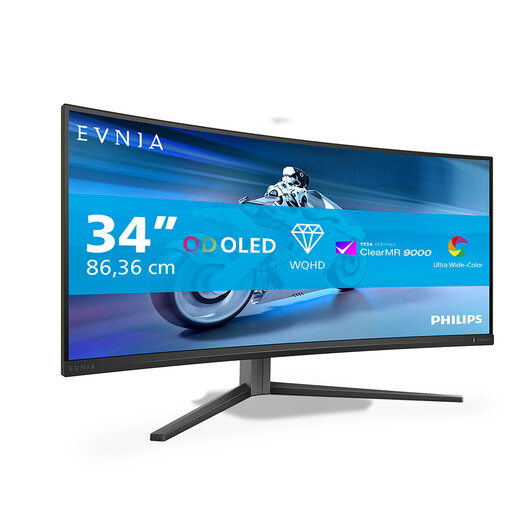
Philips Evnia 6000 34M2C6500 34-inch 3440 × 1440 monitor
A 34-inch display may suit a fixed desk where several windows need to sit side by side, provided the screen fits the space. The name specifies HDMI and DisplayPort, height, swivel and tilt adjustment, and different stated refresh rates for the two connections. Confirm that your laptop supports 3440 × 1440 through the connection you plan to use.
View on Joybuy
Questions about laptop monitors
Will any USB-C monitor show video and charge my laptop through one cable?
No. Confirm video output on the exact laptop USB-C port and compare the monitor’s power delivery with the laptop’s charging needs. Microsoft Support notes that USB-C functionality can depend on the hardware and software; Dell UK states 90W for the P2725DE, whereas LG UK states up to 15W for the 27U631A-B.
Will a dock let my laptop run two independent external monitors?
Only if the laptop supports the intended display arrangement and the dock has a compatible host connection. Microsoft Support notes that a display adapter may not support more than one external monitor, while Apple Support says MacBook Air display limits depend on the model, resolution and refresh rate. Check the documentation for your exact laptop before buying a dock.
Can a portable monitor work for daily home working?
It can suit daily work when moving or storing the screen matters more than having a larger fixed display. Check its available viewing position, video and power connections, and any software requirement. ASUS says the ZenScreen MB16ACE needs a DisplayLink driver for its hybrid USB Type-A connection.
Does a larger monitor settle the ergonomic side of home working?
No. The Health and Safety Executive identifies workstation design as relevant to discomfort from display screen equipment, and says its home-working DSE rules can apply to permanent, long-term and routinely hybrid home workers. Check how the screen sits within the whole desk arrangement, including its position and the available space.


