What to check before buying
Settle the software and file workflow first, then check the shared desk and decide whether your playback work calls for more storage or memory.
| Concern |
What to check |
Who this matters to |
| Software and files |
Confirm the notation app, edition and supported operating-system version; check required file exchange and plug-ins. |
If colleagues need files from a particular notation app, I need a laptop that runs it and fits that exchange workflow. Around 40% of consumers put software and file compatibility first. |
| Shared-desk setup |
Check monitor and dock connections, power and input devices against the desks you use. |
When I change desks, I need my screen and peripherals to connect without disrupting worksheet work. For around 30% of consumers, the shared workstation is the primary concern. |
| Sounds and larger projects |
Compare the exact memory and SSD configuration with any optional libraries and local project files. |
If I use playback libraries alongside notation, I need room for those installations and projects, not just the app itself. Sound-library and project headroom comes first for around 30% of consumers. |
Joybuy laptop choices
These laptops offer different screen sizes and configurations to consider for music worksheets at a shared desk. Check your notation software and the connections at your desk before choosing a specific unit.
 No image available
ASUS Vivobook 14 X1407QA-LY003W Copilot+ PC, Quiet Blue
Consider this 14-inch model if you want a smaller laptop for moving between desks; confirm that your notation app and any plug-ins work with the Snapdragon X configuration.
- Snapdragon X, 16GB RAM and 512GB SSD.
- Check its connections against your office monitor and dock.
View on Joybuy
 No image available
LOQ 15IRX10 i5-13450HX, 24GB, 1TB, W11H
This configuration is worth comparing if your worksheet work includes locally stored projects or optional sounds; decide whether a 15-inch-class laptop suits your desk routine.
- 24GB memory and a 1TB SSD.
- Confirm notation-software compatibility and the connections required by your office dock.
View on Joybuy
 No image available
MSI Modern C2RMG-282UK, 9S7-15H431-282
Consider this model if you work directly on a 15-inch-class display, but confirm the supplied operating system before choosing it for your notation app.
- 15-inch-class FHD display, Intel Core 5, 16GB DDR IV RAM and 512GB SSD.
- Check monitor and dock compatibility with your shared desk.
View on Joybuy
 No image available
HP OmniBook X Flip 16-as0004na, Core Ultra 5 226V
Its 16-inch touchscreen may suit worksheet work done on the laptop display; check whether its size and desk connections fit the way you move between workstations.
- 2-in-1 design, 16GB RAM, 512GB SSD and Windows 11 Home.
- Confirm your notation app's requirements before buying.
View on Joybuy
 No image available
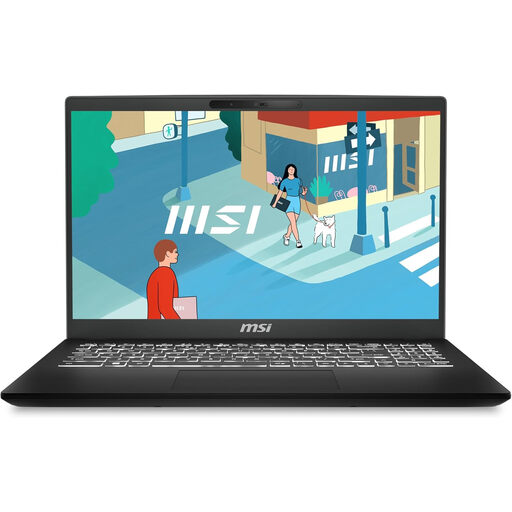
MSI Modern C13M-274UK, Core 15-1342OH
This 15.6-inch model offers a laptop-display option for worksheet editing; confirm its operating system before relying on it for a particular notation application.
- 16GB RAM and a 512GB SSD.
- Check its monitor and peripheral connections against the shared desk.
View on Joybuy
Common questions
Should I choose the notation software before Windows or macOS?
Yes: identify the application and version you need before settling on a laptop platform. MuseScore Studio lists Windows, macOS and Linux support; Steinberg offers desktop Dorico for Windows and macOS; Avid specifies supported Windows and macOS releases for Sibelius. Your colleagues' file requirements and any required plug-ins may narrow the choice further.
Do music worksheets require 16GB of memory?
Not as a universal software requirement. Avid lists 1GB RAM for Sibelius software alone, while its optional Sibelius Sounds library has a recommendation of at least 4GB RAM and requires 36GB of additional disk space. Compare your chosen app, libraries and other work against the exact laptop configuration rather than treating 16GB as a rule for every worksheet task.
Does hot-desking change the workstation checks?
Yes: check the workstation you will actually use, not only the laptop. The Health and Safety Executive says employers must assess workstations for workers using display-screen equipment daily as part of normal work for continuous periods of an hour or more. Check the monitor, input devices and connections at desks you use regularly.
Does a laptop warranty replace my legal rights?
No. Citizens Advice's guidance for England says warranties and guarantees add to legal rights; their coverage and claim procedures can differ. Check who provides the warranty and which terms apply to your purchase, and seek the relevant local consumer advice if you are buying elsewhere in the UK.


