What should you check?
Start with the applications and assessment tasks your course requires. Then decide which screen, input method and carrying arrangement will make those tasks practical.
| Concern |
Buying checks |
Who it matters to |
| Course software |
Ask your department for named applications, supported operating systems and minimum hardware requirements. Confirm whether any specialist task must run locally. |
If an assignment needs installed software, I need to know it will run before choosing a lighter device. About 36% of consumers put course-software compatibility first. |
| Accessibility and input |
Try sustained typing, reading and annotation; check any required stylus, screen reader, speech-to-text tool or external input device. |
When handwriting diagrams or using assistive tools is central to my work, the way I interact with the device comes first. For about 29% of consumers, accessible input or handwriting is the primary need. |
| Study across locations |
Compare the size and weight you will carry, charging arrangements, and the camera and connections your work requires. |
Moving between home, lessons and campus study spaces makes a device difficult to use if I cannot carry or charge it conveniently. Daily portability and reliability come first for about 21% of consumers. |
| Support and device condition |
For the exact unit, check its specification, condition, included charger, warranty terms and repair route. |
If this is my main coursework device, I need a workable plan if it develops a fault, particularly when considering refurbished equipment. About 14% of consumers primarily focus on condition and support. |
Windows laptops on Joybuy
These Windows laptops are options to compare if your course calls for a laptop. Check the required applications and minimum specification against each configuration, especially where the processor platform or Windows mode affects software installation.
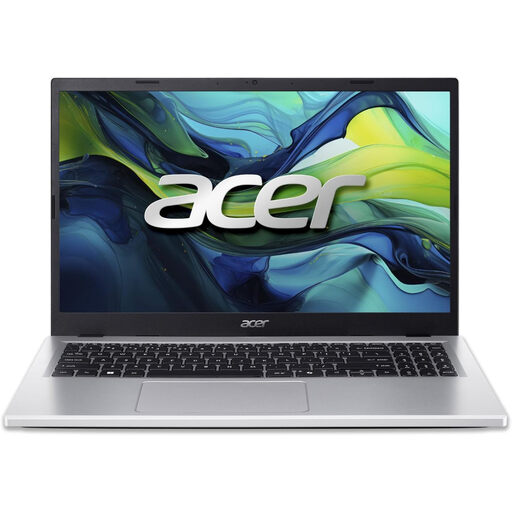 Image unavailable
Acer Aspire Go 15 AG15-71P, Core i5-13420H, 8GB, 256GB
Consider this Windows 11 Home laptop if its configuration meets your course's application requirements. The listed variant has a 15.6-inch Full HD screen and 256GB NVMe SSD; check the memory and storage your assignments require.
View on Joybuy
 Image unavailable
ASUS Vivobook 14 X1407QA-LY003W, Snapdragon X, 16GB, 512GB
This 14-inch laptop is an option for students whose required applications and peripherals support its Snapdragon Windows configuration. It lists 16GB RAM and a 512GB SSD; confirm compatibility with the exact course software before buying.
View on Joybuy
 Image unavailable
ASUS Vivobook 15 X1504VA, Core 5 120U, 24GB, 1TB
For coursework involving substantial documents or files, compare this listed 24GB RAM and 1TB SSD configuration with your course requirements. It has a 15.6-inch screen; confirm required software support and active-use battery runtime for your study day.
View on Joybuy
 Image unavailable
Lenovo IdeaPad 1, Ryzen 3 7320U, 8GB, 128GB, S Mode
This 15-inch Windows 11 Home in S Mode laptop is worth considering only if you can complete the required work with its software-installation arrangement. Check that the listed 128GB SSD accommodates your course applications and files.
View on Joybuy
 Image unavailable
Acer Aspire Lite AL15-36P-C29Z, Intel N150, 8GB, 128GB
Compare this 15.6-inch Windows laptop with your course's software and storage requirements before choosing it as a main device. Its product title says Windows 11 Home, while the supplied configuration details specify S Mode; confirm the exact Windows mode and whether required apps can be installed.
View on Joybuy
Common questions
What should I ask my course before choosing a device?
Ask which applications, operating systems and browsers your assignments require, whether specialist software must run on your own device, and what minimum hardware or peripherals you need. UWE Bristol advises that course software determines the type of device to choose.
Can a tablet replace a laptop for college coursework?
A tablet can be your main device only if the course confirms that its learning platform, document work, submissions and any specialist applications all work on that tablet. Loughborough University cautions that tablet-accessible software is limited; pen input and a keyboard do not resolve an incompatible application.
Should I choose Windows or macOS?
Choose the operating system your required applications and peripherals support. UWE Bristol describes Windows as generally the more compatible option for university software, but a macOS laptop is also a route when your course confirms that its full workflow works on Mac.
How much memory and storage do I need for ordinary coursework?
Use your course minimum as the deciding figure. For one institutional point of reference, the University of Hertfordshire recommends at least 8GB RAM and 256GB SSD storage; a course with different applications or file demands may require another configuration.
Can a refurbished laptop be my main study device?
Yes, if the individual unit meets your course requirements and its condition and support arrangements work for you. Check its exact operating system, memory, storage, included charger, seller description and repair route rather than assuming that the model name describes every refurbished unit.


