What should you check before buying?
Confirm the primary computer against your course requirements first. Then assess specialist applications, online participation and any individual accessibility needs.
| Concern | What to check | Who this matters to |
|---|
| Coursework and assessment compatibility |
Check the required operating system and software, plus device or browser rules for assessments. |
If my tablet opens lectures but cannot run an assessed task, it cannot be my only study device. About 36% of consumers put primary-device compatibility first. |
| Specialist software and hardware |
Match the exact module applications to their processor, memory, storage and graphics requirements. |
For a course using demanding or platform-specific applications, I need the software list before choosing a computer. Specialist-course requirements come first for about 29% of consumers. |
| Calls, files and study on the move |
Check the camera and microphone needed for online work, then ports, charging compatibility or a file-backup plan where relevant. |
My computer meets course requirements, but group calls or work away from a desk expose a practical weak point. About 21% of consumers chiefly need to improve that day-to-day setup. |
| Accessibility and adapted equipment |
Confirm assistive-technology compatibility and discuss individual equipment needs with your university disability service. |
If my study depends on adapted input or assistive software, compatibility with that support shapes the purchase. It is the primary concern for about 14% of consumers. |
Joybuy laptops for study
These laptops are options to compare if you need a primary computer for university work. Match each model to your course software and assessment requirements before choosing; a higher specification alone does not confirm compatibility.
 No image available
HP OmniBook X Flip 16-as0004na, 16-inch
Consider this convertible if you want a primary laptop that can also be used in different screen positions. The title specifies an Intel Core Ultra 5 226V, 16GB RAM, a 512GB SSD, a touchscreen and Windows 11 Home. Confirm course software and assessment support; if you plan to use the convertible modes, check the functions you need.
View on Joybuy
 No image available
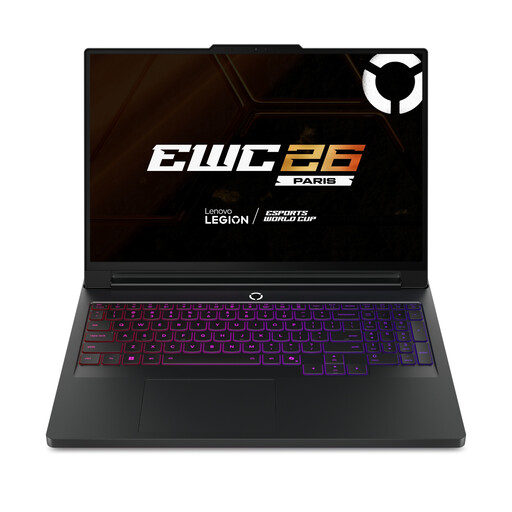
Lenovo Legion Pro 7 16IAX10H, 83F5000UUK
Compare this model if your course specifies substantial memory, storage or dedicated graphics. Its title lists a 16-inch screen, Intel Core Ultra 9, 64GB RAM, a 2TB SSD, NVIDIA GeForce RTX 5090 graphics and Windows 11 Home. Check the exact applications first, and confirm weight and battery runtime if you will carry it regularly.
View on Joybuy
 No image available
Acer Aspire Lite AL15-36P-C29Z, 15.6-inch
Consider this for general coursework after checking the applications your course uses. The product title states an Intel N150, 8GB DDR4 RAM, a 128GB SSD, a Full HD screen and Windows 11 Home. Also confirm the offered Windows setup, including whether S Mode affects installation of required software; do not use a different storage figure without checking this exact variant.
View on Joybuy
 No image available
ASUS Vivobook 15 X1504VA, 15.6-inch
Compare this model if memory and space for coursework files matter to your choice. Its title specifies an Intel Core 5 120U, 24GB RAM and a 1TB SSD. Before relying on it for online classes or assessments, confirm its operating system, camera and microphone, as well as your course software requirements.
View on Joybuy
 No image available
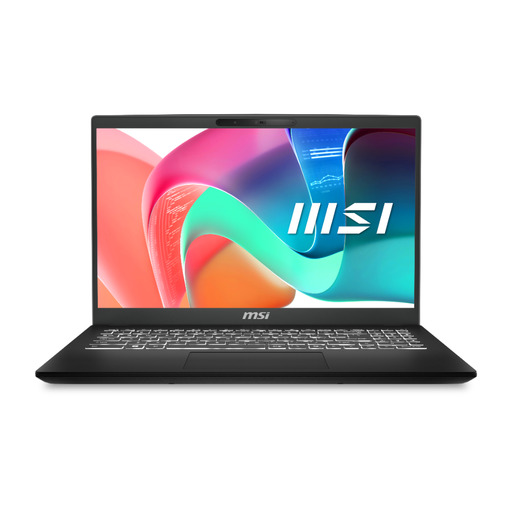
MSI Modern C2RMG-282UK, 9S7-15H431-282
Consider this laptop if its memory and storage match the work set out by your course. The title specifies an Intel Core 5, 16GB DDR IV RAM, a 512GB SSD and a 15-inch FHD display. Confirm its operating system and camera or microphone setup before choosing it for required applications and online participation.
View on Joybuy
Questions about university study devices
Can a tablet with a keyboard replace a laptop for university?
Do not assume it can replace your primary computer. University College London advises regular access to a laptop or desktop, while the University of Law recommends a laptop, PC or Mac for full assessment functionality. A tablet can still be useful for notes and reading if you have access to a computer that meets your course requirements.
What laptop specification should I start with?
Start with your course’s software requirements, not a universal specification. University College London gives an example Windows baseline of an i5 processor, 8GB RAM and a 256GB SSD for most courses; Loughborough University recommends 16GB RAM and a 500GB SSD for the more demanding courses covered by its guidance. Check which guidance applies to your modules before buying.
When is a separate headset or webcam worth considering?
Consider a headset when frequent online sessions or shared study spaces make your existing audio setup unsuitable. Check for a webcam if you use a desktop, your laptop camera does not meet a stated requirement, or an assessment specifically requires video. Confirm the relevant course or assessment rules rather than assuming every online session needs separate equipment.
Can Disabled Students’ Allowance support a computer purchase?
It can support specialist equipment, including a computer needed because of a disability, for eligible students under the applicable scheme. GOV.UK describes eligibility for students living in England; Student Awards Agency Scotland publishes a separate Scottish route. Check your own student-finance authority and university disability service before choosing equipment on the assumption that it will be funded.


