What matters when choosing?
Check your notation application and any playback libraries first. Then choose a screen size that suits your usual score view and check the connections for equipment you already own.
| Concern |
What to check |
Who this matters to |
| Score workspace |
Compare screen size and shape at your usual notation zoom. If you prefer a smaller laptop, check its external-display connection. |
When I inspect full pages or keep reference material beside a score, I want enough room to read the staves without constant scrolling. Around 30% of consumers put score workspace first. |
| Software and playback libraries |
Confirm support for your exact application, operating-system version and plug-ins; allow SSD space for the sound libraries you plan to install. |
If my chosen notation program or playback sounds cannot run as needed, a larger screen will not solve the problem. Software and library fit comes first for around 30% of consumers. |
| MIDI and desk connections |
Identify your keyboard and audio-interface connectors, then check the laptop's ports, display output and any adapter or driver requirements. |
I want to connect the MIDI keyboard and monitor I already use without discovering that a connector or driver does not fit my setup. Around 20% of consumers make connectivity their primary concern. |
| Portability |
Compare the exact model's size and weight, and try viewing a representative score on its screen before committing to a smaller format. |
Taking a laptop to lessons or rehearsals matters more to me than seeing as much of the score at once. Portability leads the choice for around 20% of consumers. |
Joybuy laptops for piano notation
These laptops offer different screen sizes and configurations for writing and checking piano scores. Match each one to your notation software, playback content and existing MIDI equipment before choosing.
 No image available
Apple MacBook Air 15-inch M5 (2026, 16GB, 1TB, Sky Blue)
Consider this larger-screen MacBook Air if you prefer macOS and want room to inspect score layout. Its listed configuration has an M5 chip with a 10-core CPU and 10-core GPU, 16GB memory and a 1TB SSD.
Confirm your notation software and MIDI equipment work with your chosen macOS setup, and check any adapters you need.
View on Joybuy
 No image available
Lenovo Legion Pro 7 16IAX10H (83F5000UUK, 16-inch, 64GB, 2TB)
This 16-inch Windows laptop is an option if you want a large built-in screen for working on scores and plan to use substantial playback content. Its listed configuration includes an Intel Core Ultra 9 processor, 64GB RAM, a 2TB SSD and NVIDIA GeForce RTX 5090 graphics; those specifications alone do not establish a benefit for notation work.
Check your application, plug-ins and MIDI drivers against Windows 11 Home and this configuration before buying.
View on Joybuy
 No image available
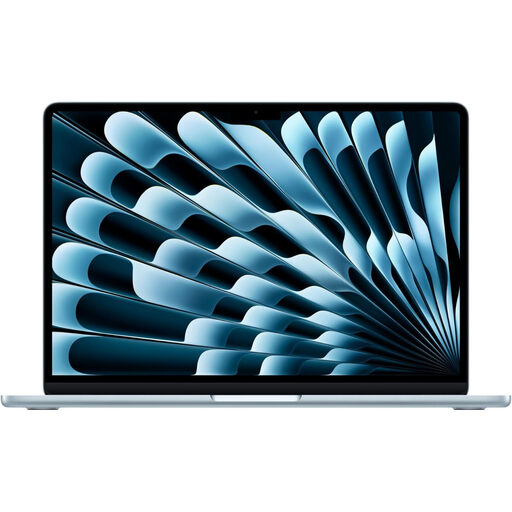
Apple MacBook Air 13-inch M5 (2026, 24GB, 1TB, Midnight)
Consider this smaller MacBook Air if you write scores away from a desk and accept less built-in viewing space. The listed M5 configuration has a 10-core CPU, 10-core GPU, 24GB memory and a 1TB SSD.
Check a score at your preferred zoom, along with macOS support for your software and the connections required by your MIDI setup.
View on Joybuy
 No image available
Lenovo IdeaPad Slim 3 15IAH8 (83ER00G4UK, 15.6-inch, 8GB, 512GB)
This 15.6-inch option is worth checking if you want a larger screen for home score work. Its title identifies an Intel Core i5 processor, 8GB RAM and a 512GB SSD.
Confirm that 8GB memory meets the requirements of your notation software and planned playback workload, and check compatibility with your MIDI devices.
View on Joybuy
 No image available
Microsoft Surface Laptop 7 15-inch (Snapdragon X Elite, 16GB, 256GB, Maya)
Consider this 15-inch Surface Laptop 7 if you want a larger Windows screen for score editing. Its listed configuration has a Snapdragon X Elite processor, 16GB RAM, a 256GB SSD and a PixelSense touchscreen.
Before choosing a Snapdragon laptop, confirm that your exact notation software, virtual instruments and MIDI drivers work with it. Check whether 256GB leaves enough space for your playback libraries; Avid lists an additional 36GB for the optional Sibelius Sounds library.
View on Joybuy
Questions about piano-notation laptops
Do I need a gaming laptop to notate piano scores?
Not solely for writing piano scores: start with your notation software's requirements, a readable display, suitable connections and storage for any playback libraries. Avid lists an additional 36GB for the optional Sibelius Sounds library, so check your complete workload rather than choosing by graphics hardware alone.
How much storage should I allow for piano notation?
Allow space for the software, any sounds you intend to install and your other applications, not just the score files. Avid lists 1GB for Sibelius software and an additional 36GB for the optional Sibelius Sounds library; other libraries may change what you need.
Can I connect a MIDI piano or external monitor?
You can plan those connections, but check the exact laptop ports, display-output capability and your device's driver requirements before buying. Apple lists Thunderbolt 4/USB-C ports for MacBook Air, while Microsoft lists USB-C/USB4 and USB-A on the cited 13.8-inch and 15-inch Surface Laptop 8th Edition models; a USB-A device may need an adapter with a USB-C-only laptop.
Can I return a laptop bought online in the UK if it does not suit me?
For a change-of-mind cancellation of a UK online order, GOV.UK states that customers can cancel within 14 days of receiving the item and then have another 14 days to return it. Faulty or misdescribed goods are a separate matter; check the applicable remedy rather than treating the change-of-mind timetable as the only route.


