What to check before buying
Start with your laptop’s charging method and wattage, then decide whether you need power away from a socket or simply a dependable mains setup.
| Priority |
What to check |
Your needs |
| USB-C charging compatibility |
Confirm that the exact laptop supports USB-C charging or USB Power Delivery. Check the maker’s recommended minimum charger wattage and do not rely on the connector shape alone. |
I need a charger or power bank that can actually charge my laptop, rather than merely fit its USB-C port. |
| Power at your study desk |
Check socket availability in the library area you use. Compare a power bank’s single-port USB-C output with your laptop requirement; a mains charger only works where a socket is usable. |
I want to keep working if the desks with sockets are occupied, limited to another area or unavailable. |
| Library facilities |
Check current availability, loan duration, return conditions and charging rules for lockers, power packs and loan laptops at your own library. |
I may use a local charging or loan service for occasional low-battery sessions, but I need to know whether it suits my timing. |
| Safe charging kit |
Use a traceable retailer, inspect chargers and cables for damage, and keep charging equipment dry and ventilated. Match the cable rating to the intended charging power. |
I want a charging setup I can carry and use safely in a shared study space. |
Joybuy product options
Joybuy options for building a library charging kit: a spare mains charger for desks with sockets, a laptop power bank for compatible USB-C laptops, and USB-C cables to connect a suitable power source.
 No image available
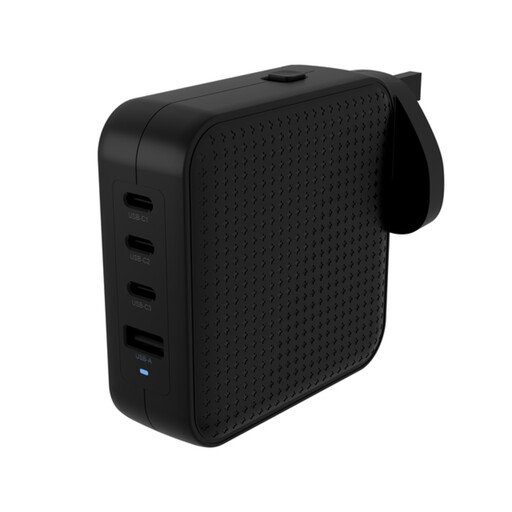
Hyper HyperJuice 100W USB-C GaN Travel Charger, Black
A spare mains-power option for library sessions with a usable socket.
Stated 100W USB-C PD output, three USB-C ports, one USB-A port and UK adapter support. Check the port-combination power table if other devices will be connected, and confirm your laptop accepts USB-C PD.
Joybuy
 No image available
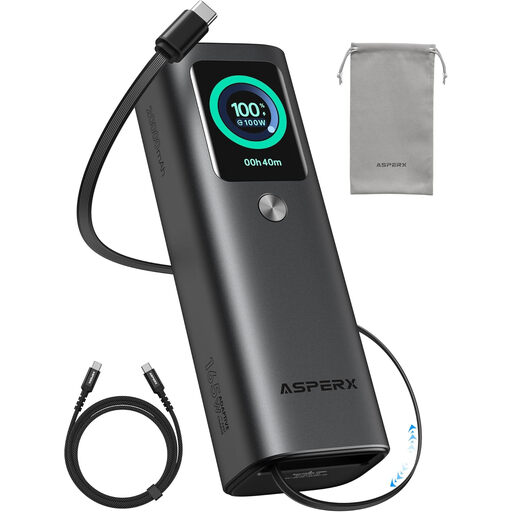
ASPERX 165W 20,000mAh Laptop Power Bank
An off-socket charging route for a laptop confirmed to accept the required USB-C power delivery.
Stated 20,000mAh capacity, 100W maximum single-port output, retractable cables and an included 240W USB-C to USB-C cable. Verify USB Power Delivery profiles and that 100W meets your laptop’s intended charging requirement.
Joybuy
 No image available
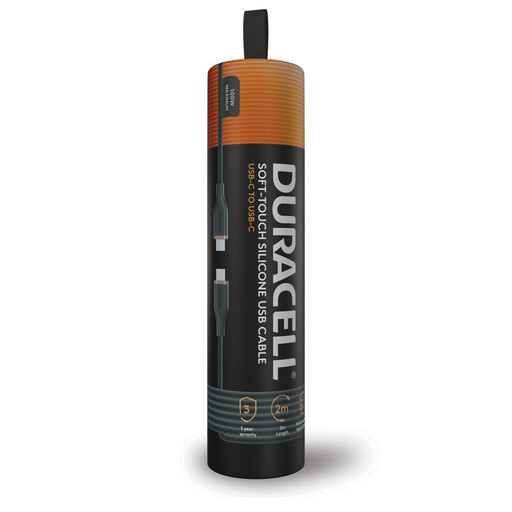
Duracell USB-C to USB-C Charging Cable, 2m, 100W
A longer connection cable for a USB-C-chargeable laptop paired with a compatible charger or power bank.
Stated 2m length, USB-C PD charging up to 100W and 480Mbps data transfer. It is not a power source, and its 100W rating does not cover an intended requirement above 100W.
Joybuy
 No image available
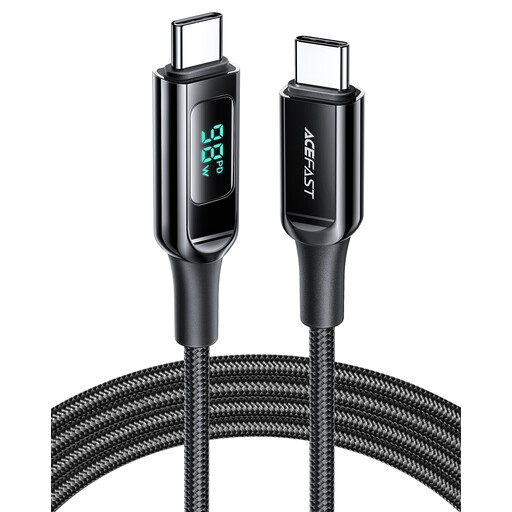
ACEFAST 100W USB-C to USB-C Charging Cable, 1.2m, Black
A compact cable for connecting a compatible laptop to a separate USB-C charger or power bank.
Stated 1.2m length, 100W rating and digital power display. The display does not confirm that a laptop is receiving its maker-recommended power, so check the laptop and power source as well.
Joybuy
 No image available
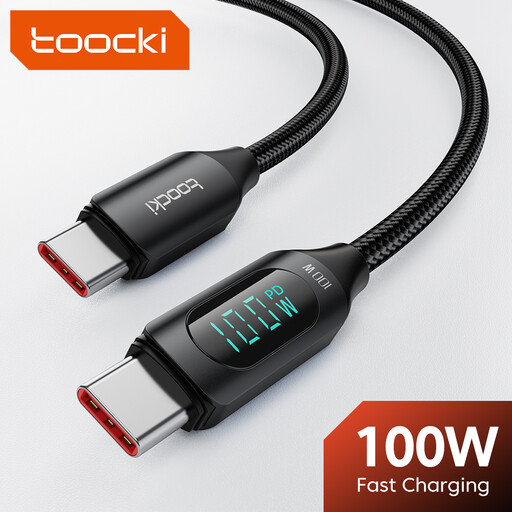
toocki USB-C Cable, 3.3ft, 100W with LED Display
A shorter carried cable for connecting a compatible USB-C laptop to a separate charger or power bank.
Stated 1m length, 100W maximum, 480Mbps data transfer and LED power display. The shorter length may not reach a distant socket, and the cable cannot provide power by itself.
Joybuy
Frequently asked questions
How do I check whether my laptop can use a USB-C power bank?
Check the official manual or support page for your exact laptop model for USB-C charging or USB Power Delivery support, then find the manufacturer-recommended charger wattage. Do not assume every USB-C port accepts charging: Dell Support documents data-only USB-C ports on some models, while Apple Support says USB-C-chargeable Mac laptops can use USB PD adapters.
Is a 65W laptop power bank enough?
It is enough only when your exact laptop charges through USB-C and its intended charging requirement is no more than the power bank can supply from one USB-C port. Belkin states up to 65W from one USB-C port for its cited BoostCharge Pro 20K model, while recommended charger wattage varies between laptop models.
Can a USB-C cable by itself keep my laptop powered in the library?
No. A cable connects the laptop to a compatible mains charger or power bank; it does not store or generate power. Match its power rating to the expected charging load, and do not use a 100W cable for an intended charging requirement above 100W.
Can I rely on library charging lockers, power packs or loan laptops instead of buying anything?
Only after checking your own library’s current service page and terms. The University of Salford lists charging equipment and lockers but notes that waits can occur at busy times, while the University of Leeds says its loan laptops cannot be charged while borrowed. Conditions at one institution do not apply automatically to another.
Are there UK safety considerations when buying a charger?
For Great Britain, electrical equipment supplied to the market falls within the Electrical Equipment (Safety) Regulations 2016 framework; Northern Ireland has different applicability under the Windsor Framework. For personal use, Electrical Safety First advises using reputable retailers, avoiding substandard or counterfeit USB chargers, following maker instructions and not using damaged or overheated equipment.


