Who needs which setup?
The useful choice depends on whether you need to charge a laptop away from a socket, keep smaller devices going, or take a power bank onto a flight.
Laptop-dependent business travellers
If you work on a train, between meetings or during an airport wait, check that your exact laptop accepts USB-C Power Delivery charging. Then compare its documented input requirement with the power bank’s output from the port you will use, including when other devices are connected.
Commuters carrying smaller devices
If the laptop can wait until you reach a socket, a phone-focused power bank may be more practical to carry for a phone, earbuds, tablet or hotspot. Match its ports and capacity to the devices you actually take.
Flyers with work electronics
The UK Civil Aviation Authority says power banks belong in cabin baggage, not checked baggage, and limits passengers to two. Check the watt-hour marking, protect the bank against short circuits and confirm your airline’s conditions before departure.
What should you check before buying?
Start with the devices and the time you expect to spend away from mains power. Then check how the power source, ports and cable work together rather than choosing by a connector or headline wattage alone.
| Priority |
What to check |
Your needs |
| Laptop charging |
Confirm USB-C Power Delivery input in the exact laptop’s manual or specifications. Compare its required wattage with the bank’s single-port USB-C output. |
I need to keep working between sockets, so the bank must charge my laptop, not merely connect to its USB-C port. Apple’s UK specifications, for example, state a 30W minimum for the current MacBook Air. |
| Stored energy and flying |
Check the bank’s watt-hour (Wh) marking and carrying size; mAh alone does not establish flight eligibility. The UK Civil Aviation Authority requires airline approval for 100–160Wh power banks and prohibits those over 160Wh in passenger baggage. |
For a flight, I want enough stored energy for my devices while meeting cabin-baggage and airline conditions. A clearly labelled bank below 100Wh avoids the CAA’s 100–160Wh approval threshold, but airline rules still need checking. |
| Devices at once |
Match the number and type of ports to your devices. Read the output allocation for the exact port combination: a total-output figure or single-port maximum may not apply when several devices are connected. |
My phone may need charging while I use my laptop, so I need to know what power each port can deliver at the same time. |
| Cable capability |
Check the USB-C cable’s stated power rating against the required delivery level, as well as its connectors and length. USB Implementers Forum says USB-C to USB-C cables do not all have the same capabilities. |
I want the cable I pack to suit the laptop and power source; a higher-rated cable cannot increase what either device can provide. |
| Socket access |
Choose a multi-port mains charger for places with sockets, and check its port-sharing information and plug arrangement for where you will use it. Choose a power bank when stored energy is needed away from sockets. |
At a hotel or office, I can recharge several devices from the mains. During a journey without a socket, the charger alone will not keep them running. |
| Product safety |
Identify the exact model and check official recall notices. Follow the maker’s charging instructions; stop using a swollen, damaged or overheating pack. |
I carry charging equipment in a bag and use it away from home, so I need clear model information and a pack that remains in sound condition. Devon and Somerset Fire and Rescue Service warns against using batteries showing damage or overheating. |
Relevant brand references
These examples show why model-level output, ports and carrying details matter; a brand name alone does not establish compatibility with your laptop.
UGREEN
UGREEN UK describes the Nexode 25,000mAh 165W power bank as a 90Wh model with two built-in USB-C cables and charging for up to four devices.
- The stated 90Wh capacity gives flyers a figure to compare with the UK Civil Aviation Authority’s approval threshold and their airline’s conditions.
- The 165W headline does not establish the output available to one laptop with other devices connected; check the port allocation and your laptop’s requirements.
Anker
Anker UK lists the 737 Power Bank (PowerCore 24K, A1289) with two USB-C ports, one USB-A port, 140W maximum total output and a 607g weight.
- Its documented ports and total output give laptop-and-phone users concrete specifications to compare with their setup.
- Confirm the laptop’s charging support and the bank’s Wh rating before flying. The UK recall of Anker models A1681, A1689 and A1647 does not identify A1289; check exact model numbers rather than treating recalls as brand-wide.
Belkin
Belkin UK lists the BoostCharge Pro 3-Port Laptop Power Bank 20K (BPB020) with two USB-C ports and one USB-A port for charging three devices simultaneously.
- Belkin states up to 65W Power Delivery from a single USB-C port, a useful figure to compare with a laptop’s documented input requirement.
- That 65W claim is for one USB-C port. Check output allocation when the phone and other devices are connected, and confirm the Wh marking before a flight.
Joybuy cable options
These USB-C to USB-C cables are options for a work-trip setup that already has a compatible power bank or mains charger. They connect the power source to a device; none provides stored energy.
 No image available
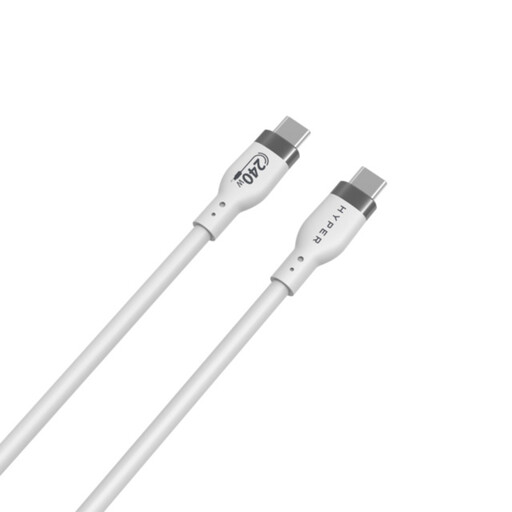
Hyper 1m 240W USB-C to USB-C cable, white
For connecting a USB-C device to a compatible charging source while travelling. The listed cable is 1m long and rated up to 240W; check your laptop’s charging support and the source’s output, as the cable rating does not determine the power delivered.
View on Joybuy
 No image available
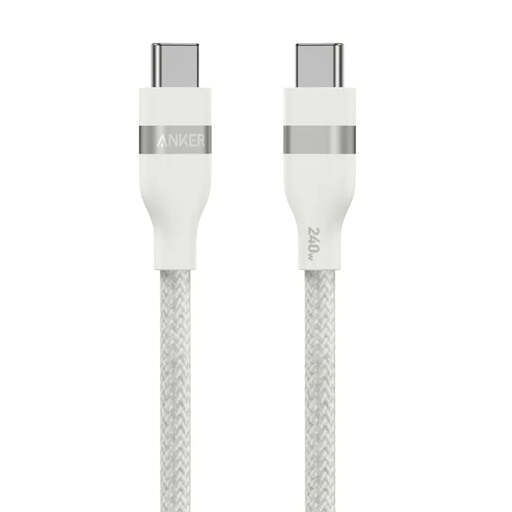
Anker 0.9m 240W braided USB-C to USB-C cable, white
For packing alongside a compatible USB-C power bank or mains charger. The listed length is 0.9m and the stated maximum is 240W; confirm the power source and exact laptop can use the charging level you need.
View on Joybuy
 No image available
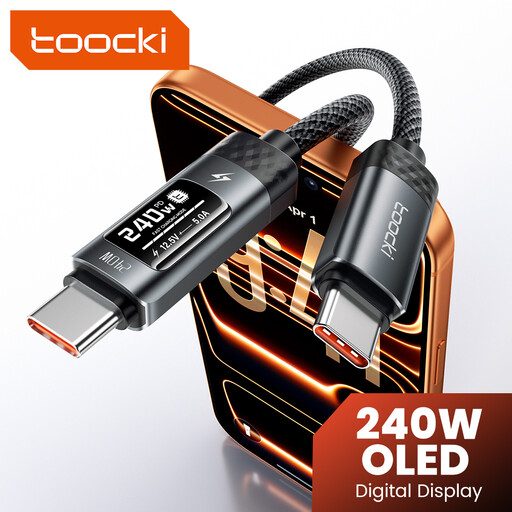
toocki 3.3ft 240W USB-C cable with LED display
For a USB-C charging setup where a cable display is useful to you. The listing describes a 3.3ft cable rated up to 240W with an LED display; verify the laptop’s charging requirements and the source’s output rather than relying on the cable rating alone.
View on Joybuy
Frequently asked questions
Can a power bank charge any laptop with a USB-C port?
No. The port alone does not prove that the laptop accepts USB-C charging. Check the exact model’s manual for USB-C Power Delivery support and required input; Apple UK, for example, states that the current MacBook Air supports USB PD charging and requires at least 30W.
What power-bank output do I need while using my laptop?
Start with your laptop maker’s documented USB-C charging requirement, then check the power bank’s output from the relevant port when your other devices are connected. A bank’s total wattage is not necessarily available to one laptop, and whether charging keeps up during work depends on the exact laptop and setup.
Can I take a laptop power bank on a flight?
Yes, if it meets the applicable conditions. The UK Civil Aviation Authority says to carry power banks in cabin baggage, limits passengers to two, requires airline approval for 100–160Wh banks and prohibits those over 160Wh in passenger baggage. Do not recharge a power bank on board, and check your airline’s rules before departure.
Why check Wh rather than just mAh?
Flight thresholds use watt-hours (Wh), so mAh on its own is not enough to assess a power bank. The International Air Transport Association explains that Wh equals capacity in ampere-hours multiplied by nominal voltage and says lithium-ion batteries must have their Wh rating marked on the case. Check that the rating can be verified before you fly.
What if a power bank is swollen, damaged or overheating?
Stop using it. Devon and Somerset Fire and Rescue Service advises against using batteries showing swelling, damage or overheating. Check the exact model against official recall notices and follow the manufacturer’s applicable instructions; do not pack a damaged bank for a flight.


