For phones and tablets, start with a USB power bank; for a USB-C-chargeable laptop, choose a battery pack only after matching its single-port output and cable to the laptop’s requirements. A portable power station makes more sense when the plan includes several devices, UK mains plugs or more stored energy, while a UPS primarily addresses an interruption that a connected device cannot tolerate. Compare capacity, output at the ports you will use, recharge arrangements and storage instructions against your own outage plan.
Who needs which type of backup?
Choose around the devices that must remain usable, rather than the largest capacity figure alone. UK Government preparedness guidance says most power cuts are short-lived and local, although longer, more widespread outages can happen.
Households keeping phones and tablets charged
A USB power bank addresses a plan centred on calls, alerts and information without adding mains-powered devices. A charged phone does not guarantee a connection: UK Government preparedness guidance notes that home internet and, in some cases, mobile service may be affected by a power cut.
Home workers and students using a laptop
If the laptop accepts USB-C charging, match its input requirement to the battery pack’s single-port output and a suitable cable. Check the output available when a phone or tablet is connected too; a combined power figure is not the rating of every port.
Households planning for several devices
A portable power station is worth considering when multiple phones, tablets or laptops need charging, particularly if a UK mains outlet is required. Balance its stored energy and ports against where you can keep it, how you will move it and how you will restore its charge.
What should you check before buying?
List the devices first, then check whether the proposed backup can power their required ports and be recharged in time for the next use. If a desktop or network device must remain on through the instant mains power fails, assess a UPS for that continuity requirement separately from a plan for repeated portable-device charging.
| Priority | What to check | Your needs |
|---|
| Stored energy |
Count the devices and expected charges. Compare stated capacity on an appropriate basis; for power stations, look for watt-hours (Wh), not output watts. |
I want enough reserve for the phones, tablets or laptops I expect to charge before I can recharge the backup itself. |
| Laptop output |
Confirm that the laptop accepts USB-C charging, then check its required input, the pack’s single-port USB-C output and the cable rating. |
My laptop needs power during the cut, so a USB-C socket alone is not enough to settle the choice. |
| Ports and sharing |
Match USB-A, USB-C and any UK mains outlets to your devices. Check the output allocation when several ports are active, not just the combined maximum. |
Several people may charge devices at once; I need to know which connections remain useful when they are all occupied. |
| Continuity |
For equipment that cannot tolerate a brief interruption, check UPS transfer behaviour and runtime at the connected load. Output rating alone does not establish runtime. |
I need a desktop or network device to stay on through a mains failure, or to have time for a safe shutdown. |
| Recharging |
Check mains recharge time and any supported alternative inputs. For solar charging, confirm compatible input limits and the equipment required. |
I may need to restore the backup between interruptions, or use a charging method other than the mains during a longer cut. |
| Safe storage |
Read the manufacturer’s charging and storage instructions, inspect cables and connectors, and check the exact model for recalls. |
I want the battery ready when needed without overlooking damage, unsuitable charging arrangements or a product recall. |
Common mistakes to avoid
-
Reading capacity and output as the same thing
Stored energy affects the charging reserve; output determines whether a port can deliver the power a device requires. Electrical Safety First makes this distinction for power banks: capacity affects the available recharges, while output affects charging speed.
Write down each device’s charging input and how often you expect to charge it. Compare that plan with capacity, single-port output and output sharing before relying on a headline figure.
-
Choosing a UPS simply because it says “battery backup”
A UPS addresses continuity when mains power fails, but its runtime depends on the connected load. That is a different question from how often a portable battery can recharge phones or laptops.
Decide whether you need uninterrupted operation, time for a safe shutdown or repeated device charging. Check the proposed UPS runtime at your actual load if continuity is the priority.
-
Leaving the backup unchecked until a power cut
An uncharged battery cannot meet the charging plan, while damage or a product fault can make it unsafe to use. Electrical Safety First has published a recall involving a laptop power bank with a reported fire risk.
Follow the product’s charge-and-storage instructions, inspect the unit and cables, and check recalls against its exact model. Registering the product can help you receive recall information.
-
Assuming a charged phone guarantees communication
UK Government preparedness guidance notes that a power cut may affect internet access and possibly mobile service. Battery backup keeps a device powered; it cannot keep the network running.
Keep essential contact information available without an internet connection, and consider a battery or wind-up radio for updates.
Brand references
These examples illustrate different product formats; a brand’s inclusion does not mean that every model has the same ports, capacity or charging behaviour.
Anker
Anker’s cited UK laptop power bank is an example of a USB-C battery pack for device charging rather than a mains-outlet power station.
- Anker describes its 25,000mAh model as having three 100W USB-C ports and supporting four connected devices.
- Check the laptop’s USB-C requirements and the model’s output allocation when ports are shared; those headline figures do not establish the power available to every device at once.
EcoFlow
EcoFlow’s RIVER 3 Plus is a portable power-station example for households considering device ports, expandable capacity and switchover behaviour.
- EcoFlow advertises expansion to 858Wh and a switchover of less than 10ms for this model.
- Confirm the UK-version outlets, connected-load requirements and expansion configuration before using those claims in a household backup plan.
BLUETTI
BLUETTI’s AC180 illustrates a portable power station on a larger capacity and AC-output scale than a USB power bank.
- BLUETTI specifies 1,152Wh capacity, 1,800W AC output and nine output ports for the AC180.
- Check the space needed to store and move it, the devices’ actual loads and how the unit will be kept charged.
Joybuy options for device charging
These options include USB battery packs for personal devices and portable power stations for plans involving more stored energy or mains-powered charging. Match each model’s stated connections and capacity to your devices; this selection does not cover the UPS continuity route.
 No image available
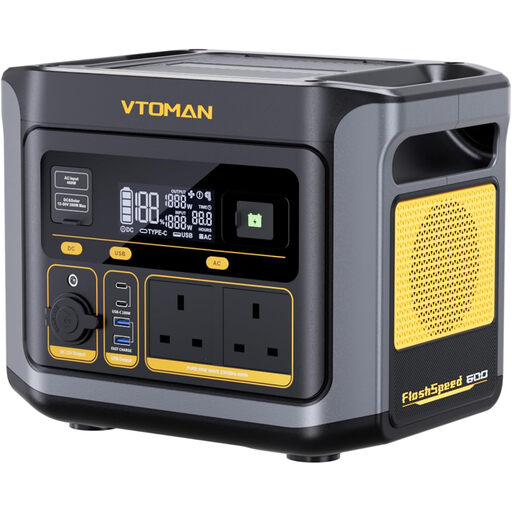
VTOMAN FlashSpeed 600 Portable Power Station, 499Wh, 600W
Consider this station for a plan involving several devices and a mains connection. Its stated capacity is 499Wh, with 600W output, 1,200W peak output and a 100W USB-C connection. The title states 230V AC and charging from 0–80% in 60 minutes; check the supplied UK plug and English instructions before buying. If solar charging matters, confirm the compatible panel and input limits rather than relying on the station name alone.
View on Joybuy
 No image available
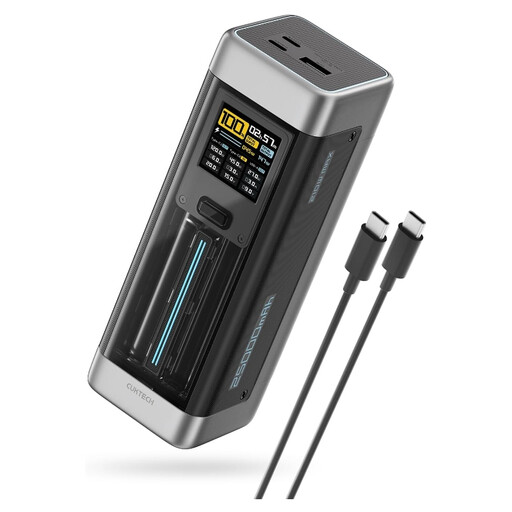
CUKTECH NO.20 P23 Power Bank, 25,000mAh, 140W USB-C, Grey
This pack is a candidate for a USB-C-chargeable laptop alongside smaller devices. Its name states 25,000mAh capacity, 140W USB-C output and three ports. Confirm the laptop’s required input, the output available from a single port when other devices are connected, and how long the pack takes to recharge before planning around a lengthy outage.
View on Joybuy
 No image available
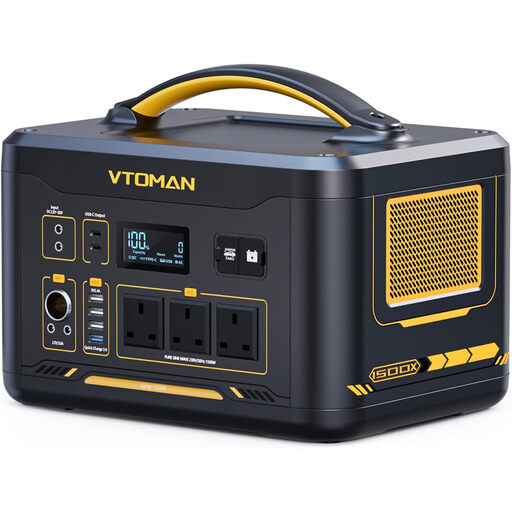
VTOMAN Jump1500X Portable Power Station, 828Wh, 1,500W AC
Its stated 828Wh capacity, 1,500W AC output and 100W USB-C connection are relevant to a broader laptop and device-charging plan. The stated expansion to 2,376Wh requires a specified compatible battery; confirm that configuration if expansion matters. Check recharge arrangements, storage dimensions and the supplied UK AC connection against your household plan.
View on Joybuy
 No image available
Baseus EnerFill FC31 Qpow 3 Power Bank, 10,000mAh, 45W, Nebula Purple
This smaller-capacity pack suits a plan centred on personal-device charging. Its name specifies USB-C and Lightning cables and up to 45W; the stated 45W laptop-charging mode applies to a single device, so check the laptop’s input before relying on it. The product information says total output falls to 15W during simultaneous charging, which matters if several devices need power together.
View on Joybuy
 No image available
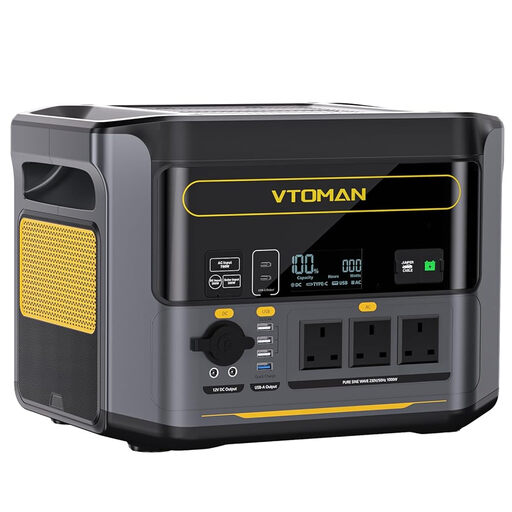
VTOMAN FlashSpeed 1000 Portable Power Station, 828Wh, 1,000W
This station’s stated 828Wh capacity and 1,000W rated output make it relevant to a plan needing more stored energy than a compact USB pack. Its name also states 2,000W peak output and expansion to 2,376Wh; the expanded figure requires the specified compatible battery. Check the device ports, recharge methods and supplied UK AC connection before deciding whether it fits your equipment.
View on Joybuy
Questions about power-cut charging
Can a normal power bank charge a laptop?
It can if the laptop accepts USB-C charging and the pack can deliver the laptop’s required input through the port and cable being used. Check single-port output and what remains available when other devices are connected; a USB-C connector or combined power figure does not answer those questions.
Should I use a UPS or a portable power station for a laptop?
Choose a UPS when uninterrupted transfer at mains failure or time for a safe shutdown is the main requirement. A portable power station is the route to assess when stored energy, several charging ports or alternative recharge methods matter more. In either case, check runtime at the connected load rather than judging it from output watts.
How should I keep a portable battery ready for a power cut?
Follow its manufacturer’s charging and storage instructions, check its charge periodically, and protect it from damage, heat and liquids. Electrical Safety First advises charging a power bank uncovered in a well-ventilated place and not leaving it charging overnight or while nobody is at home.
What if my power bank appears in a recall notice?
Compare its model details with the exact products identified in the notice. If it falls within the recall, stop using it and follow the notice’s instructions for contacting the retailer or manufacturer. Electrical Safety First’s laptop-power-bank recall illustrates why checking the precise model matters.


