What matters when choosing?
Start with the software and files the proposal requires; then decide how much screen space, carrying weight and time away from a socket your trip demands. The concerns below describe consumers according to the need they would put first, even though several needs may matter to the same person.
| Concern |
What to check |
Who this matters to |
| Carrying burden |
Compare the configured laptop's weight and screen size, as well as what you will carry with it. |
If I am moving repeatedly between field locations, I want the laptop and my other equipment to remain manageable; around 36% of consumers would put carrying burden first. |
| Working away from mains power |
Read the battery test conditions and check the charging method against your planned power source. |
When sockets are scarce, I need a realistic plan for drafting and recharging between stops. For around 29% of consumers, working away from mains power would be the primary concern. |
| Software and peripheral fit |
Confirm the required operating system, proposal applications, sign-in method, file workflow and connectors. |
If the team's tools will not run or connect, a lighter laptop will not solve my proposal task; around 21% of consumers would prioritise compatibility. |
| Screen and input |
Check the selected panel's finish and brightness, keyboard layout and whether touch is needed. |
I may need to revise a document in changing light or annotate notes without a desk, so the writing setup comes first for around 14% of consumers. |
Brands and product lines to consider
These product lines illustrate different approaches to portable proposal work; their specifications depend on the model and configuration you choose.
Apple
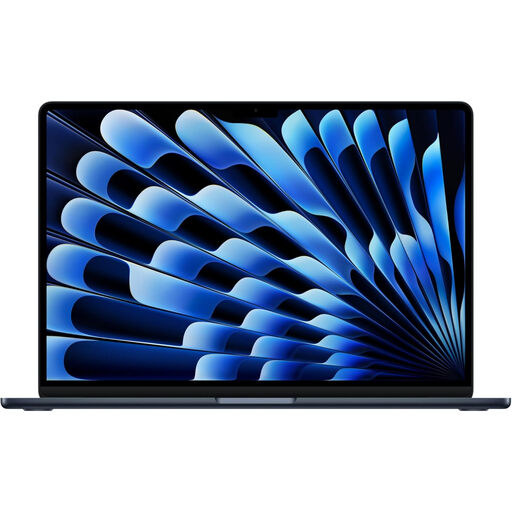
The 13-inch MacBook Air is a compact macOS route when the proposal workflow is Mac-compatible.
- Apple specifies a 13.6-inch display and up to 15 hours of wireless web for its 13-inch M5 model under its stated test conditions.
- Check Windows-only applications and older peripherals before committing to macOS; the cited model has two Thunderbolt 4/USB-C ports.
Lenovo
The ThinkPad X1 Carbon Gen 13 offers a lightweight Windows business-laptop route for frequent carrying.
- Lenovo's cited UK configuration lists Windows 11 Pro, a 14-inch 500-nit anti-glare touch display, a UK keyboard and a weight below 1kg.
- Those details belong to the named configuration; confirm the part number rather than applying them to every X1 Carbon.
Dell
Latitude offers configurations to compare when Windows work and touch-based note-taking both matter.
- Dell lists touch and other 14-inch display options, alongside different memory choices, for the Latitude 7450 range.
- The cited Latitude 7450 listing identifies that model as unavailable; check current availability and the exact configuration rather than planning a purchase around that listing.
Joybuy products for proposal work
These laptops offer different starting points for field-trip proposal writing: check the required software first, then compare the screen, stated configuration and how you intend to carry and charge the device.
 No image available
Acer Aspire Lite AL15-36P-C29Z, 15.6-inch
For proposal work using Windows-compatible tools, consider whether this 15.6-inch laptop will be comfortable to carry between locations.
The listed configuration has an Intel N150 processor, 8GB DDR4 memory, a 128GB SSD and Windows 11 Home. Check its weight and your charging arrangements for the trip.
View on Joybuy
 No image available
ASUS Vivobook 14 X1407QA-LY003W, Snapdragon X, 16GB, 512GB SSD
This 14-inch Windows laptop is a candidate if your proposal applications and institutional tools support its Snapdragon X configuration.
The listed variant has 16GB memory and a 512GB SSD. Confirm application compatibility and a suitable charging plan for your field workload.
View on Joybuy
 No image available
Apple 13-inch MacBook Air M5, 24GB, 1TB SSD, Midnight
Consider this compact MacBook Air if your proposal software, shared files and institutional services work with macOS.
This listed M5 variant has 24GB memory and a 1TB SSD. Apple's battery figures describe specified test workloads; plan charging around your own use rather than assuming the same runtime while drafting.
View on Joybuy
 No image available
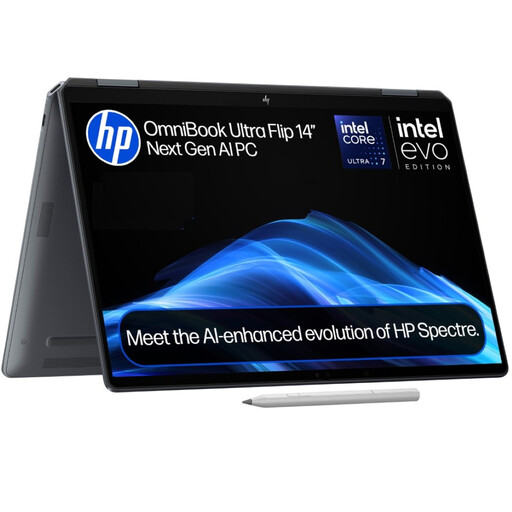
HP OmniBook Ultra Flip 14-fh0006na, 2-in-1, 16GB, 1TB SSD
This 2-in-1 is worth comparing if you want to combine proposal drafting with a flexible input setup on a Windows laptop.
The listed configuration has 16GB memory, a 1TB SSD and Windows 11 Home. Check that its input options suit your notes and that its battery and software fit your field schedule.
View on Joybuy
Frequently asked questions
Should I choose Windows or macOS for a field-trip proposal?
Choose the operating system supported by your required proposal applications, templates, collaboration tools and security controls. Confirm the complete workflow with your organisation or software owner; meeting an operating system's hardware requirements does not establish application compatibility.
Will a quoted battery-life figure cover a full field day?
Not necessarily: a quoted figure applies to its stated test workload, which may differ from writing, calls and travel use. Apple, for example, specifies up to 15 hours of wireless web for the cited 13-inch M5 MacBook Air; compare that test with your likely screen brightness, connectivity and opportunities to recharge.
How should I pack a laptop for a flight?
Plan to keep the laptop with you in the cabin unless applicable guidance and your airline's rules permit another arrangement. The UK Civil Aviation Authority says laptops should normally be taken into the cabin; check its current battery guidance and your airline's requirements for any power bank before travelling.
What should I do with an old laptop in the UK?
Arrange a suitable reuse or electrical-equipment recycling route after securely removing personal and organisational data. UK government guidance describes the waste electrical and electronic equipment framework as intended to reduce disposal to landfill; follow your organisation's data-handling rules before handing over the device.


