Desk-based Python learners
You want room for an editor, terminal, documentation and tutorials at a fixed desk. Establish whether you mean one external monitor or two, then check the exact laptop’s display support and the connection to each monitor.


Choose the display arrangement before choosing a laptop: a built-in screen plus one monitor needs a supported video connection, while two external monitors also call for a confirmed simultaneous-display limit. An M4 MacBook Air is one macOS option for the latter arrangement, according to Apple Support; Windows laptops offer other port and memory configurations, but the exact model, course software and monitor setup still need checking.
You want room for an editor, terminal, documentation and tutorials at a fixed desk. Establish whether you mean one external monitor or two, then check the exact laptop’s display support and the connection to each monitor.
You use the laptop away from your desk and connect a monitor when you return. Check both what you will carry and whether the laptop’s documented video output works with your monitor and cable.
You expect to keep development tools and project dependencies on the laptop. The Python Software Foundation describes virtual environments as a way to install packages for individual applications; check the installed memory and storage against your intended tools as well as your display setup.
Settle whether your two screens include the laptop display. Then check the exact configuration’s connections before weighing portability against room for local projects.
| Concern | What to check | Who this matters to |
|---|---|---|
| Display connections | Confirm video output on the exact model and its simultaneous external-display limit for your monitor arrangement. | If I keep code and reference material on separate screens, I need to know both displays can work at once. Around 50% of consumers put confirmed display connectivity first. |
| Portability | Check the laptop’s weight and whether your monitor cable can connect alongside anything else you need plugged in. | When I study away from my desk, I want a laptop I can carry and reconnect at home without changing my setup. For around 30% of consumers, portability is the primary concern. |
| Project headroom | Compare installed RAM and SSD capacity with your course tools; verify expansion on the exact model if you need it. | As my Python projects grow, I may keep more environments, packages and applications locally. That makes memory and storage the main concern for around 20% of consumers. |
The connector shape alone does not establish video support or how many external displays the laptop can run.
Check the exact model’s specification for DisplayPort or Thunderbolt video output, then match its stated display support to your monitors and dock.
A compatible cable, adapter or dock may be needed to complete the connection.
Memory, storage, ports and keyboard layout can vary between configurations sold under the same family name.
Match the seller’s part number to the manufacturer’s specification, and confirm the keyboard layout, included charger and warranty terms for the configuration offered.
A laptop screen plus one monitor is a different requirement from two external monitors alongside the laptop screen.
Write down the intended arrangement and each monitor’s inputs, resolution and refresh rate before comparing laptops.
Python projects can involve installed packages and virtual environments, while an editor, terminal and browser may be open together.
Check installed RAM and SSD capacity against your course requirements. If later expansion matters, confirm it for the exact configuration.
The MacBook Air with M4 is a macOS option for learners who want a portable laptop and need to assess two external monitors alongside its built-in display.
The ThinkPad E14 Gen 6 AMD is a Windows-oriented option for learners considering direct display connections and a stated memory expansion path.
The Zenbook 14 OLED UX3405 is a compact Windows option for a desk setup where HDMI and Thunderbolt connections are relevant.
These laptops offer different ways to approach Python study across two screens: one has two built-in panels, while others call for an external monitor connection. If you want two external monitors as well as the laptop display, confirm that arrangement for the exact model before buying.
 No image available
Consider its two built-in screens if you want a second display without setting up a separate monitor. Check the exact panel configuration before ordering, and confirm simultaneous-display support if you also plan to attach external monitors.
 No image available
This 14-inch laptop is worth considering if you carry it between study locations and connect a monitor at your desk. Check the planned display arrangement and whether your course software works with its Snapdragon-based Windows configuration.
 No image available
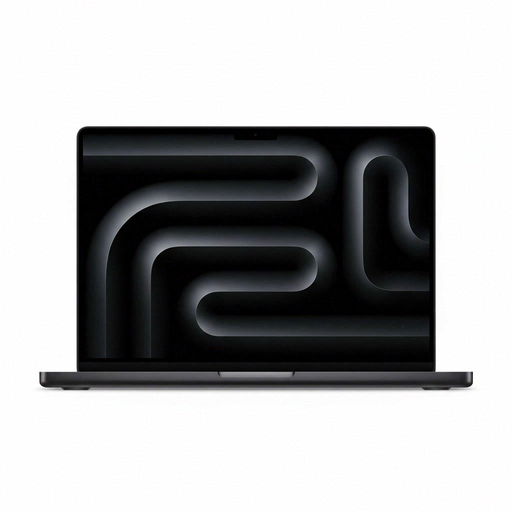
Consider this macOS configuration if you want its stated memory and storage for local work and plan to check support for multiple external monitors. Confirm the permitted resolution and refresh-rate combinations for your displays, course-software compatibility and whether the power adapter is included.
 No image available
Its 18-inch format is more relevant to a desk-led study setup than to frequent carrying; the stated weight is 2.89 kg. Confirm how many external monitors the exact configuration can drive at your required resolutions and refresh rates.
 No image available
Consider this configuration for a laptop screen plus one monitor, using its listed HDMI connection. Check that the connection meets your monitor’s resolution and refresh-rate requirements; verify USB-C video support and the simultaneous-display limit if you need two external monitors.
It can: a laptop display plus one monitor needs one supported external video connection, whereas two monitors alongside the laptop display require support for two simultaneous external displays. Apple Support documents the latter capability for M4 MacBook Air models, subject to resolution and refresh-rate combinations; check other models individually.
Not on its own: check whether the exact laptop’s USB-C port supports DisplayPort or Thunderbolt video output. Then confirm the external-display limit and that your monitor, cable and any dock support the intended connection.
Yes, the Python Software Foundation provides Python downloads for both Windows and macOS. Before choosing an operating system, check whether your course requires particular software or tools and whether they work on the configuration you intend to buy.