What to check before choosing
Start with the software and files your raffle records require. Then decide whether repeated number entry calls for a larger keyboard, and check the security and update arrangements for the exact device.
| Concern |
What to check |
Who this matters to |
| Protecting records |
Confirm storage-encryption support for the exact device and operating-system edition, and plan where to keep its recovery key and a backup. |
If I store entrants’ details locally, I need to protect them without losing access to the ledger. Around 40% of consumers put protection and recoverability first. |
| Entering figures |
Check the exact keyboard layout for a dedicated numeric keypad and whether the screen suits your ledger. |
When I repeatedly reconcile ticket numbers, proceeds and expenses, comfortable number entry drives my choice; around 30% of consumers give that need priority. |
| Workspace and software fit |
Confirm that required applications and file types work on the chosen operating system; for a Chromebook, check the model’s automatic-update schedule. |
I update records only occasionally and need a laptop that fits my workspace, but my tools still have to work. Compact, straightforward use is the main concern for around 30% of consumers. |
Relevant brands to consider
These business-laptop ranges offer configurations worth checking against your software, keyboard and security needs; a range name does not establish the features of every model.
Lenovo
Lenovo positions ThinkPad E-series laptops for business work. Its ThinkPad E16 Gen 2 page identifies a full-sized keyboard with a numeric keypad for number-entry tasks.
- The stated E16 Gen 2 keyboard layout is relevant if you reconcile figures regularly.
- Check the chosen configuration’s keyboard, operating system, memory, storage and security features.
HP
HP describes ProBook as a business-laptop family for work at home or in an office.
- The range gives you configurations to compare with your workspace and software needs.
- Do not assume a particular keyboard layout or security feature from the ProBook name alone; check the exact model.
Dell
Dell’s Latitude business-laptop family includes several series with different configuration choices.
- Compare individual Latitude configurations against the records and applications you use.
- A series name alone does not confirm the keyboard layout or encryption setup of a particular laptop.
Chromebooks for browser-based records
These Joybuy laptops are Chromebook options for recording raffle proceeds through a browser-based workflow. Before choosing one, confirm your applications and files work in ChromeOS, check its automatic-update schedule and establish how you will protect any personal information stored locally.
 No image available
Acer Chromebook Plus 514 CB514-5H, Core 5 120U, 512GB SSD
Consider this 14-inch model if your raffle-record workflow works in ChromeOS and you want a laptop for a compact desk.
Its listed configuration has a 14-inch WUXGA (1920 × 1200) display, Intel Core 5 120U, 8GB RAM and 512GB SSD. Check the exact keyboard layout if a numeric keypad matters to you.
Joybuy
 No image available
Acer Chromebook Plus 514 CB514-5H, Core i3-1315U, 256GB SSD
This is another 14-inch option for records you can manage in ChromeOS; check your required applications and files before choosing it.
The listed configuration has a WUXGA (1920 × 1200) display, Intel Core i3-1315U, 8GB RAM and 256GB SSD. Confirm the keyboard layout if you enter figures frequently.
Joybuy
 No image available
Lenovo IdeaPad Slim 3 Chromebook 14IAN8, 83BN001EUK
This 14-inch Chromebook is an option for occasional browser-based record work if your required tools and files work in ChromeOS.
The listed configuration has an FHD display, Intel Core i3 N305, 8GB RAM and 256GB eMMC storage. Check the keyboard layout if regular number entry is part of your work.
Joybuy
 No image available
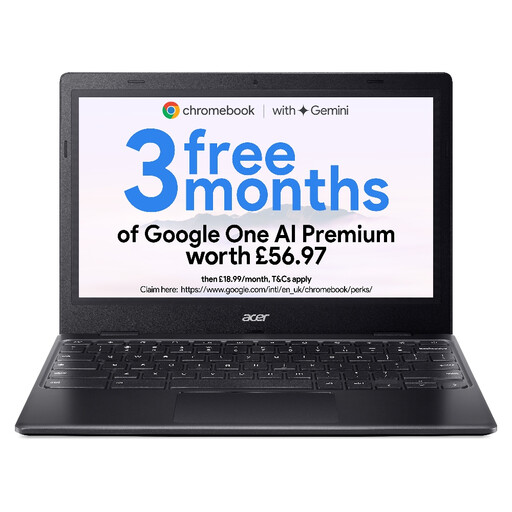
Acer Chromebook 311 CBOA311-1H, 11.6-inch, 64GB eMMC
Consider the smaller screen if you put the laptop away between occasional browser-based record sessions; check that it gives you enough room to work with your ledger.
The listed configuration has an 11.6-inch HD (1366 × 768) display, Intel Celeron N4500, 4GB RAM and 64GB eMMC storage. Confirm that your applications and files work in ChromeOS.
Joybuy
Questions about raffle records and laptops
Should I encrypt a laptop used for raffle records?
If you store personal information locally, enable storage encryption: that is the Information Commissioner’s Office’s advice for laptops holding personal information. Check that the exact device and operating-system edition support it, and keep the recovery key securely backed up. Encryption is one part of protecting records, not a replacement for access controls or backups.
Can a Chromebook handle raffle records?
A Chromebook can handle the work if your required applications, web services and files function as needed in ChromeOS. Check those before buying, along with the exact model’s automatic-update schedule; Google advises checking a Chromebook’s update support by device.
Does every UK raffle have the same registration rules?
No: the applicable rules depend on what type of lottery you run, according to the Gambling Commission. Establish the category and how tickets will be offered before deciding which registration and record-keeping requirements apply.
How long should raffle accounting records be kept?
For lotteries covered by the Gambling Commission’s financial requirements, accounting records must be retained for at least three years from the date of the lottery they relate to. Check which requirements apply to your raffle’s category rather than applying that period to every raffle.


