What matters when choosing?
Check your required applications and file workflow first. Then decide how much built-in screen space you want to carry and what equipment can stay at the shared desk.
| Concern |
What to check |
Who this matters to |
| Long-session desk setup |
Check whether the desk has room for a raised screen or separate display, plus a separate keyboard and mouse. The Health and Safety Executive recommends this arrangement for prolonged laptop use. |
If I spend a long session reading sources and entering recipes, I need to position the screen without being tied to the built-in keyboard. Around 33% of consumers put this desk arrangement first. |
| Software and files |
Confirm support for your index app, collaboration tools, file formats and offline work; choose memory and storage for the files you intend to keep. |
When my index depends on particular apps or shared files, I need to know I can open and update them on the new laptop. Compatibility is the primary need for roughly 27% of consumers. |
| Portability |
Compare the exact model’s size and stated weight, and consider what else you must put away after each session. |
If the desk must be cleared each day, I want a laptop I can carry and store without disrupting the next session. That is the leading concern for around 20% of consumers. |
| Included equipment |
Check the exact configuration for its charger, required connections and support terms rather than relying on the laptop family name. |
I want to set up the laptop with the equipment I already have, without discovering that a necessary item is separate. For roughly 20% of consumers, setup completeness comes first. |
Relevant brands to consider
These product lines illustrate different operating-system and desk-setup decisions; check the configuration of any model you are considering.
Apple
MacBook Air is a macOS option if your recipe-index applications, files and collaborators work on Mac.
- Apple lists a 13.6-inch display and 16GB unified memory for the cited 13-inch configuration. Its maximum of 15 hours of wireless-web use is an Apple-rated figure, not a promise of runtime for your indexing workload.
- That configuration has two Thunderbolt 4 USB-C ports. Plan how you would connect wired desk equipment before relying on those ports alone.
Lenovo
The cited ThinkPad X1 Carbon Gen 13 Aura Edition is a Windows business-laptop option when workplace requirements shape the choice.
- Lenovo’s cited UK configuration lists Windows 11 Pro, a 14-inch 2.8K display, a privacy shutter, a fingerprint reader, a UK keyboard and three years of Premier Support.
- Check whether you need that particular business configuration and support package for your own indexing work.
Dell
The cited XPS 13 configuration is another Windows route for a recipe-index workflow that requires Windows.
- Dell lists Windows 11 Home for the cited base configuration.
- Dell’s cited listing says the charger is not included and specifies 27–65W charging. Check the selected configuration and the charger you would use with it.
Laptop choices on Joybuy
These laptops offer different screen sizes and configurations for organising a recipe index and clearing a shared desk. Check the software you rely on before choosing between the Windows-oriented options, a MacBook Air and a Chromebook; none replaces planning the desk arrangement for prolonged sessions.
 No image available
ASUS Vivobook 15 X1504VA, 15.6-inch, 24 GB, 1 TB SSD, Cool Silver
Consider this larger-screen laptop if you expect to review recipes and index entries mainly at the desk, after checking your required applications.
The named configuration has an Intel Core 5 120U, 24 GB of memory and a 1 TB SSD. Check how the 15.6-inch size fits your shared workspace and storage space.
View on Joybuy
 No image available
ASUS Vivobook 14 X1407QA-LY003W Copilot+ PC, 16 GB, 512 GB SSD, Quiet Blue
The 14-inch format may suit a desk that needs clearing after recipe-index sessions; confirm that your applications and workplace tools work with this Snapdragon X configuration.
The named variant has 16 GB of memory and a 512 GB SSD. If you will use a separate screen, check the connections you need for the complete desk setup.
View on Joybuy
 No image available
Apple 13-inch MacBook Air (2026), M5, 16 GB, 1 TB SSD, Sky Blue
Consider this compact macOS option only if your recipe-index software, collaborators, files and workplace tools support Mac.
The named configuration has an M5 chip with a 10-core CPU and 10-core GPU, 16 GB of memory and a 1 TB SSD. Check the connections needed at your shared desk for this exact variant.
View on Joybuy
 No image available
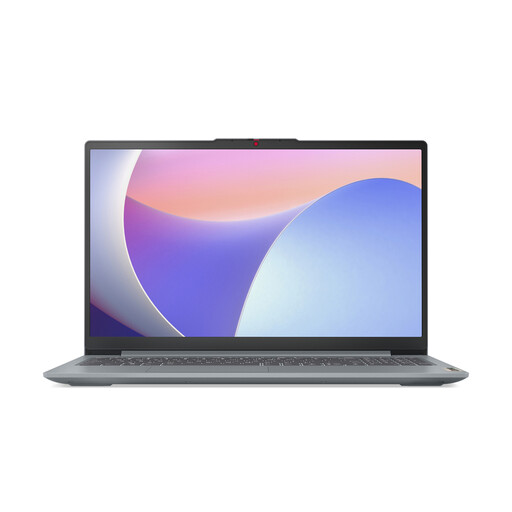
Lenovo IdeaPad Slim 3 15IAH8, 83ER00G4UK, 15.6-inch, 8 GB, 512 GB SSD
This 15.6-inch option may suit recipe and spreadsheet review on the built-in screen if its applications and connections match your workflow.
The named configuration has an Intel Core i5, 8 GB of memory and a 512 GB SSD. Check the battery and runtime details for this variant if you often work away from a socket.
View on Joybuy
 No image available
Acer Chromebook Plus 514 CB514-5H, 14-inch WUXGA, 8 GB, 256 GB SSD, Iron
Consider this Chromebook for a browser-centred recipe index only after checking your required apps, file formats and offline tasks against ChromeOS.
The named configuration has an Intel Core i3-1315U, 8 GB of memory, a 256 GB SSD and a 1920 × 1200 display. Check whether that storage capacity fits the files you plan to keep locally.
View on Joybuy
Frequently asked questions
Do I need a larger laptop screen for a recipe index?
Not necessarily: a compact laptop can make a shared desk easier to clear, provided you have a workable arrangement for longer sessions. For prolonged laptop use, the Health and Safety Executive advises a separate keyboard and mouse so the screen can be raised, or a separate display.
Does UK display-screen guidance require a particular laptop model?
No particular laptop model is specified. The Health and Safety Executive says the UK display screen equipment regulations apply to workers who use a screen daily for continuous periods of an hour or more; workstation assessment considers the whole setup, the work and individual requirements.
What should I check before ordering a laptop online?
Check the exact configuration, operating system, keyboard layout, charger inclusion and connections against your recipe-index workflow. For UK online orders, GOV.UK says customers can generally cancel within a limited period even when an item is not faulty; check the applicable conditions and exceptions. Problems with faulty or misdescribed goods are a separate matter from changing your mind.
How should I dispose of an old laptop in the UK?
Take it to an appropriate electrical-waste collection point rather than putting it in household rubbish, as GOV.UK advises. Back up the files you need and securely erase personal data before handing it over.


