Buying priorities
Start with the equipment you already use at the desk, then confirm the laptop ports, display limits, operating-system path and battery condition for the exact model.
| Priority |
What to check |
Your needs |
| External monitor connection |
Match the laptop output to the monitor input. Check whether USB-C supports DisplayPort video output, and confirm the intended resolution, refresh rate and external-display count. |
I want my existing monitor to work at the desk without relying on an adaptor assumption. A USB-C connector alone does not confirm video output. |
| Desk dock or hub |
Compare the laptop and dock compatibility information, charging requirements, supplied cable and display arrangement. Check host graphics limits before planning more than one external display. |
I want to connect display, keyboard, mouse and charging with minimal reconnecting when I return home. A dock is most useful when its functions match the exact laptop, cable and monitors. |
| Supported Windows path |
For a refurbished Windows laptop, verify Windows 11 eligibility, the installed version and update status. Microsoft Support says Windows 10 support ended on 14 October 2025. |
I need a machine with a practical supported operating-system route, not simply one that starts up with an older Windows installation. |
| Battery condition |
Ask for a current Windows battery report where possible. On a refurbished Mac, inspect Battery Health in macOS and check the exact model’s cycle guidance. |
I need enough unplugged time for work away from the desk. Original battery-life figures do not describe the current condition of a used battery. |
Joybuy laptop options
Joybuy laptop options for a portable computer that can be used at a home desk and taken away, with display and peripheral compatibility checked for the exact setup.
 No image available
Apple 13-inch MacBook Air M5, 24GB, 1TB SSD
A Mac option for documents, communication and a desk connection where required apps and peripherals are compatible with macOS.
Stated specifications include 24GB unified memory, 1TB SSD, two Thunderbolt 4 ports and MagSafe charging. Check the exact external-display arrangement, cables or dock before buying.
Joybuy
 No image available
ASUS Vivobook 14 X1407QA-LY003W, 16GB, 512GB SSD
A Windows option with documented display-connection routes for a home monitor and portable everyday work.
It lists Windows 11 Home, 16GB LPDDR5X memory, a 512GB PCIe 4.0 SSD, two USB4 Type-C ports with DisplayPort and Power Delivery, HDMI 2.1, and an included 65W USB-C adapter. Match the monitor, cable and intended resolution before purchase.
Joybuy
 No image available
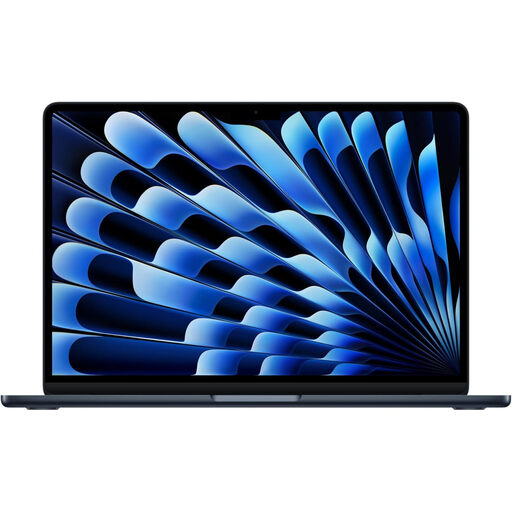
Apple 13-inch MacBook Air M5, 16GB, 512GB SSD
A compact Mac option for documents, web use and communication where macOS works with your software and desk accessories.
The listing states 16GB unified memory, a 512GB SSD, Thunderbolt 4 ports, MagSafe charging and a 12MP Centre Stage camera. Confirm the monitor, dock and multi-display arrangement for this configuration.
Joybuy
 No image available
Apple 15-inch MacBook Air M5, 16GB, 1TB SSD
A larger-screen Mac option for documents, spreadsheets and multitasking between home-desk and travel use.
The title states 16GB unified memory and a 1TB SSD, with Thunderbolt ports and MagSafe charging. Confirm that the delivered unit matches this memory and storage configuration, and check macOS and external-display compatibility.
Joybuy
 No image available
MSI Modern C2RMG-282UK, Core 5, 16GB, 512GB SSD
A Windows-oriented desk-and-travel option with several USB-A ports and wired Ethernet for existing peripherals.
It lists an Intel Core 5 processor, 16GB DDR4 memory, 512GB SSD, three USB-A ports, USB-C with Power Delivery and RJ-45 Ethernet. Verify whether the USB-C port supports the video-output mode required by your monitor, and confirm the installed Windows version.
Joybuy
Frequently asked questions
Can any USB-C laptop connect to my monitor through a dock?
No. USB-C is a connector type, not proof of video output, charging or multi-monitor support. Confirm the exact laptop’s support for DisplayPort Alt Mode, USB4 or Thunderbolt where relevant, then check the dock compatibility information, cable requirements and laptop display limit. For multiple monitors, a conventional splitter duplicates one signal rather than automatically creating separate extended screens.
What should I test before buying a refurbished Windows laptop?
Check that the exact device is eligible for Windows 11, then confirm its installed Windows version and update status. Microsoft Support lists an approved processor, TPM 2.0, UEFI or Secure Boot capability, at least 4GB RAM and at least 64GB storage among the minimum requirements. Ask for a current Windows battery report and test the intended external monitor directly where possible.
Is a Windows 10 refurbished laptop still suitable in the UK?
It can still function, but Microsoft Support says Windows 10 support ended on 14 October 2025, including regular security updates. Treat Windows 11 eligibility as a core buying check rather than assuming every laptop with Windows 10 installed remains a practical long-term choice.
How do I check a refurbished MacBook battery?
Open System Settings, select Battery and inspect Battery Health. Apple says “Normal” means the battery is functioning normally, while “Service Recommended” can indicate reduced charge-holding ability or abnormal operation. Check the exact model’s cycle-count guidance too, and assess whether the condition suits your time away from the desk.
What UK consumer-law check matters when buying refurbished?
Buy from a trader that clearly identifies the product condition, included charger or accessories, warranty and return route. GOV.UK explains that the Consumer Rights Act 2015 covers what happens when goods are faulty, so keep the listing, specification and communications showing what was described and agreed.


