Planning away from a socket
You mainly enter income, spending and savings-target figures, but cannot count on a nearby outlet. Look for battery testing relevant to the way you work, as well as a spreadsheet workflow you can use on the chosen laptop.


A Chromebook is a sensible choice if your savings plan works in Google Sheets or Excel for the web and you need to spend time away from a socket. Choose a Windows or Mac laptop if an existing workbook needs desktop Excel features or other desktop software. Whichever route you take, check battery results for the exact model rather than treating an advertised maximum as your likely spreadsheet runtime.
You mainly enter income, spending and savings-target figures, but cannot count on a nearby outlet. Look for battery testing relevant to the way you work, as well as a spreadsheet workflow you can use on the chosen laptop.
You need a downloaded or shared workbook to remain editable. Microsoft Support explains that Excel for the web differs from desktop Excel and that unsupported workbook features can prevent browser editing, so try a copy of your actual file before choosing a Chromebook.
You want a laptop that suits a basic planning task without overlooking its electricity use. Energy Saving Trust notes that laptops typically use less electricity than desktop PCs; that comparison does not tell you how long a particular laptop will run on battery.
Choose when: Your savings sheet works in a browser and you normally work online.
Accept: Microsoft says Chromebooks use Microsoft 365 through the web, not its Windows or Mac desktop apps.
Choose when: Your established workflow needs Windows desktop software or desktop Excel features.
Check: Windows alone tells you nothing about the exact laptop’s unplugged runtime.
Choose when: You want to keep a macOS workflow and need Mac desktop software rather than only a browser spreadsheet.
Check: Confirm that your workbook and other required software work in the Mac environment you intend to use.
| Concern | What to check | Who this matters to |
|---|---|---|
| Time away from sockets | Compare independent battery tests where available, then check the exact model’s stated test conditions and charging arrangement. | If I cannot rely on a free socket while updating my savings plan, I need enough unplugged working time to finish. Around 42% of consumers put socket independence first. |
| Spreadsheet compatibility | Try a copy of your workbook in the intended app; check any macros, add-ins, linked data or offline desktop requirements. | An existing Excel template must stay editable without losing the features I use. For around 33% of consumers, preserving that workbook is the primary need. |
| Proportionate electricity use | Compare models that meet your software needs, then check their energy information and available brightness controls. | For a basic savings sheet, I want to keep electricity use in mind without choosing a laptop that cannot run my files. Around 25% of consumers place this need first. |
Advertised runtime depends on the task and test conditions. Acer cautions that battery life varies with usage and settings, so a headline figure cannot establish how long spreadsheet work will last.
Use the claim to narrow your choices, then compare independent tests where available and check the exact model’s battery-test conditions.
Microsoft Support says Chromebooks access Microsoft 365 through the web, while some workbook features can prevent editing in Excel for the web.
Open a copy of your actual file in the browser before buying. If it needs desktop Excel features, choose a compatible Windows or Mac workflow instead.
Google’s Chromebook update schedule is device-specific. Its general update commitment does not tell you the final update date for the model you are considering.
Check that exact model in Google’s update schedule, particularly if you are considering an older device.
A laptop used for savings planning may still hold personal financial files. Oxfordshire County Council advises removing personal information before taking a computer for recycling.
Back up files you need, erase personal data and check your local council’s electrical-recycling instructions.
Acer’s Chromebook 315 range is relevant if you want a larger screen for browser-based spreadsheets.
Lenovo’s cited Chromebook models illustrate different battery and charging details to check at model level.
ChromeOS suits a browser-based savings plan when the spreadsheet does not require Windows or Mac desktop apps.
These laptops cover Mac, Chromebook and Windows routes for savings planning. Match the operating system to your spreadsheet first, then assess battery performance and charging for the exact configuration.
 No image available
Consider this Mac route if you need a macOS spreadsheet workflow rather than browser-only planning.
The listed M5 chip has a 10-core CPU and 10-core GPU. Check battery testing for this configuration against the time you expect to work away from a socket.
 No image available
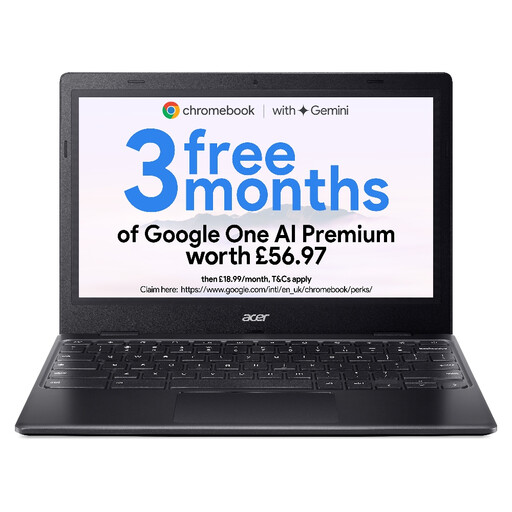
Consider this Chromebook for a savings sheet you can edit in a browser; test an existing Excel workbook before relying on it.
Its listed screen is 11.6-inch HD (1366 × 768), with an Intel Celeron N4500. Check the exact model’s update end date and battery performance before choosing it for socket-limited use.
 No image available
Consider this Windows route if your savings workbook needs desktop software and you want a 15-inch touchscreen.
Check the workbook and any other required software with this processor, alongside tested battery runtime and the charging arrangement for the exact configuration.
Yes, if the workbook works in Excel for the web; Microsoft Support confirms that Microsoft 365 web apps are accessible on Chromebooks. Test a copy of your file first, because unsupported workbook features can prevent browser editing or require changes to the file.
No. An ‘up to’ figure may reflect a different task from spreadsheet work, so check its test conditions and compare independent results for the exact model where available. Acer notes that actual battery life varies with use and settings.
Check the exact model’s final update date in Google’s Chromebook update schedule before buying. Google states that Chromebooks receive 10 years of automatic updates, but the device-specific schedule determines when a particular model receives its last update.
Back up what you need, erase personal information and use an appropriate electrical-recycling route. UK electrical waste is covered by WEEE arrangements; check your local council’s instructions for where to take the device.