What matters when choosing?
Settle platform compatibility first, allow room for a representative workload, then check how the laptop will be powered during a profiling session.
| Concern |
What to check |
Who this matters to |
| Platform compatibility |
Try the intended profiler and representative dependencies on the proposed operating system and processor architecture. Check native binaries, containers and the deployment target. |
If my profiler or project stack requires a particular platform, a laptop I cannot run it on will not help me investigate the script. Around 42% of consumers put this compatibility need first. |
| Memory and repeatable runs |
Check peak memory use with realistic data, allowing room for development tools and profile captures; assess processor needs against the slow path you are investigating. |
I need to reproduce the slowdown locally without shrinking the dataset to make it fit. For around 33% of consumers, workload headroom is the primary need. |
| Battery and charging |
Check the exact laptop’s charging requirements against the charger or dock output, cable and connected peripherals; assess battery life against your workload. |
When sockets are scarce, I need useful working time unplugged or a compatible one-socket setup. That independence comes first for around 25% of consumers. |
Joybuy laptops to consider
These macOS and Windows laptops offer different memory and screen configurations for local profiling work. Match the operating system to your tools before comparing their specifications, and check charging arrangements separately if sockets are limited.
 No image available
Apple MacBook Pro 14.2-inch M5 Pro, 24GB/2TB, Silver
Consider this for a macOS and Apple Silicon profiling stack you have already validated. The listed configuration has a 15-core CPU, 16-core GPU, 24GB unified memory and a 2TB SSD.
Check charging requirements and battery runtime for your workload before planning to profile away from a socket.
View on Joybuy
 No image available
Apple 13-inch MacBook Air (2026) M5, 24GB/1TB, Midnight
This is another option if your profiler and dependencies work on macOS and Apple Silicon. The listed M5 configuration has a 10-core CPU, 10-core GPU, 24GB unified memory and a 1TB SSD.
Check its charging requirements and runtime during your own profiling sessions rather than treating a battery claim for another activity as a workload result.
View on Joybuy
 No image available
ASUS ProArt P16 H7606WW-SE006W, RTX 5080, 64GB/2TB
For a compatible Windows workload needing substantial local memory, this configuration lists Windows 11 Home, an AMD Ryzen AI 9 HX 370, 64GB RAM and a 2TB SSD. It also lists a 16-inch 4K OLED touchscreen and an NVIDIA GeForce RTX 5080 16GB.
Confirm that your profiler and deployment stack work with the chosen configuration, then check its charging behaviour for the intended desk setup.
View on Joybuy
 No image available
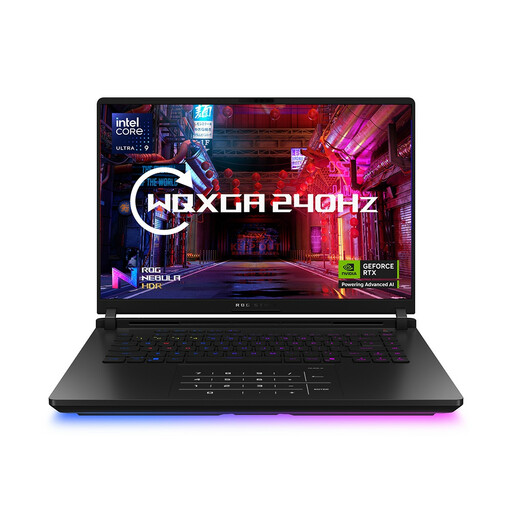
ASUS ROG Strix SCAR 16 G635LW WQXGA, RTX 5080, 64GB/2TB
This Windows 11 Home configuration may be worth considering if your local profiling setup needs its listed 64GB RAM and 2TB SSD. The product name also specifies an Intel Core Ultra 9 processor and NVIDIA GeForce RTX 5080.
Check profiler compatibility and whether high-performance use requires the original adapter before relying on a limited-socket arrangement.
View on Joybuy
 No image available
Lenovo Legion Pro 7 16IAX10H 83F5000UUK, RTX 5090, 64GB/2TB
If your profiling tools run on Windows and the local workload calls for substantial memory, this Windows 11 Home configuration lists an Intel Core Ultra 9, 64GB RAM and a 2TB SSD. The product name also identifies a 16-inch display and NVIDIA GeForce RTX 5090.
Check the supplied power arrangement and expected workload runtime before choosing it for work away from a socket.
View on Joybuy
Common questions
Should I choose a faster laptop before finding out why the script is slow?
Investigate the slowdown first, because a processor specification alone will not identify the bottleneck. The Python Software Foundation distinguishes cProfile’s execution profiles from benchmarks, while Microsoft documents CPU, memory and other diagnostics in Visual Studio for supported workflows.
Can I use Linux perf to profile Python on any laptop?
No: the Python Software Foundation documents its Python perf integration for Linux on select architectures. Check that the proposed laptop can run the required Linux environment and that your interpreter has the necessary support.
Will one USB-C dock solve the socket problem?
It can simplify the setup if the exact laptop, dock, cable and peripherals are compatible. Dell rates its SD25TB4 dock at up to 130W for Dell systems and 96W for non-Dell systems; compare the applicable output with your laptop’s charging requirements rather than assuming any USB-C dock will sustain a profiling run.
What support detail should I check on a workstation laptop?
Check the support terms attached to the exact configuration and seller. A Lenovo UK ThinkPad P14s Gen 6 AMD configuration lists three years of Premier Support, but that should not be assumed for every P14s build.


