All-day seminar writers
You prepare questions and reading notes where a socket may not be available. Carry weight and the conditions behind a battery-life claim matter more than a headline figure alone.


For seminar writing away from mains power, start with a laptop whose operating system supports your required tools, then weigh its carry weight, keyboard and display against the manufacturer’s battery claim. A 13-inch MacBook Air suits a macOS-compatible workflow; a conventional Windows laptop suits requirements for Windows software and peripherals; and a Snapdragon Windows laptop is worth considering only after checking the applications and devices you need.
You prepare questions and reading notes where a socket may not be available. Carry weight and the conditions behind a battery-life claim matter more than a headline figure alone.
Your writing also depends on institution-provided applications, older Windows software or specialist peripherals. Confirming that those tools work takes priority over a longer quoted battery life.
You spend long sessions reading and typing. The exact keyboard layout, display finish, screen size and connections deserve a closer look than the processor name alone.
Choose the operating system around the tools your seminar work requires. Then compare the exact laptop configurations for battery-test conditions, carrying weight and writing comfort.
Consider it when: Your writing, research and institution-specific tools work on macOS.
Trade-off: A required Windows-only application or peripheral may rule out this route.
Consider it when: Required Windows applications or peripherals determine your choice.
Trade-off: Keyboard, display and charger details depend on the exact configuration, not just the laptop family.
Consider it when: Low carry weight matters and you can check your required tools before buying.
Trade-off: Microsoft says x86 and x64 applications can run through emulation, but compatibility issues can occur and some settings trade performance for compatibility.
| Concern | What to check | Who this matters to |
|---|---|---|
| Unplugged writing time | Read the battery-test conditions for the exact model; allow for your usual mix of documents, browsing and calls. | If I cannot count on finding a socket, I need enough charge to keep preparing questions through my work session. Around 31% of consumers put unplugged endurance first. |
| Carry weight | Compare the stated mass of the exact configuration and consider what charger or accessories you would carry. | When I move between seminars and study spaces, the laptop has to be manageable alongside my other materials. Roughly 25% of consumers make carrying weight their primary concern. |
| Software and peripherals | Check required applications, browser extensions and device drivers against the operating system and processor architecture. | If my coursework depends on a particular application or peripheral, I cannot choose by battery claim alone. About 25% of consumers prioritise compatibility. |
| Typing and screen comfort | Check the keyboard layout, screen size and display finish on the configuration you intend to buy. | For long drafting sessions, I need a keyboard and screen I can work with comfortably. Around 19% of consumers put writing comfort first. |
ASUS states that its Zenbook A14 claim of up to 32 hours is for continuous video playback. That workload differs from drafting with browser research, calls and cloud services.
Check each manufacturer’s test conditions and leave a margin for your own workload rather than planning around the quoted maximum.
Microsoft says Windows on Arm can emulate x86 and x64 applications, but compatibility issues can occur; settings intended to help compatibility can also affect performance.
List your required applications, extensions and device drivers, then check each one for the intended processor architecture.
A manufacturer’s warranty does not replace statutory rights if a laptop is faulty or not as described. Coventry City Council Trading Standards explains that goods must be as described, fit for purpose and of satisfactory quality.
Keep the order confirmation and listing, and contact the seller promptly if there is a fault or the delivered specification differs from the description.
A keyboard or charger shown for one configuration need not describe every variant. Lenovo’s checked ThinkPad X1 Carbon Gen 13 part number, for example, specifies an English (UK) keyboard and UK USB-C adapter.
Before ordering, check the exact model or part number alongside its display, keyboard, charger and connections.
The 13-inch MacBook Air is a macOS option for portable writing and research.
The Zenbook A14 UX3407 is a Windows on Arm option for buyers focused on carrying weight and manufacturer-claimed endurance.
The checked ThinkPad X1 Carbon Gen 13 configuration is a conventional Windows option with a 14-inch anti-glare display.
These laptops offer different operating systems, screen sizes and configurations for seminar writing. Check the software you need and the stated battery-test conditions for the particular model before choosing one for work away from mains power.
 No image available
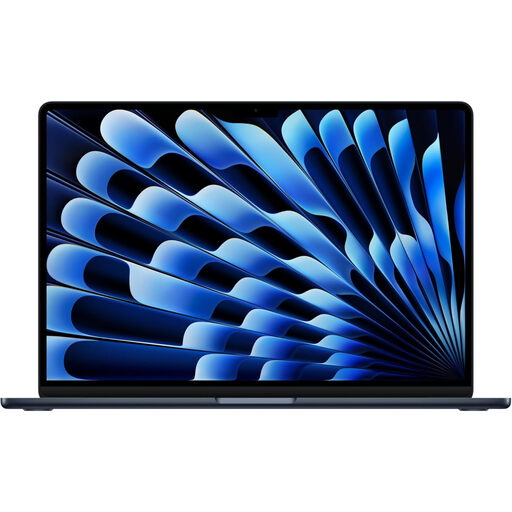
Consider this MacBook Air for writing and research if your required tools work on macOS. Apple claims up to 18 hours of battery life for the current 13-inch model; this is not a guaranteed writing-session duration.
This variant’s M5 chip has a 10-core CPU and 10-core GPU. Check the keyboard layout on the exact listing if you need a UK layout.
 No image available
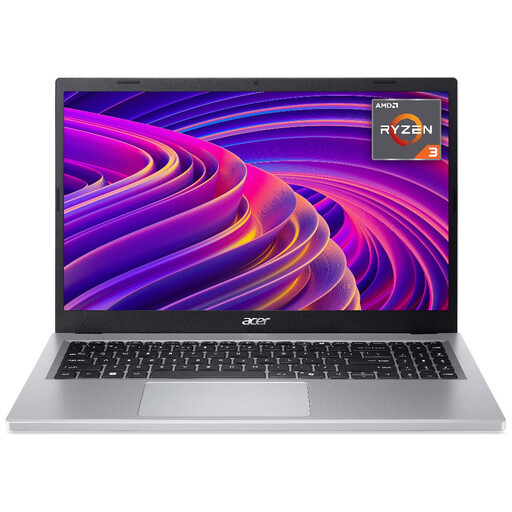
Consider this Windows laptop if you want a 15.6-inch screen for drafting and reading. Its stated display resolution is Full HD (1920 × 1080).
For work away from a socket, check the battery-life claim and its test conditions for this configuration, as well as the keyboard layout.
 No image available
Consider this Chromebook for seminar work only if your required writing and research tools work on Chrome OS. It has a 14-inch screen, Intel Core i3 N305, 8GB RAM and 256GB eMMC storage.
Check battery-test conditions and the keyboard layout for this exact variant before relying on it away from mains power.
 No image available
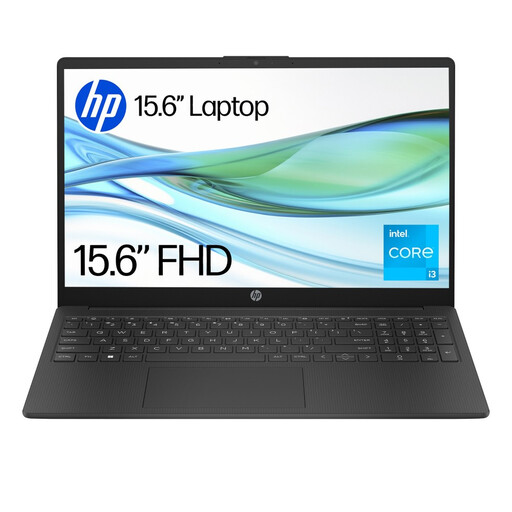
Consider this model for Windows-based drafting only after checking that the applications you need can be used with Windows 11 Home S. Its listed configuration includes 4GB RAM and 128GB UFS storage.
Confirm the keyboard layout and how the stated battery performance applies to your writing workload.
 No image available
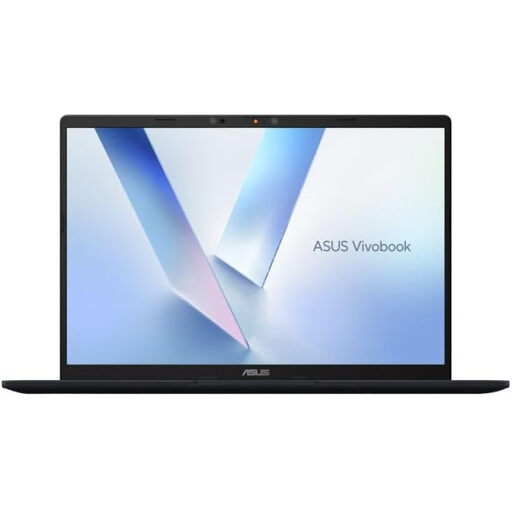
Consider this Windows on Arm laptop if your seminar applications and peripherals work with its Snapdragon X processor. Microsoft notes that emulation supports x86 and x64 applications, but compatibility issues can occur.
Check its battery-life conditions for extended unplugged use and confirm the keyboard layout on the exact listing.
Not necessarily: a manufacturer’s figure applies to its stated test conditions, not every mix of writing, browsing and calls. ASUS, for example, specifies continuous video playback for its Zenbook A14 claim, so check the test basis and leave a margin for your own workload.
Yes, if the applications and devices you require work on that laptop. Microsoft says Windows on Arm can emulate x86 and x64 applications, but compatibility issues can occur, so check your exact software, extensions and drivers first.
For most online purchases, UK distance-selling rules give consumers a cancellation period extending up to 14 days after delivery without needing to give a reason, according to GOV.UK. Exceptions and conditions can apply; check the applicable terms before deciding how to assess the laptop.
A fault is different from a change-of-mind return. Coventry City Council Trading Standards says goods must be as described, fit for purpose and of satisfactory quality, and that a faulty item can be refunded within 30 days in most cases; other remedies may apply beyond that period.
Do not assume it will: check the exact configuration and seller listing. Lenovo specifies an English (UK) keyboard and UK USB-C adapter for the checked ThinkPad X1 Carbon Gen 13 part number, but those details should not be assumed for other variants.