What should you add to your laptop setup?
Decide whether one screen gives you enough space, then check screen placement, input devices and any connection requirements together rather than choosing each item in isolation.
| Priority | What to check | Your needs |
|---|
| Screen and input position |
Check where the screen will sit and whether there is room for a separate keyboard and mouse. The Health and Safety Executive describes using separate input devices so a laptop screen can be raised on a riser. |
One screen is enough for my work, but I want to raise the laptop display without relying on its raised keyboard and trackpad. |
| Display space |
Check the monitor’s input against the laptop’s video output, including any required adapter. A USB-C connector alone does not establish DisplayPort over USB-C support, as the Video Electronics Standards Association’s guidance makes clear. |
I need a larger or independently positioned screen for the information I use while working. |
| Dock compatibility |
Check the exact laptop’s supported display count, connection mode and charging requirements against the dock, monitors and cables. Microsoft notes that external-display resolution and refresh rate can depend on display count and connection method. |
Several peripherals need connecting at my desk, and I want to know whether one dock connection can serve the display setup I intend to use. |
| Assessment-led equipment |
Where UK DSE rules apply, use the individual workstation assessment to establish what action is needed. The Health and Safety Executive says workers cannot be charged for equipment the assessment indicates an employer needs to provide. |
Before paying for equipment for work, I need to establish whether my employer’s DSE assessment calls for it. |
Joybuy options for laptop workstations
These options cover separate monitors, a USB-C dock and a keyboard-and-mouse set for the laptop workstation decisions above. Check each option against your desk arrangement, laptop and any applicable DSE assessment.
 No image available
ASUS ZenScreen MB249C IPS USB-C monitor
Consider this separate display when you want to position a screen apart from your laptop. Confirm that the exact laptop supports the intended USB-C video connection and check its charging requirements before planning a single-cable setup.
View on Joybuy
 No image available
Samsung 22-inch S40GD LS22D400GAUXXU Full HD monitor
This is a separate 22-inch Full HD screen for a laptop desk. Check which video connection your laptop can use and whether its supported display configuration meets your plans.
View on Joybuy
 No image available
Targus USB-C Universal Dual HDMI 4K dock, 100W PD pass-through
Consider a dock if you need to connect displays and other desk devices through your laptop’s USB-C connection. This model is listed with dual HDMI and 100W Power Delivery pass-through; check the exact laptop’s display support, charging needs and required power adapter.
View on Joybuy
 No image available
AOC Q32V4 31.5-inch 2K IPS monitor
The 31.5-inch screen is an option if you want a larger separate display and have space to place it. Check that your laptop supports the resolution and refresh rate you intend to use through the chosen connection.
View on Joybuy
 No image available
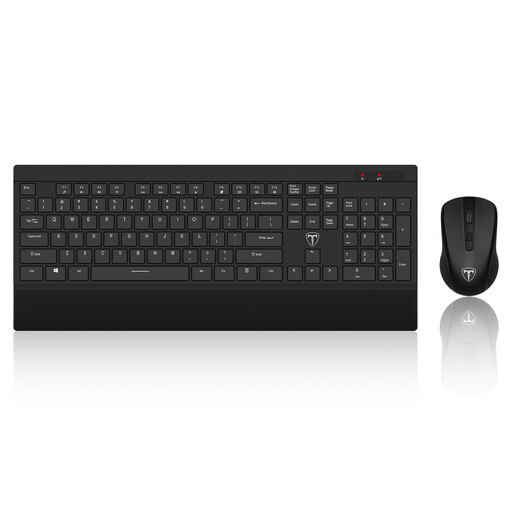
ET 2.4GHz wireless keyboard and mouse set, US layout
Separate input devices let you use a laptop screen on a riser without relying on its attached keyboard and trackpad. This set has a US keyboard layout; confirm that its keys and wireless connection suit your setup.
View on Joybuy
Common questions
Do UK DSE rules apply when I work from home?
They can apply if you work from home permanently or long term, or routinely split work between home and office. The Health and Safety Executive says employers must assess workers who use DSE daily as part of normal work for continuous periods of an hour or more; where the rules apply, the assessment should address the individual workstation.
Is a laptop riser enough on its own?
For prolonged laptop use, the Health and Safety Executive describes using a separate keyboard and mouse so the laptop screen can be raised on a riser or similar support. Plan space for those input devices as well as the riser.
Will my USB-C port connect to any monitor or dock?
Do not choose by port shape alone. DisplayPort over USB-C requires compatible video support, and the connection must work across the laptop, any dock or adapter, the monitor and the cable. Check the exact laptop documentation before choosing a connection.
Can a dock run two or three monitors at my chosen settings?
That depends on the exact host and display configuration, not just the dock’s port count. Microsoft notes that external-display resolution and refresh rate can vary with the number of displays and connection method; compare the laptop’s limits with the dock’s stated host requirements.
Can my employer charge me for equipment identified by a home DSE assessment?
Where the applicable UK DSE workstation assessment indicates that the employer needs to provide equipment, the worker cannot be charged for it, according to the Health and Safety Executive. Check the assessment outcome before buying that equipment yourself.


