What should you check first?
Assess the screen and input arrangement before adding connections or call accessories; each purchase should solve a need in the whole workstation.
| Priority | What to check | Your needs |
|---|
| Screen and inputs |
Check whether the screen, keyboard and mouse can be placed comfortably for sustained work. For an external monitor, confirm the laptop’s video output matches the display input and allow space for separate inputs. |
I spend long periods on documents and cannot position the laptop screen and keyboard comfortably at the same time. |
| Dock compatibility |
Match the laptop’s implemented USB-C, USB4 or Thunderbolt functions to the dock. Check the intended number of displays, resolution, refresh rate, data connections and charging requirements; Kensington notes that a USB-C connector alone does not guarantee video or power delivery. |
Several desk devices need connecting, but I want to know that the dock will work with my particular laptop and screens. |
| Employer arrangements |
Ask about the workstation assessment, supplied equipment and technical support. Check with IT whether the managed laptop permits the intended dock, webcam or wireless receiver; Microsoft documents USB-device controls that organisations can configure. |
Before buying equipment for work, I need to know what my employer provides and which devices I am allowed to connect. |
| Video calls |
Assess whether the built-in camera and audio meet your meeting needs. For a separate webcam or headset, check its connection method, available ports, meeting-software compatibility and any employer approval. |
Calls are a regular part of my day, and I need to choose accessories that fit my laptop and meeting setup. |
Joybuy product options
These options cover a separate display, keyboard and mouse, webcam, dock and headset. Choose the category that addresses your own workstation or call needs, then check compatibility with your laptop and work policies.
 No image available
Samsung S40GD LS22D400GAUXXU 22-inch Full HD monitor
Consider a separate screen if laptop-only work makes it difficult to arrange the display and inputs comfortably. Check that your laptop can connect to this 22-inch Full HD model, and plan where a keyboard and mouse will sit.
View on Joybuy
 No image available
HP 680 CFT dual-mode keyboard and mouse set
A separate keyboard and mouse let you plan input placement independently of the laptop screen. Confirm the keyboard layout and which connection method your laptop and employer permit.
View on Joybuy
 No image available
Targus autofocus webcam
Consider a separate camera if the laptop camera does not meet your video-call needs. Confirm the camera’s resolution before choosing it for a resolution requirement, and check its connection and approval for a managed work laptop.
View on Joybuy
 No image available
Targus USB-C Universal Dual HDMI 4K dock with 100W Power Delivery pass-through
A dock is worth considering when several desk devices need connecting. The title specifies dual HDMI and 100W Power Delivery pass-through, but the display and charging arrangement still depends on the laptop; confirm its USB-C functions, power requirements, package contents and IT approval.
View on Joybuy
 No image available
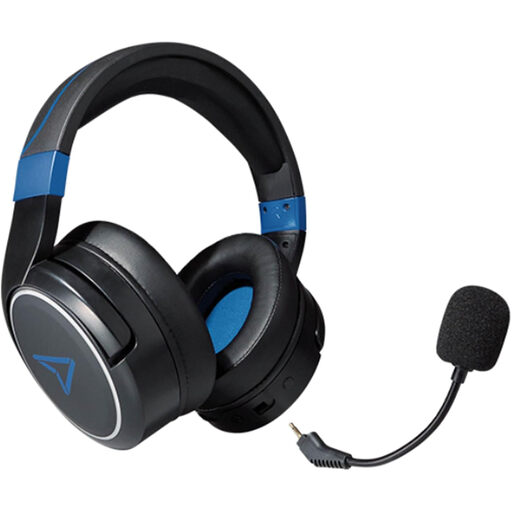
LEXIP Metaltech wireless headset — Cobalt Blue
This wireless headset is an option to assess for laptop calls, though it is presented primarily for gaming. Check its microphone and connection against your meeting software and work laptop, including any IT restrictions.
View on Joybuy
Common questions
Should I ask my employer before buying a monitor or other work equipment?
Yes, if you are an employee using it for regular home or hybrid work, check the workstation assessment and equipment arrangements first. In Great Britain, the Health and Safety Executive says workers cannot be charged for equipment where a DSE assessment indicates that providing it is necessary; Acas advises employers to agree who provides and supports home-working equipment.
When does a home-working DSE assessment matter?
In Great Britain, the Health and Safety Executive says employers must assess workers who use display screen equipment daily as part of their normal work for continuous periods of an hour or more; its guidance says the regulations can also apply to permanent, long-term and hybrid home workers. Ask your employer how its assessment process applies to your arrangement. The Health and Safety Executive for Northern Ireland separately notes that the regulations can apply to permanent, long-term and hybrid home workers there.
Will any USB-C dock work with my laptop?
No. Kensington explains that USB-C identifies a connector, while video, data speed and power delivery depend on the laptop’s implementation. Compare the exact laptop and dock specifications for the displays, charging and connections you intend to use.
Can work-laptop security rules affect a webcam or wireless receiver?
Yes. Microsoft documents Intune controls that can restrict USB device types or allow specified devices. Ask IT whether your managed laptop permits the intended webcam, receiver or dock, along with any required software, before buying.


