What to check before choosing
For consumers building and maintaining a recipe index in a shared office, settle software compatibility first, then assess the desk equipment and how often the laptop must travel between work areas.
| Concern |
What to check |
Who this matters to |
| Workflow compatibility |
Confirm support for the index application and file formats, then check the printer and shared dock. |
If my index relies on office software or shared equipment, I need those tools to work before screen size matters. Around 42% of consumers put workflow compatibility first. |
| Desk setup |
Check for a monitor or riser, plus a separate keyboard and mouse; include the full setup in any required workplace assessment. |
When I spend long sessions entering and reviewing recipes, I need a workable screen and input-device arrangement. Roughly 33% of consumers prioritise the sustained desk setup. |
| Moving between desks |
Compare the laptop and charger you would carry, the available connections and battery claims under their stated test conditions. |
If I regularly take the index to another desk or meeting, carrying the laptop and finding a connection matter most. About 25% of consumers make mobility their primary concern. |
Joybuy laptop choices
These laptops offer Windows and macOS starting points for a shared-office recipe index. Match the operating system to your tools, then check the exact desk connections and configuration you need.
 Image unavailable
ASUS Vivobook 14 X1407QA-LY003W, Snapdragon X, 16GB, 512GB SSD, Quiet Blue
Consider this 14-inch laptop if you need a machine to move between shared desks. Its named configuration has a Snapdragon X processor, 16GB RAM and a 512GB SSD; confirm that your index software and office peripherals work with the exact setup.
View on Joybuy
 Image unavailable
HP OmniBook Ultra Flip 14-fh0006na 2-in-1, 16GB, 1TB SSD
The 2-in-1 design is worth considering if you want a convertible laptop between desk sessions. This configuration names 16GB RAM, a 1TB SSD and Windows 11 Home; confirm the connections needed for the shared monitor and dock.
View on Joybuy
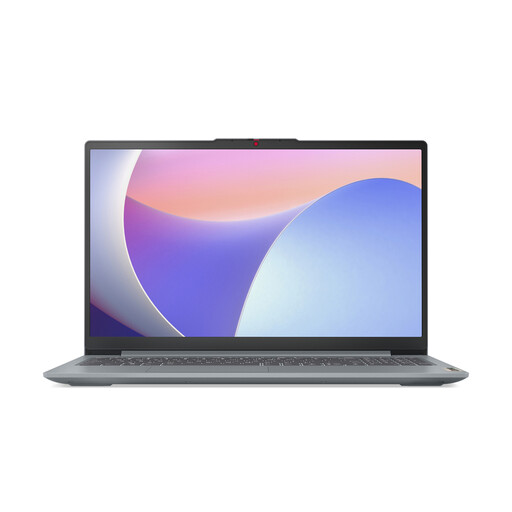 Image unavailable
Lenovo IdeaPad Slim 3 15IAH8, 83ER00G4UK, 15.6-inch, 8GB, 512GB SSD
Its 15.6-inch format may suit someone who sometimes works away from a shared monitor. The named variant has an Intel Core i5 processor, 8GB RAM and a 512GB SSD; check the index application’s requirements and the battery information for this configuration.
View on Joybuy
 Image unavailable
HP OmniBook X Flip 16-as0004na, 16-inch 2-in-1, Core Ultra 5 226V, 16GB, 512GB SSD
Consider the 16-inch convertible format if you need built-in screen space when a shared monitor is unavailable. This variant names Windows 11 Home, 16GB RAM and a 512GB SSD; check its weight and connections against your desk and carrying needs.
View on Joybuy
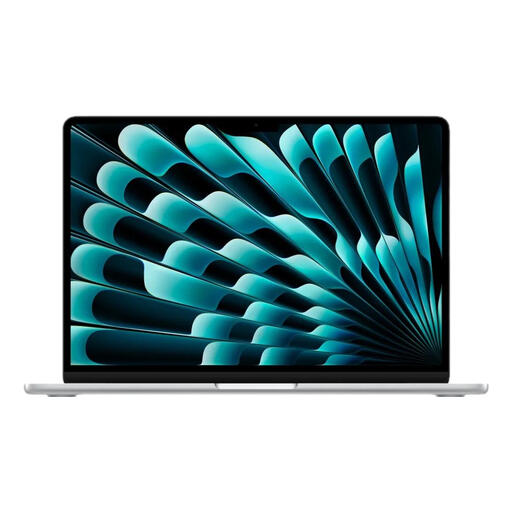 Image unavailable
Apple 13-inch MacBook Air (2026), M5, 16GB, 1TB SSD, Silver
This compact macOS option makes sense only if the recipe-index tools, shared files and peripherals fit the office workflow. The named variant has 16GB memory and a 1TB SSD; confirm its processor configuration and the connections required at the shared desk.
View on Joybuy
Common questions
Do I need a large laptop screen to maintain a recipe index?
Not if the shared desk provides a suitable screen arrangement. For prolonged laptop work, the Health and Safety Executive advises a separate keyboard and mouse so the laptop screen can be elevated, or a separate display; check what is available where you will work.
When does a shared-office laptop need a workstation assessment?
The Health and Safety Executive says an employer must assess the workstation when someone uses display screen equipment daily as part of normal work, continuously for an hour or more. The assessment covers the workstation, the job and working conditions, not just the laptop.
Should I choose Windows or macOS for the recipe index?
Choose the operating system that supports the index application and the office’s complete workflow. Check file formats, workplace sign-in, printing, shared storage and dock compatibility before treating either a Windows laptop or a MacBook Air as a fit.
What support details should I check before ordering?
Check the chosen listing’s seller, warranty provider and duration, repair arrangements, return terms and supplied charger. Those details can differ between listings, so confirm them for the exact laptop configuration you intend to order.


