What matters when choosing
Decide whether the website will be edited through a hosted service or developed with local tools; then compare configurations against that workflow and your desk setup.
| Concern | What to check | Who this matters to |
|---|
| Local development |
For Docker on Windows, check Windows and WSL 2 eligibility, virtualisation support and memory headroom for your tools. |
If I need Linux tools or containers alongside Windows applications, setup compatibility is my starting point. Around 36% of consumers put that local-development need first. |
| Memory and storage |
Compare the exact RAM and SSD capacities and model number; do not treat different configurations as the same purchase. |
Keeping an editor, browser, calls and project files open together makes the chosen configuration important to me. Around 29% of consumers place that multitasking need first. |
| Screen and connections |
Check screen size, required monitor connections and ports on the exact model, along with any charger or dock you need. |
I work at a desk but sometimes move the laptop, so built-in screen space and connections shape my choice. Around 21% of consumers give that workspace need priority. |
| Browser-first simplicity |
Decide whether the site is hosted remotely; for WordPress, ask the host about its server requirements. |
If I edit a hosted site in the browser, I would rather avoid paying for a local setup I will not use. Around 14% of consumers make that simpler workflow their primary concern. |
Joybuy laptop choices
These laptops offer macOS and Windows configurations for comparing browser-based website work, screen space and local project storage. If you plan to use Docker or other specialised development software, check compatibility for the exact laptop before choosing.
 No image available
Lenovo LOQ Essential 15ARP11, Ryzen 7 170, 16GB, 1TB SSD
Consider this Windows laptop if a 15.6-inch screen and 1TB of local storage suit your desk-based website work.
The product name specifies a 144Hz FHD display and GeForce RTX 5050 graphics. If your work requires Docker, confirm Windows, WSL 2 and virtualisation prerequisites for the exact configuration.
Joybuy
 No image available
ASUS Vivobook 14 X1407QA-LY003W, Snapdragon X, 16GB, 512GB SSD
Consider this 14-inch Windows option for browser-based site work if its configuration meets your storage needs.
Its product name identifies a Snapdragon X processor and 16GB of memory. Confirm that required development applications, particularly any Docker or WSL workflow, work with this ARM-based configuration before buying.
Joybuy
 No image available
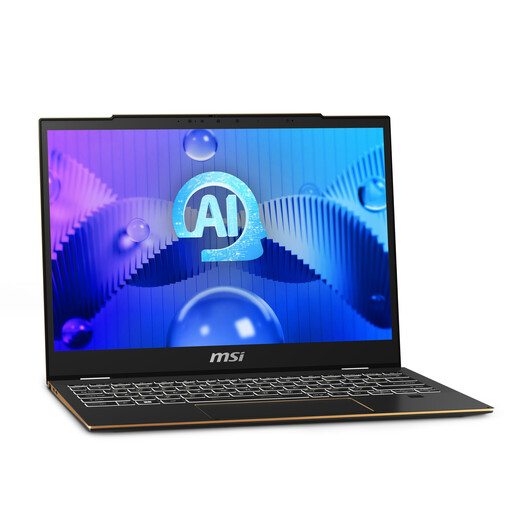
MSI Summit E13 AI Evo, Core Ultra 7 155H, 32GB, 1TB SSD
This configuration is worth comparing if your website workflow involves several open applications and you want a compact touchscreen laptop.
The product name specifies an FHD+ touch display and 32GB LPDDR5 memory. Confirm the precise screen size before comparing its workspace with other models.
Joybuy
 No image available
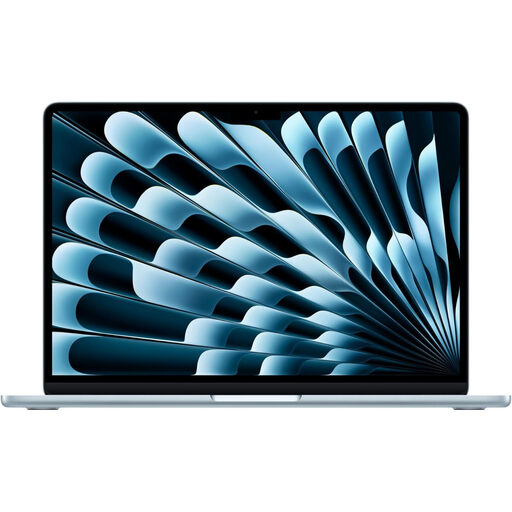
Apple 15-inch MacBook Air (2026), M5, 16GB, 1TB SSD, Sky Blue
Consider this macOS configuration if your website tools support macOS and you want a 15-inch built-in screen.
The product name specifies an M5 chip and 1TB SSD. Check this listing’s in-box charging equipment and the connections your home-office display requires.
Joybuy
 No image available
HP OmniBook X Flip 16-as0004na, Core Ultra 5 226V, 16GB, 512GB SSD
Consider this Windows model if a larger touchscreen is a priority for your home-office website work.
The product name specifies a 16-inch two-in-one design and Windows 11 Home. Check its connections for your monitor and peripherals, and confirm WSL 2 and Docker prerequisites if you intend to run local containers.
Joybuy
Questions about website-building laptops
Do I need a powerful laptop to build a small website?
Not necessarily if you mainly edit a hosted site in a browser. Microsoft describes VS Code itself as lightweight, but its editor requirements do not cover the combined demands of browser tabs, calls, databases or containers; choose for the whole workflow you expect to use.
Do WordPress requirements apply to my laptop?
WordPress.org’s published PHP, database, web-server and HTTPS requirements apply to the hosting environment, not directly to laptop hardware. Ask your hosting provider whether its setup meets the current WordPress requirements.
Can I use Docker for local website development on Windows?
Yes, if the Windows laptop and your setup meet Docker Desktop and WSL 2 prerequisites. Check those requirements for the configuration you intend to buy; Docker also recommends keeping bind-mounted project files in the Linux filesystem when using its WSL 2 workflow.
How long do I normally have to cancel a UK online laptop purchase?
For a standard online sales contract covered by the UK Consumer Contracts Regulations 2013, the change-of-mind cancellation period normally ends 14 days after you or your nominated recipient takes physical possession of the laptop. Exceptions may apply. This cancellation rule is distinct from remedies for faulty, damaged or misdescribed goods.


