Students with specified Windows or Linux tools
If your module requires local compilers, particular binaries, Docker or WSL workflows, or device drivers, check those requirements before settling on a laptop architecture.


Start with the operating system and processor architecture required by your course software, container images, binaries and drivers. An x86-64 Windows laptop is the more cautious choice when local requirements are unclear; an Apple-silicon Mac suits a confirmed macOS-compatible stack, while Windows on Arm and remote builds need additional workflow checks.
If your module requires local compilers, particular binaries, Docker or WSL workflows, or device drivers, check those requirements before settling on a laptop architecture.
An Apple-silicon Mac is worth considering when your required tools and container images support Arm64. Docker documents Apple-silicon support but notes that some optional command-line tools still require Rosetta 2.
A managed Linux environment can move builds away from the laptop. Check whether your course permits it, whether your connection is dependable and what usage allowance applies.
Confirm the course toolchain before comparing memory, storage and the practicalities of using the laptop at your desk or carrying it to campus. Treat remote builds as a separate workflow decision, not as proof that a particular local configuration will meet every requirement.
| Concern | What to check | Who this matters to |
|---|---|---|
| Toolchain compatibility | Ask for the required operating system, CPU architecture, binaries, container images and device drivers. Microsoft says Windows 11 on Arm emulates x86 and x64 user-mode apps, but drivers need native Arm64 support. | If my course supplies architecture-specific tools, I need them to run locally before extra capacity matters; around 36% of consumers put compatibility first. |
| Local-build headroom | Compare the exact memory and SSD configuration with your IDE, tests, project files and any containers or virtual machines you expect to run together. | When I build projects alongside other applications, I want enough configured memory and storage for that combined workload; around 29% of consumers prioritise local-build headroom. |
| Room and campus use | Check carrying weight and the ports needed at your desk, including any monitor or classroom peripheral connections. | I use one laptop at a confined desk and take it to teaching spaces, so carrying and connection needs shape my choice; for around 21% of consumers, practical room-and-campus use comes first. |
| Remote-build flexibility | Confirm university provision, internet reliability, usage allowances and whether coursework must also work offline. | If demanding builds can run remotely, I can assess the local laptop separately from peak build capacity; around 14% of consumers make that flexibility their primary concern. |
Microsoft says Windows 11 on Arm does not emulate kernel-mode drivers, while Docker describes its Windows Arm option as Early Access. Docker also notes that some optional tools on Apple silicon still need Rosetta 2.
Get the module software list and check each required compiler, binary, container image, virtual machine and peripheral driver against the exact operating system and architecture.
Apple lists different memory options for the M5 MacBook Air, and Lenovo lists soldered memory in the cited ThinkPad X13 AMD configuration. A family name alone does not identify the capacity you will receive.
Before checkout, confirm the exact model or part number, memory, SSD, keyboard layout, charger and warranty terms.
The MacBook Air is a macOS option when course software and container images support Apple silicon.
The ThinkPad X13 Gen 6 is a compact Windows x86-64 example for students checking conventional local-tool compatibility.
The Snapdragon-based XPS 13 9345 illustrates the Windows-on-Arm route when every required tool and driver has been checked.
These laptops are choices for students considering local development on an Intel- or AMD-based machine. Compare each exact configuration with your course requirements; the product specifications below do not establish compile speed or software compatibility.
 No image available
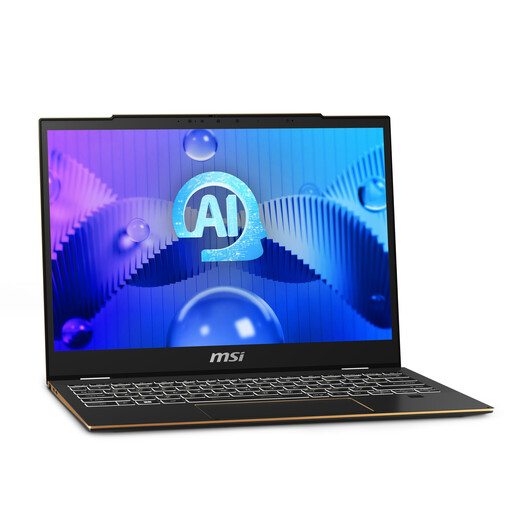
Consider this configuration if your local tools call for an Intel-based laptop and you want 32 GB of memory alongside project storage.
The product name specifies Intel Core Ultra 7 155H, 32 GB LPDDR5 RAM and a 1 TB SSD. Confirm the exact screen size if it affects your desk setup.
 No image available
Consider this configuration if you expect to keep several local development tools and substantial project files on the laptop, provided its size suits your room-and-campus routine.
The product name specifies a 16-inch 4K OLED touchscreen, AMD Ryzen AI 9 HX 370, 64 GB RAM, a 2 TB SSD, NVIDIA GeForce RTX 5080 16 GB and Windows 11 Home.
 No image available
This is a 16-inch option to assess if you want to run local development applications and keep project files on the same machine.
The product name specifies Intel Core Ultra 7 255H, 32 GB LPDDR5 RAM, a 1 TB SSD and a QHD+ 165 Hz display. Check the available ports against your monitor and peripherals.
 No image available
Consider this model if its configured memory and storage match your expected local coursework, rather than assuming every project needs the same capacity.
The product name specifies a 15.6-inch laptop with Intel Core 5 120U, 24 GB memory and a 1 TB SSD. Confirm the required course software and connections before buying.
 No image available
Assess this 18-inch model primarily as a desk-based option if its size fits your student-room setup and you need its listed local storage.
The product name specifies Intel Core Ultra 9, 32 GB RAM, a 2 TB SSD and NVIDIA GeForce RTX 4070. Consider the carrying implications of an 18-inch laptop before relying on it for regular campus travel.
It may suit some projects, but the right configuration depends on everything you run together. Apple lists 16 GB as the starting memory for the M5 MacBook Air; check your module requirements and whether you will also run an IDE, tests, containers or virtual machines locally.
It can run compatible tools, but check your complete course workflow before buying. Microsoft says Windows 11 on Arm emulates x86 and x64 user-mode applications, not kernel-mode drivers; Docker describes its Windows Arm option as Early Access.
It can handle compatible builds remotely, but it does not remove the need to check offline coursework and account usage limits. GitHub says Codespaces provides a Linux development environment in a container on a virtual machine; confirm university provision and internet reliability before making it your main workflow.