What matters when choosing?
Identify your required operating system and CPU architecture before comparing compact models. Then assess the memory your tools use together and measure the complete desk setup, including cables and any external display.
| Concern |
What to check |
Who this matters to |
| Build capacity |
Check installed RAM, whether it can be upgraded, and the exact processor. Assess capacity against tools you run concurrently rather than assuming a processor name predicts build times. |
If I keep an IDE, builds and containers running together, I need enough memory for that combined workload. Around 31% of consumers put build and multitasking capacity first. |
| Toolchain compatibility |
Check required operating systems, binaries, drivers and container-image architectures. Docker says a linux/amd64 container needs emulation on an Arm64 host. |
When my existing tools or deployment target depend on a particular architecture, I need to establish that they will run before choosing a laptop. Compatibility is the primary concern for roughly 31% of consumers. |
| Desk fit and connections |
Measure the laptop’s footprint and cable clearance; confirm its ports and support for your intended monitor arrangement. |
If my laptop shares limited space with a monitor and peripherals, I need the whole arrangement to fit, not just the screen. About 23% of consumers prioritise desk fit and connections. |
| Local acceleration |
Confirm whether your software requires a particular GPU or emulator configuration, then check the exact model’s graphics hardware and ventilation needs. |
For graphics development or GPU-dependent tasks, I need the specified hardware locally rather than graphics capability I will never use. Local acceleration comes first for around 15% of consumers. |
Joybuy product choices
These laptops cover different ways to work on a limited desk: compact Windows and macOS models, a Chromebook to assess for a suitable development workflow, a graphics-focused 14-inch model and a larger-screen alternative. Match the exact laptop to your tools and measured desk space rather than treating the list as one interchangeable shortlist.
 Image unavailable
ASUS ROG Zephyrus G14 GA403WR-QS088W, German Grey
Consider this 14-inch model if compiling is paired with work that needs a discrete NVIDIA GPU. Its listed configuration has a Ryzen AI 9 HX 370 processor, 32GB LPDDR5x memory, a 2TB SSD and GeForce RTX 5070 Ti graphics.
Check tool compatibility, connections and the space needed for ventilation against your setup.
View on Joybuy
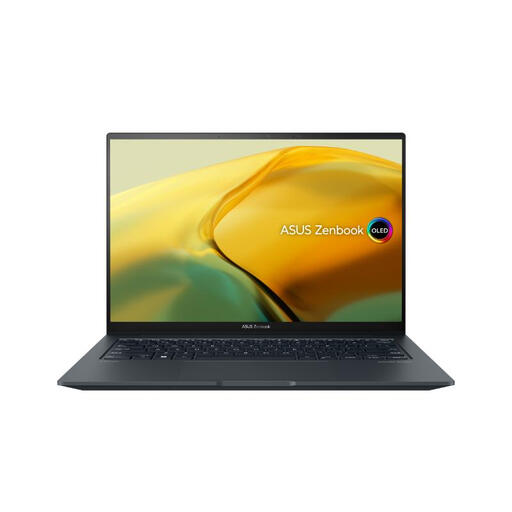 Image unavailable
ASUS ZenBook UX3404VC-M3130W, 14.5-inch OLED
This Windows 11 Home model is worth measuring if you want a touchscreen and discrete graphics alongside development tools. Its listed configuration includes an Intel Core i9 processor, 16GB RAM, a 1TB SSD and RTX 3050 graphics.
Check whether the 14.5-inch laptop fits the desk and whether its connections support your intended display setup.
View on Joybuy
 Image unavailable
MSI Summit 16 AI Evo, 16-inch QHD+
Consider the larger built-in screen if it fits your desk and your development work calls for the listed 32GB RAM. This configuration names an Intel Core Ultra 7 255H processor, a 1TB SSD, Intel Arc graphics and a 16-inch 165Hz display.
Measure its footprint against the smaller-screen choices and check the connections needed for your workspace.
View on Joybuy
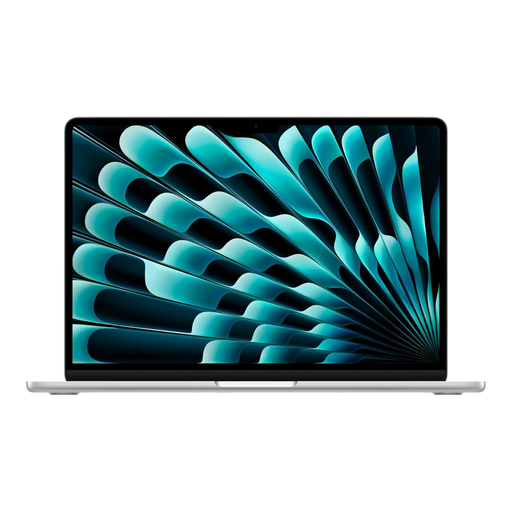 Image unavailable
Apple 13-inch MacBook Air (2026), M5, 16GB/512GB, Silver
This compact option is for a development workflow confirmed to run on macOS and Apple silicon. The listed variant has 16GB unified memory, a 512GB SSD and an M5 chip with a 10-core CPU and 8-core GPU.
Check each architecture-dependent binary and container image: Docker says linux/amd64 containers require emulation on an Arm64 host. Apple UK lists two Thunderbolt 4 ports for the cited M5 MacBook Air specification, so plan wired connections accordingly.
View on Joybuy
 Image unavailable
Acer Chromebook Plus 514 CB514-5H, 14-inch, Iron
Assess this compact Chromebook only if your required development tools work in its intended environment. Its listed configuration has an Intel Core 5 120U processor, 8GB RAM, a 512GB SSD and a 14-inch 1920 × 1200 display.
Check whether 8GB covers your IDE, builds and other simultaneous processes, and confirm compatibility for every essential compiler and SDK.
View on Joybuy
Frequently asked questions
Should I choose a Windows-on-Arm laptop for Android development?
Choose an x86 Windows laptop if Android Studio on Windows is essential and you cannot confirm another supported setup. Android Developers’ installation requirements exclude Windows machines with Arm-based CPUs; general Windows app emulation does not establish Android Studio support.
Will my amd64 Docker images run unchanged on a MacBook Air?
Do not assume they will run unchanged. Docker says a linux/amd64 container needs emulation on an Arm64 host, so check your images, binaries and build dependencies before choosing an Apple-silicon MacBook Air.
How much memory should I allow for Android virtual devices?
Allow approximately 4GB per simultaneously running Android Virtual Device, according to Android Developers, and account separately for the IDE, builds and other open tools. Use your expected concurrent workload to decide whether a particular 16GB or 32GB configuration is suitable.
What if a laptop bought from a UK trader is faulty?
A faulty laptop may give you remedies under the Consumer Rights Act 2015, separate from a retailer’s voluntary change-of-mind policy. Section 22 sets a 30-day limit for the short-term right to reject, starting the day after the applicable statutory conditions are met; contact the seller promptly and keep your purchase records.


