What to check before buying
Decide whether the laptop screen itself provides enough working space, then check the desk room and connections needed for your chosen arrangement. If you raise the laptop for prolonged work, plan space for a separate keyboard and mouse.
| Concern |
What to check |
Who this matters to |
| Screen and input placement |
Check the stand’s laptop size and weight limits, and leave desk depth for a separate keyboard and mouse. |
At a shallow desk, I need to raise the laptop screen without typing on the raised keyboard. Around 31% of consumers would put separate screen and input placement first. |
| More screen area |
Match the laptop’s supported video output to the monitor input and intended cable or adapter. |
When I regularly read across documents or switch between windows, I want a separate display. Around 31% of consumers would make additional screen area their primary need. |
| Connection compatibility |
Confirm the exact laptop’s display-output functions; a USB-C socket alone does not establish video support. |
Before choosing a monitor, dock or adapter, I need to know whether it will connect to my laptop as intended. For around 23% of consumers, connection certainty would come first. |
| Desk surface space |
Compare the monitor’s VESA pattern and weight with the arm’s specifications, then check the desk’s clamp or grommet position. |
On a fixed desk, I want to move the monitor without giving up surface space to its stand. Around 15% of consumers would prioritise a suitable desk-mounted support. |
Keyboard and mouse options on Joybuy
These keyboard-and-mouse sets provide separate input devices for a home laptop workspace. If you plan to raise the laptop screen, choose its stand or display arrangement separately and check that everything fits on the work surface.
 No image available
HP 680 CFT Dual-Mode Keyboard/Mouse Combo
A separate keyboard and mouse for a laptop workspace with a raised or independently positioned screen.
Check that your laptop supports the connection method you intend to use and that the keyboard fits alongside your other equipment.
View on Joybuy
 No image available
Philips 3000 Series SPT6318B/05 Wireless Keyboard and Mouse Combo, UK English, Black
A separate keyboard and mouse for prolonged laptop work when the screen is raised.
This is the UK English wireless version. Check the laptop’s connection options and operating-system compatibility before buying.
View on Joybuy
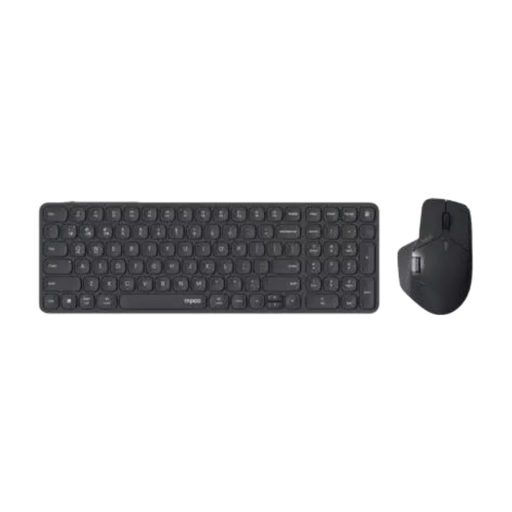 No image available
RAPOO 9760 Wireless Keyboard and Mouse Desktop Combo
A separate keyboard-and-mouse option for use with an independently positioned laptop screen.
Confirm the exact connection method and keyboard layout for this variant before deciding whether it suits your laptop.
View on Joybuy
Frequently asked questions
Do I need a separate keyboard and mouse with a raised laptop?
For prolonged laptop use, use a separate keyboard and mouse when raising the screen. The Health and Safety Executive advises this arrangement so the screen can be elevated without relying on the laptop’s built-in controls.
Will any USB-C laptop work with a USB-C monitor?
No: a USB-C socket alone does not confirm video output. Check the laptop’s documented display capability, then confirm that the monitor and the intended cable or dock support the connection.
What should I check before buying a monitor arm?
Check the monitor’s VESA mounting pattern and weight against the exact arm’s mounting interface and supported weight range. The desk must also suit the specified clamp or grommet installation; screen size alone cannot confirm a fit.
Can a laptop stand replace an external monitor?
A stand can reposition the laptop’s own screen, but it does not add screen area. It may suit a compact setup if that screen meets your needs; for more visible workspace, consider a separate monitor after checking the laptop’s video connection.
Does display-screen-equipment guidance apply when working from home?
In Great Britain, the Health and Safety Executive says the Display Screen Equipment Regulations can apply to workers who work from home permanently or long term. This is employer-facing guidance, not a requirement for every home worker to buy particular accessories.


