Check your course software before choosing Windows or macOS, then choose memory, storage and screen size around the work you will do locally. A 16GB-memory, 512GB-SSD configuration is a useful starting point for comparison, not a universal requirement: Posit says RStudio’s resource needs depend on the analysis workload. A compact laptop favours carrying and desk space, while a larger screen favours built-in workspace; choose a detachable when touch or pen input matters to your studies.
Who is this choice for?
R and Python course learners
If your modules involve programming, data manipulation or simulation, start with the applications you must run. The University of Southampton’s Statistical Programming module, for example, uses R and introduces Python; your own module requirements should determine the laptop you choose.
Small-room multitaskers
If you expect to keep an integrated development environment, course pages, documents and plots open together, compare memory and screen layout alongside storage. Posit notes that RStudio’s computing needs depend on what you do in R, rather than the editor alone.
Campus-to-room commuters
If the same laptop travels between your room, classes and the library, weigh a larger built-in screen against the space it takes in your bag and on your desk. Check the connections you need for any equipment you use in each location.
What should you check before buying?
For statistical-analysis study in a student room, confirm course software first. Then decide which local-workload, screen and carrying needs matter most to you.
| Concern | What to check | Who this matters to |
|---|
| Course software |
Check required applications and university access tools against the laptop’s operating system. Posit says RStudio Desktop requires R to be installed first; CRAN distributes R for Windows, macOS and Linux. |
If my course requires a particular application or access tool, I need to know it will work before choosing an operating system. Around 33% of consumers would put course compatibility first. |
| Memory and storage |
Compare 16GB-memory and 512GB-SSD configurations with the size of your local datasets and the applications you expect to run together. These figures are shopping reference points, not requirements set by Posit. |
When I work with local files while keeping code, notes and browser pages open, capacity is my main concern. For around 27% of consumers, that need would come first. |
| Screen and desk fit |
Compare the space available on your desk with the built-in display: Apple lists a 13.6-inch MacBook Air display, while Lenovo UK lists a 16-inch display for ThinkPad T16 Gen 3 configuration 21MN00E2UK. |
I want room to inspect code and plots without crowding my student-room desk. Around 20% of consumers would prioritise that workspace balance. |
| Carrying and connections |
Check the ports and accessories needed between your room and campus. Apple lists two Thunderbolt 4/USB-C ports for the cited MacBook Air; Dell describes the Latitude 7350 Detachable keyboard and active pen as optional. |
If I carry my laptop regularly or annotate material by hand, its size and input options shape my choice. Carrying or flexible use would be the primary need for around 20% of consumers. |
Buying pitfalls to avoid
-
Treating an operating-system minimum as a study specification
Microsoft’s Windows 11 installation minimums describe what is needed to install the operating system. They do not establish how much capacity you need for RStudio, browser tabs, documents and local analysis at the same time; Posit says requirements vary with the workload.
Use the operating-system minimum as an eligibility check, then compare the configuration with your course applications and datasets.
-
Choosing by processor cores alone
A core count cannot tell you whether the whole laptop fits your work. Posit says RStudio’s resource needs depend on how R is used, including whether the work can use parallel processing.
Ask whether your modules involve large local datasets, virtual machines or parallel workloads, and compare memory, storage and screen space as well as the processor.
-
Assuming every variant includes the same accessories
Memory, storage and supplied equipment can change between configurations. Dell describes the Latitude 7350 Detachable’s keyboard and active pen as optional, so the product-family name alone does not establish the bundle.
Check the exact variant for its operating system, keyboard, charger and any pen or adapter you need before ordering.
-
Buying Windows 10 as though support continues unchanged
Microsoft states that support for Windows 10 ended on 14 October 2025. That matters when assessing a newly purchased laptop intended for ongoing study.
For a new Windows purchase, confirm the installed operating system and check that your course applications support it.
Relevant laptop brands for reference
Apple
The MacBook Air is a compact macOS route to consider when your course applications and access tools support macOS.
- Apple lists 13.6-inch MacBook Air configurations with 16GB unified memory, a 512GB SSD and two Thunderbolt 4/USB-C ports.
- Check whether HDMI, USB-A or wired Ethernet equipment will need a compatible adapter or dock; R availability alone does not establish compatibility with every course tool.
Lenovo
The ThinkPad T16 Gen 3 configuration 21MN00E2UK represents a larger-screen Windows route for students who want built-in desk workspace.
- Lenovo UK lists this specific configuration with 16GB DDR5 memory, a 512GB SSD and a 16-inch WUXGA anti-glare display.
- Check that a 16-inch chassis fits your desk and bag; specifications for this configuration should not be assumed for every ThinkPad T16.
Dell
The Latitude 7350 Detachable is a Windows route to consider when touch input or annotation is part of your study routine.
- Dell describes a 13-inch touch device with 16GB-memory and 512GB-SSD options.
- Confirm the selected configuration and whether its detachable keyboard or active pen is included; those accessories are optional.
Joybuy laptops for statistical-analysis study
These laptops offer different screen sizes and configurations to compare for room-based study, carrying and touch use. Check your course software against the exact device before deciding, particularly where processor architecture affects application compatibility.
 No image available
Lenovo LOQ Essential 15ARP11, Ryzen 7 170, RTX 5050, 16GB/1TB
Consider this model if you want a 15.6-inch built-in screen for room-based work and can accommodate a larger laptop when travelling.
Its title specifies 16GB RAM, a 1TB SSD and a 15.6-inch 144Hz Full HD display. Check its carrying weight against your journey to classes or the library.
Joybuy
 No image available
Lenovo IdeaPad 3 15IAU7 (82RK0177UK), 16GB/512GB
Consider this 15.6-inch model if you want a middle-sized screen for code and course material, subject to your software requirements.
The title specifies 16GB RAM and a 512GB SSD. Confirm the exact processor before ordering, as the listing gives conflicting processor descriptions.
Joybuy
 No image available
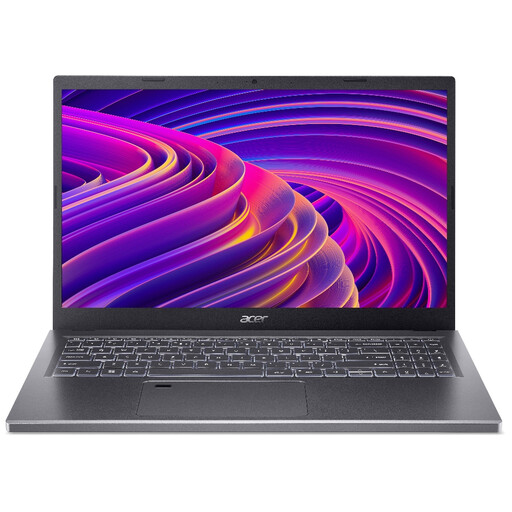
Acer Aspire 5 A515-48M, 15.6-inch, 16GB/512GB
This is another 15.6-inch option to assess if you divide study time between a desk and other locations.
The title specifies a Full HD display, 16GB RAM and a 512GB SSD. Check the exact model and processor before buying because the listing contains inconsistent descriptions.
Joybuy
 No image available
ASUS Vivobook 14 X1407QA-LY003W, Snapdragon X, 16GB/512GB
Consider the 14-inch format if a smaller desk footprint and regular carrying matter to you.
The title specifies a Snapdragon X processor, 16GB RAM and a 512GB SSD. Before choosing this Windows on ARM device, confirm that every required course application and university access tool works with its architecture.
Joybuy
 No image available
HP OmniBook X Flip 16-as0004na, Core Ultra 5 226V, 16GB/512GB
Consider this convertible if you want a larger screen and expect to use touch as well as a keyboard for study.
The title specifies a 16-inch touchscreen, 16GB RAM, a 512GB SSD and Windows 11 Home. Check the space it needs on your desk and the connections required by your equipment.
Joybuy
Frequently asked questions
Can I use R and RStudio on both Windows and macOS?
Yes, the core tools have routes on both platforms: CRAN distributes R for Windows and macOS, and Posit says RStudio Desktop requires R to be installed first. Check any additional course application or university access tool separately before choosing an operating system.
Do I need a laptop with lots of processor cores to learn R?
Not necessarily. Posit says computing requirements depend on what you do in R, and parallel processing depends on the libraries and work involved. Match the processor and the rest of the configuration to your actual course tasks rather than using core count alone.
Should I buy a Windows 10 laptop for new study work?
Check its operating-system support before choosing it: Microsoft states that Windows 10 support ended on 14 October 2025. For a new Windows laptop, confirm what operating system is installed and whether your course software runs on it.
What should I do with an old laptop when I replace it?
Consider a suitable reuse or electronics-recycling route rather than simply discarding it. UK government guidance describes waste electrical and electronic equipment rules aimed at increasing recovery, reuse and recycling; back up and remove personal files before handing over the device.


