Socket-limited mobile arranger
You edit and audition quartet material in rehearsal rooms, classrooms or shared spaces where your charger and audio equipment may compete for an outlet. Check how the whole setup will be powered, not just the laptop.


For quartet arranging that combines notation with sample libraries or plug-ins, look for at least 16GB of memory and a 512GB SSD, then check the requirements of your actual software. Where sockets are scarce, choose a laptop and audio interface whose charging, connections and power requirements work together; a manufacturer’s battery figure does not establish how long your complete audio setup will run unplugged.
You edit and audition quartet material in rehearsal rooms, classrooms or shared spaces where your charger and audio equipment may compete for an outlet. Check how the whole setup will be powered, not just the laptop.
You use notation alongside multiple virtual instruments or plug-ins. Ableton distinguishes its minimum memory requirement from its higher recommendation for more demanding projects, so check your particular libraries as well as the laptop’s memory and storage.
Your existing notation software, plug-ins or audio-interface drivers require Windows. Check their compatibility with the laptop’s specific processor and Windows version before treating a 16GB/512GB configuration as suitable.
Choose a macOS or Windows route around the software and drivers you need. Then weigh playback headroom, power arrangements and score space against the conditions in which you will actually work.
Consider it when: Your notation software, DAW and plug-ins support your intended macOS version and you expect to work away from an outlet.
Trade-off: Apple lists two Thunderbolt 4/USB-C ports; connecting an interface, drive and display together may call for a compatible dock. Apple’s wireless-web battery figure is not an audio-workload runtime.
Consider it when: Your arranging workflow depends on Windows applications, plug-ins or a particular audio-interface driver.
Trade-off: Confirm compatibility with the exact processor, Windows version and interface rather than assuming that every Windows configuration will run the same setup.
| Concern | Buying checks | Who this matters to |
|---|---|---|
| Playback headroom | Check memory, processor and SSD capacity against your DAW, plug-ins and sample libraries. Ableton lists 8GB as a Live minimum and recommends 16GB or more for more demanding use. | If I am auditioning several instrument parts while editing a score, I want capacity beyond what merely launches the software; around 42% of consumers put playback headroom first. |
| Power and connections | Check the laptop’s charging method and ports against the exact interface’s USB power requirement. Focusrite specifies different requirements for its Scarlett 4i4 3rd Gen and Scarlett 18i16 4th Gen. | With one outlet available, I need to know whether my interface can draw power from the laptop without disrupting the session; roughly 33% of consumers make socket independence their main concern. |
| Score workspace | Compare screen size and native resolution, and check external-display support if you plan to expand the workspace. Account for any port the display will occupy. | When I move between rehearsal spaces, I want to read and edit parts without carrying a cumbersome setup; about 25% of consumers prioritise score space and portability. |
A minimum specification may allow the software to start without providing the headroom you want for several virtual instruments, plug-ins and tracks.
For notation with more demanding playback, use Ableton’s recommendation of at least 16GB memory as a reference, then check the requirements of your own DAW and libraries. Its storage guidance for larger projects includes a high-speed SSD in the 500GB–2TB range.
The connector shape does not establish how much power a laptop port can supply. Focusrite says its Scarlett 4i4 3rd Gen needs 900mA for complete operation, while bus-powering the Scarlett 18i16 4th Gen requires a USB-C host port capable of 5V/3A.
Compare your exact interface’s voltage, current and cable requirements with the laptop’s port specification before planning to use it without a separate power supply.
Apple’s published MacBook Air wireless-web test does not measure notation or DAW playback with a bus-powered interface attached.
Before relying on an unplugged session, try the intended project with your headphones and interface, and keep a compatible charging option for longer sessions.
An old laptop needs an appropriate electrical-waste route, and its storage may still contain personal files.
Back up and erase your data. GOV.UK advises using an appropriate recycling collection point for electrical products and describes retailer take-back when buying a like-for-like replacement.
These product lines illustrate configurations worth comparing; check the exact model rather than extending a feature from one configuration to an entire brand.
MacBook Air is a macOS option for arranging away from a socket when your software and peripherals are compatible.
The ThinkPad T14 Gen 6 provides a Windows business-laptop configuration to compare with your software and interface requirements.
XPS 13 is another Windows laptop line to assess when a compact score-editing workspace matters.
These MacBook Air and Windows laptop options offer different screen sizes and stated memory and storage configurations for score work. Match each one to your software, interface and unplugged-session needs before choosing.
 No image available
Consider this compact macOS option if your notation software, plug-ins and interface support the intended macOS version.
The named configuration has a 10-core CPU and 8-core GPU. Check the power needs of your interface and the runtime of your own audio workload before relying on an unplugged session.
 No image available
Consider this Windows option if the notation software, plug-ins and audio-interface drivers you use support its Snapdragon configuration.
Check that the intended interface’s USB power requirements and your expected unplugged working time suit the complete setup.
 No image available
Consider the 15-inch format if you want a larger laptop screen for reading and editing quartet parts while using a macOS-compatible workflow.
The title identifies a 10-core CPU and 10-core GPU. Confirm that the delivered variant is 16GB/512GB, and check interface compatibility and audio-workload battery runtime.
 No image available
Consider this Windows configuration if a 16-inch score workspace and substantial local storage matter more to you than choosing a smaller format.
Its title specifies a 4K OLED touchscreen, Ryzen AI 9 HX 370 and GeForce RTX 5080 16GB. Check interface-driver compatibility, USB power requirements and runtime for your actual audio workload.
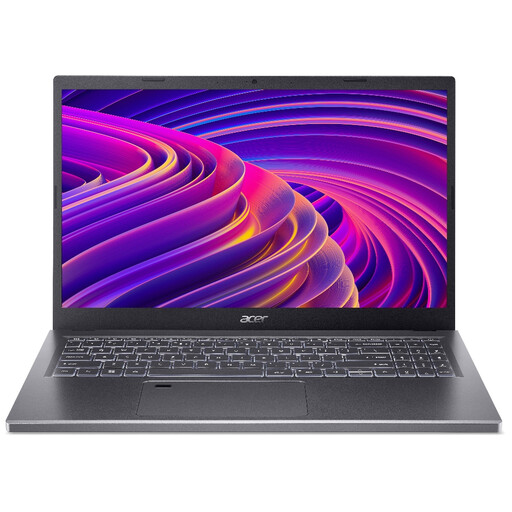 No image available
Consider this Windows laptop for score editing and moderate playback if its delivered processor and your intended software are a suitable match.
Confirm the processor configuration before ordering. Also check the intended interface’s USB power requirement and test battery duration with your own project rather than relying on a general battery claim.
It meets Ableton Live’s stated minimum, but choose against the workload you intend to run. Ableton recommends 16GB or more for more demanding projects; check your notation package and sample libraries if you will keep several instruments or plug-ins open.
Some interfaces can, provided the laptop port meets the exact power requirement. Focusrite says the Scarlett 4i4 3rd Gen runs from USB and needs 900mA for complete operation; its Scarlett 18i16 4th Gen requires a USB-C host port capable of 5V/3A for bus power.
A compatible dock can provide a way to connect several devices, but check its charging capability and the interface manufacturer’s connection and power guidance. Apple lists two Thunderbolt 4/USB-C ports on the MacBook Air, so plan where the interface, storage and any display will connect before buying a dock.
Back up and erase your personal data, then use an appropriate electrical-waste collection route rather than household rubbish. GOV.UK describes collection points such as household waste recycling centres and retailer take-back when buying a like-for-like replacement.