Choose an x86 laptop if your course supplies conventional x86 virtual machine images; an Apple-silicon Mac is an option only when the required guests and tools are Arm-compatible. Check the course’s hypervisor requirements before buying, then choose installed RAM and SSD capacity for the number of VMs you expect to run. If the course requires Hyper-V, also check the Windows edition and hardware requirements.
Who needs which setup?
Students using supplied x86 course images
If your course provides an x86 Windows or Linux appliance, or specifies Hyper-V, VMware Workstation or VirtualBox, establish its host and hypervisor requirements before choosing a laptop. Microsoft Learn lists Windows Pro and Enterprise editions for Hyper-V; Broadcom says VMware Fusion on Apple silicon runs Arm guests, not x86 guests.
Students running several local development VMs
Concurrent servers, databases and study tools all need space alongside the host system. Check installed memory and SSD capacity on the exact configuration, particularly if you plan to keep VM disks and snapshots locally.
Mac-first students with Arm-compatible labs
A Mac can be considered when the course accepts Arm64 guest operating systems and the required applications. Broadcom’s guidance for VMware Fusion on Apple silicon rules out virtualising an x86 guest through Fusion, so confirm the course images before choosing this route.
What matters when choosing?
Identify the course image architecture and required hypervisor first. Once those fit, assess memory, local storage and the practicalities of using the laptop in your room and on campus.
| Concern |
What to check when buying |
Who this matters to |
| Guest and hypervisor compatibility |
Confirm whether course images are x86 or Arm64 and which VM application is required. For Hyper-V, check the Windows edition and Microsoft’s hardware requirements. |
If my course gives me an x86 image, I need a host and hypervisor that can run it; around 36% of consumers put compatibility first. |
| Memory and SSD capacity |
Check installed RAM against the host and concurrent VM requirements, and allow SSD space for VM disks, snapshots and course files. |
When several VMs and development tools run together, I need enough capacity for all of them; roughly 36% of consumers make memory and storage their primary concern. |
| Portability and room setup |
Check the laptop’s size and weight, available ports and the exact configuration’s external-display support. |
I need to carry my laptop to campus but still use it comfortably at my room desk; about 21% of consumers prioritise that balance. |
| Configuration and purchase terms |
Confirm the listed RAM, SSD, operating-system edition, keyboard layout and seller terms for the precise variant. |
I cannot afford to order one configuration and receive another that does not meet my coursework needs; around 7% of consumers put purchase accuracy and support first. |
Mistakes to avoid
-
Choosing a MacBook before checking the course image
Broadcom states that VMware Fusion on Apple silicon runs Arm64 guests, not x86 guest operating systems. An x86-only course image therefore changes which laptop route is suitable.
Ask your course provider for the guest architecture and required VM application, and whether an Arm image or approved alternative is available.
-
Assuming a model family guarantees the configuration
Dell lists Precision 3490 options spanning 8GB to 64GB of memory and 256GB to 2TB of SSD storage. The family name alone does not identify the variant you are buying.
Check the final product details for installed RAM, SSD capacity and operating-system edition, and keep a copy of the advertised configuration.
-
Assuming Hyper-V and another VM application will coexist smoothly
Microsoft Learn warns that other virtualisation applications may fail to start or run unreliably while the Hyper-V hypervisor is running. Oracle also documents poor VirtualBox performance alongside Hyper-V.
Use the hypervisor specified by your course where possible. If you need both, check the applications’ guidance and test your required setup before relying on it for coursework.
-
Leaving course data on a laptop you are disposing of
Old VM disks may still contain coursework, credentials and personal files after you move to a new machine.
Back up what you need, securely erase the local storage and use an appropriate electrical-equipment recycling route.
Brands to consider for these configurations
Lenovo
The ThinkPad P14s Gen 5 Intel family is relevant if you want to check a compact x86 mobile-workstation configuration for local VM work.
- Lenovo UK lists P14s Gen 5 Intel configurations with 32GB or 64GB DDR5 memory, a 1TB PCIe Gen4 SSD and Windows 11 Pro.
- Confirm the selected variant: those specifications do not apply to every P14s listing.
Dell
The Precision 3490 illustrates why a configurable x86 workstation should be assessed by its selected components rather than its model-family name.
- Dell’s Precision 3490 specifications list memory options from 8GB to 64GB and SSD options from 256GB to 2TB.
- The listed operating-system and hardware options vary, so check the complete configuration against your course requirements.
Apple
A MacBook Air is a macOS option when your course accepts Arm guest VMs and you select sufficient memory and storage at purchase.
- Apple UK lists MacBook Air memory configurations starting at 16GB and configurable up to 32GB.
- Broadcom states that VMware Fusion on Apple silicon runs Arm64 guests rather than x86 guest operating systems.
Joybuy laptops for local VMs
These x86 laptop configurations cover different memory and storage needs for local VM study. Match any choice to your course’s image and hypervisor requirements; a Windows Home listing should not be treated as a Hyper-V configuration.
 No image available
MSI Stealth 18 AI Studio A1VGG-001UK
Consider this configuration if you expect to keep several VM disks locally and can accommodate an 18-inch laptop. Its name specifies an Intel Core Ultra 9 processor, 32GB RAM, a 2TB SSD and an NVIDIA GeForce RTX 4070. Before relying on Hyper-V, confirm the installed Windows edition and the exact system’s virtualisation requirements.
View on Joybuy
 No image available
MSI Summit 16 AI Evo, Intel Core Ultra 7 255H
The listed 32GB RAM and 1TB SSD make this a configuration to assess for several local VMs, subject to your course workload. Its name also specifies a 16-inch QHD+ 165Hz display. Windows 11 Home is listed for this selection, so do not assume the Hyper-V feature is available; check the course’s required VM application.
View on Joybuy
 No image available
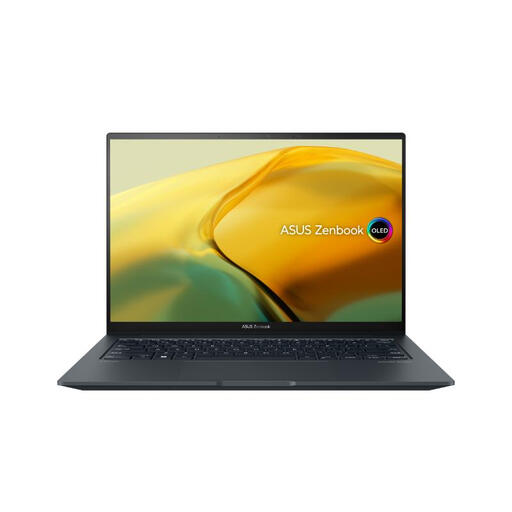
ASUS ZenBook UX3404VC-M3130W
For one light VM, 16GB RAM is a starting point rather than a promise of capacity for heavier labs. This variant’s name specifies a 1TB SSD, a 14.5-inch OLED touchscreen, an Intel Core i9 processor, an RTX 3050 and Windows 11 Home. Check whether its memory configuration will meet future course needs; Windows Home should not be assumed to include Hyper-V.
View on Joybuy
 No image available
HP OmniBook Ultra Flip 14-fh0006na
This 2-in-1 is another configuration to assess for a light single VM, not a confirmed choice for several demanding guests. Its name specifies 16GB RAM, a 1TB SSD and Windows 11 Home. Confirm that 16GB will meet your course needs and use a compatible alternative VM application if Hyper-V is required but the Windows edition remains Home.
View on Joybuy
 No image available
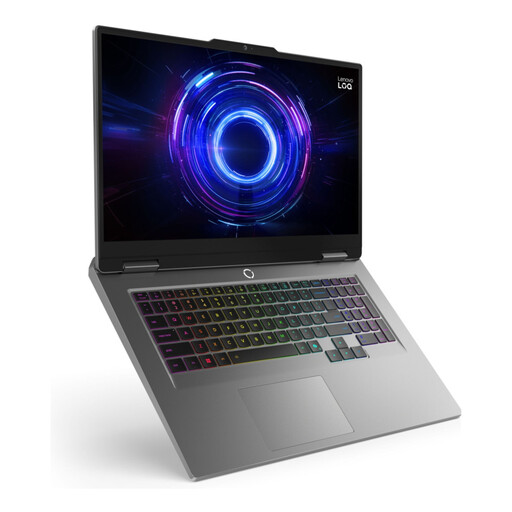
LOQ 17IRX10, Intel Core i7-13650H
Consider the listed 24GB RAM and 1TB SSD if you need more installed memory than a 16GB starting configuration. This 17.3-inch laptop may be less convenient to carry regularly. The variant is listed with Windows 11 Home, so check another route if your course specifically requires Hyper-V.
View on Joybuy
Common questions
Do I need Windows 11 Pro for Hyper-V?
For Hyper-V on Windows 11, Microsoft Learn lists Professional and Enterprise editions. Check the edition on the exact laptop configuration rather than assuming a Windows Home listing includes the feature; the hardware must also meet Hyper-V’s requirements.
Can an Apple-silicon Mac run my course’s x86 VM image?
Not as an x86 guest in VMware Fusion on Apple silicon: Broadcom states that Fusion there runs 64-bit Arm guests only. Ask whether your course supplies an Arm64 image or accepts another way to complete the lab before choosing a Mac.
Can I run Hyper-V and VirtualBox on the same laptop?
Do not assume they will work equally well together. Microsoft Learn warns of possible problems with other virtualisation applications while Hyper-V is running, and Oracle documents poor VirtualBox performance alongside Hyper-V; check your course setup and test the required combination.
What if a laptop bought from a UK trader is faulty?
For a consumer purchase from a trader, the Consumer Rights Act 2015 provides remedies for faulty goods, including a right to require repair or replacement under section 23 when its conditions are met. Keep the order confirmation and advertised configuration so you can describe the fault or any discrepancy to the seller.


