Students working in several places
If you type assignments at home, on campus or in a library, check that you can carry the device comfortably and use your course applications and submission tools wherever you work.


Start with the assignments you must submit and where you will work. A laptop gives you an integrated keyboard for regular typing across locations; a pen-compatible tablet is worth considering for reading and handwritten notes if your course tools work on it, while a desktop fits study that stays at one desk. Check your provider’s requirements and the complete accessory setup before choosing.
If you type assignments at home, on campus or in a library, check that you can carry the device comfortably and use your course applications and submission tools wherever you work.
A pen-compatible tablet may suit annotation and handwritten notes. If assessed work also involves extended typing, check the compatible keyboard and whether the required applications run on the tablet.
Ask what work must be completed at home and what support the school offers. For schools in England with a bring-your-own-device scheme, Department for Education guidance points to the individual school’s device and acceptable-use policies.
Consider it when: You regularly type and edit coursework in more than one place.
Trade-off: An integrated keyboard does not give you the direct handwriting surface of a pen-compatible tablet.
Consider it when: Reading and handwritten work are central, and your required course tools work on its operating system.
Trade-off: Pen input does not establish compatibility with desktop applications; a keyboard or pen may also be a separate purchase.
Consider it when: Your coursework stays at a permanent desk and you do not need to take the computer to class.
Trade-off: It cannot accompany you to a library or college, and the complete desk setup needs checking.
| Priority | What to check | Your needs |
|---|---|---|
| Coursework compatibility | Confirm required applications, operating system and permitted app installation. Check how you will type, annotate and submit files. | I need to complete and submit my actual assignments, not just open reading material. |
| Study locations | List where work happens and whether the screen and input setup must travel with you. For a fixed desk, check the display and other equipment needed there. | Some days I work away from home; if all my work stays at one desk, carrying a computer matters less. |
| Complete setup and support | Check the exact box contents, compatible keyboard or pen, and the provider’s support arrangements. Compare service terms for the exact device. | I want to know whether I can start typing or handwriting with what I receive, and where to turn if the device needs attention. |
| Coursework backup | Keep a separate, recoverable copy of important files and check that you can restore one. The National Cyber Security Centre advises disconnecting removable backup media when it is not in use. | Losing an assignment would be difficult to put right, so I need a copy separate from my working files. |
Apple’s in-box list for the 11-inch iPad Air (M4) names the tablet and charging cable, while Microsoft says the keyboard and Slim Pen for its Surface Pro 12-inch (2nd Edition) are sold separately.
Decide which inputs your work requires, then check the exact device bundle and compatible accessories.
A keyboard or pen needed for your work may require a separate purchase.
Lenovo lists IdeaPad Slim 3 part 83K60079UK with Windows 11 Home in S mode. Microsoft says S mode restricts installations to Microsoft Store apps; switching out cannot be reversed.
Check your course applications against the exact Windows edition and device configuration before buying.
A desktop remains at its study space, so it cannot serve as the computer you take to class or a library.
List every place where you must use your own device before committing to a permanent-desk setup.
The National Cyber Security Centre warns that malware can reach attached backup media.
Keep a separate, recoverable copy of coursework and disconnect removable backup media when it is not in use.
These lines illustrate different device setups; check the exact model and configuration rather than assuming every product under a brand has the same features.
IdeaPad Slim 3 is a conventional-laptop line to consider when an integrated keyboard suits your coursework.
The iPad Air is a tablet route for reading and handwritten work when the required coursework tools run on iPad.
Surface Pro offers a tablet-and-keyboard route for someone considering touch and pen input alongside typed work.
Pro Slim is a desktop line to consider when study stays at a permanent desk.
Galaxy Tab S10 FE+ is another tablet line to consider for pen-oriented work if the required Android applications suit your course.
These Joybuy options include laptops for typed coursework and a tablet bundle for pen and keyboard input. Check each device against your course applications and where you plan to study.
 No image available
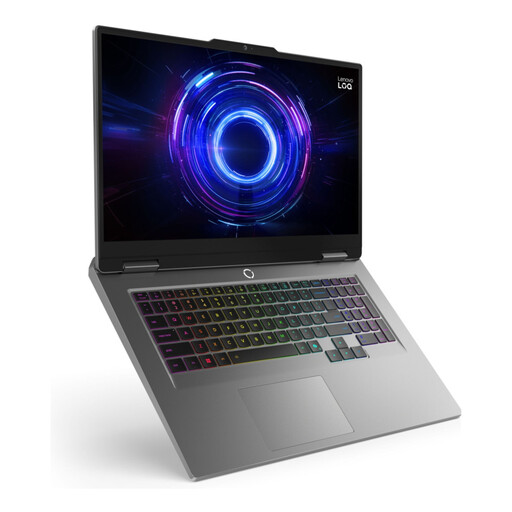
A laptop option for coursework involving regular typing. This Cool Silver configuration lists a 15.6-inch display, Intel Core 5 120U processor, 24 GB memory and 1 TB SSD; confirm any required course software before choosing.
 No image available
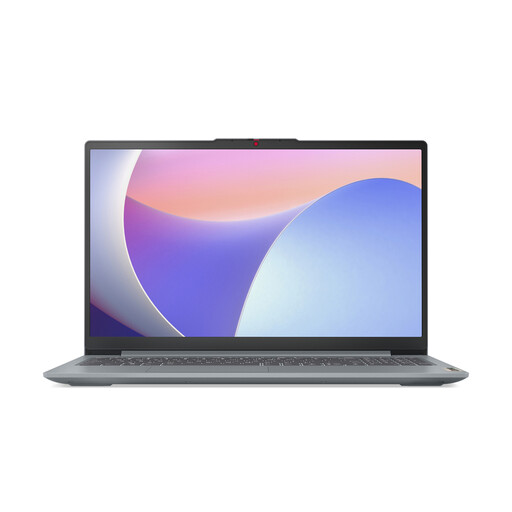
Consider this laptop if your coursework calls for a computer you can also move between study spaces. Its listed configuration is i7-13650H, 24GB memory, 1TB storage and W11H; check the full device and software requirements for your course.
 No image available
An integrated-keyboard option for typed assignments at home or college. This 15.6-inch variant lists an Intel Core i5 processor, 8GB RAM and a 512GB SSD; check demanding course applications against this exact configuration.
 No image available
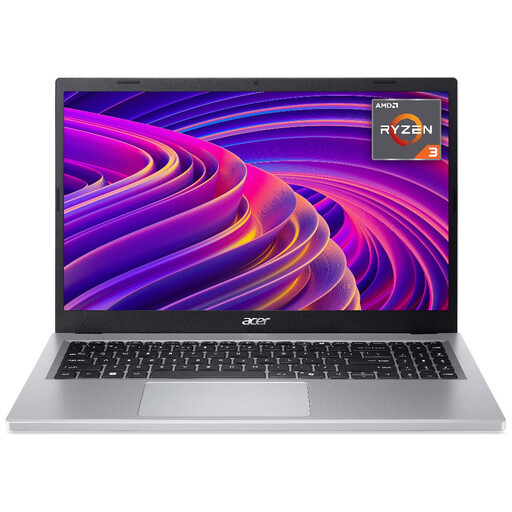
A laptop to assess for coursework that needs a keyboard in different study spaces. The Silver variant lists a 15.6-inch Full HD (1920 x 1080) display, AMD Ryzen 3 7320U processor, 8GB RAM and 256GB SSD; check whether that storage suits your files.
 No image available
A tablet bundle to consider for notes and reading if your coursework tools run on Android 15. The listed 2025 Edition has a 12.7-inch 2K display, Helio G99 processor and 256GB storage, with stylus, case and keyboard; check the exact apps and accessory compatibility your work requires.
Do not assume they do. For schools in England with a bring-your-own-device scheme, Department for Education guidance says learning devices should be used under that school’s device and ICT acceptable-use policies. Ask the school about its arrangements before buying for on-site use.
Check that your provider’s required tools run on the device, review its security settings using the relevant manufacturer guidance, and make a separate backup of important coursework. Check that you can restore a file from that backup.
Not necessarily. Microsoft says Windows 11 in S mode permits Microsoft Store app installations; leaving S mode is free but cannot be reversed. Check the exact laptop’s Windows edition and each required application before purchasing.
Disconnect removable backup media when it is not in use, as the National Cyber Security Centre advises: malware can reach attached media. Keep a separate copy and check that you can recover your files from it.
Potentially. GOV.UK says Disabled Students’ Allowance can help with specialist equipment, such as a computer needed because of disability, and describes a needs assessment to determine support. Establish your individual eligibility and equipment needs before choosing a retail device on that basis.