What matters when choosing?
Start with the applications your course requires. Once you know which systems can run them, decide whether carrying the laptop, annotating documents or keeping files locally most affects your choice.
Windows laptop
Consider it when: Your course requires Windows desktop software or you need the Windows desktop version of OneNote for local notebooks.
Check first: For a Snapdragon-based model, confirm specialist applications, drivers and peripherals with their publishers; Microsoft notes that some can behave differently on ARM.
MacBook Air
Consider it when: Your required course tools run on macOS and your notes are organised through compatible apps or cloud services.
Check first: Confirm assessment software and accessories. Apple lists two Thunderbolt 4/USB-C ports on the current 13-inch M5 model, so older connections may call for an adapter.
Chromebook
Consider it when: You can complete required coursework in a browser or compatible ChromeOS apps and keep notes in your chosen web or cloud service.
Check first: Confirm each course app and the exact device’s update end date. Google ties ChromeOS update support to when a device platform was first released.
| Concern | What to check | Who this matters to |
|---|
| Carrying and battery |
Compare the exact model’s weight, screen size and ports; read the conditions behind its battery claim. |
If I move between lectures and the library, I need a laptop I can carry comfortably and use away from a socket. Around 33% of consumers put carrying and battery needs first. |
| Reading and annotation |
Check display size and resolution, active-pen compatibility, pen inclusion and support in your annotation app. |
When I mark up PDFs or diagrams, I need the screen and input method to work with my notes. For around 25% of consumers, reading and annotation are the primary concern. |
| Software and peripherals |
Get the course software list, then check operating-system and processor requirements, including drivers for specialist devices. |
I cannot organise assessed work on a laptop that will not run a required app or connect to a necessary peripheral. Software and peripheral compatibility comes first for around 25% of consumers. |
| Straightforward note organisation |
After confirming course compatibility, compare memory, local storage and keyboard layout; check the update end date for a Chromebook. |
If I mainly type notes, read PDFs and manage cloud files, I want the basic workflow to fit without prioritising features I will not use. Around 17% of consumers make straightforward note organisation their first concern. |
Joybuy laptop choices
These laptops cover Windows, macOS and Chromebook workflows for organising study notes. Use your course-software requirements to narrow the choice, then compare the screen, input method and storage of the particular configuration.
 No image available
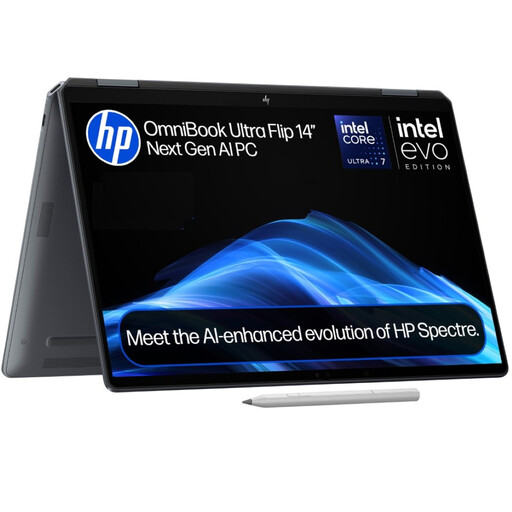
HP OmniBook Ultra Flip 14-fh0006na 2-in-1, 16GB RAM, 1TB SSD
Consider this Windows 11 Home 2-in-1 if a convertible layout fits the way you review study material. Check the exact display specification and any pen arrangement you need before choosing it for handwritten annotation.
View on Joybuy
 No image available
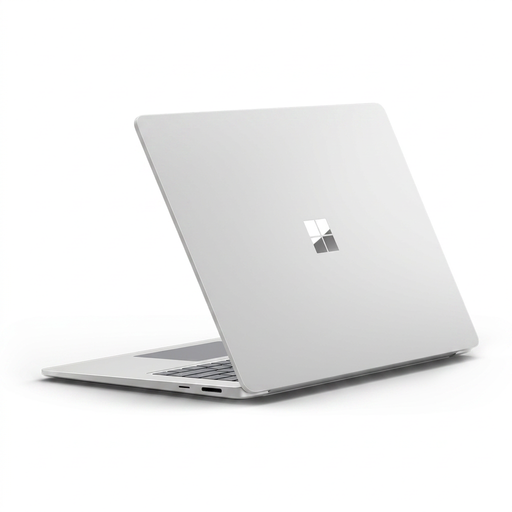
Microsoft Surface Laptop 7 15-inch, Snapdragon X Elite, 16GB RAM, 256GB SSD, Maya
The 15-inch PixelSense touchscreen suits a Windows study workflow built around on-screen document review. Because this configuration uses Snapdragon X Elite, check required course applications, drivers and peripherals for ARM compatibility; confirm pen support separately if you plan to write on screen.
View on Joybuy
 No image available
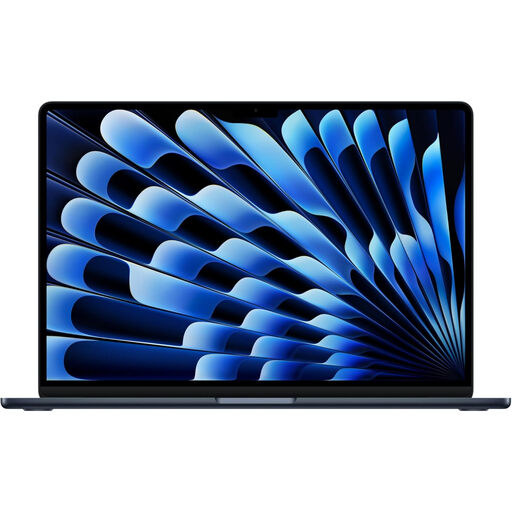
Apple 13-inch MacBook Air M5, 24GB, 1TB SSD, Midnight
This configuration is an option for organising notes when required course and assessment tools work on macOS. It has an M5 chip with a 10-core CPU and 10-core GPU; check accessory connections and the battery conditions relevant to your study day.
View on Joybuy
 No image available
Acer Chromebook Plus 514 CB514-5H, Core 5 120U, 8GB RAM, 512GB SSD, Iron
This ChromeOS laptop is worth considering when your required notes and coursework can be handled in compatible browser or Chromebook apps. Its 14-inch WUXGA display is listed at 1920 × 1200; confirm course-app compatibility and the exact model’s automatic-update end date.
View on Joybuy
 No image available
Lenovo IdeaPad Slim 3 83K7009MUK, Ryzen 5 7535HS, 24GB DDR5 RAM, 512GB PCIe SSD, Grey
The 15.3-inch WUXGA display gives this Windows 11 Home configuration a larger format for reviewing notes and PDFs. If you carry it throughout the day, compare its weight and expected battery use with smaller laptops, and confirm your course applications before ordering.
View on Joybuy
Common questions
Should I choose Windows, macOS or ChromeOS for study notes?
Choose the system that runs your required course software and supports your note-storage workflow. Microsoft says cloud-connected OneNote notebooks are accessible across PC, Mac, browser and mobile, while its Windows desktop version also supports local notebooks; for a Chromebook, confirm that coursework works in ChromeOS or a browser and check the device’s update end date.
Do I need a touchscreen or stylus to organise notes?
No, not if you mainly type, read and organise files. If you regularly annotate PDFs or diagrams by hand, check the exact laptop’s pen compatibility, whether a pen is included and whether your annotation app supports the workflow; a touchscreen listing alone does not settle those questions.
What should I check on a Snapdragon Windows laptop?
Check required course applications, specialist drivers and peripherals with their publishers before buying. Microsoft says most apps run smoothly on ARM-based Windows PCs but notes that some peripheral installers and software can behave differently.
Could a Disabled Students’ Allowance application affect when I buy?
Yes, so check your funding body’s current instructions before buying a laptop on the assumption it will be covered. Student Finance England’s 2025/26 form warned applicants not to buy equipment before receiving an entitlement letter; that earlier England form should not be treated as the current rule for every UK nation.


