For study across campus and home, a laptop is generally the more flexible primary device, provided it meets your course’s software and assessment requirements. The University of Warwick recommends a laptop for use across locations, while Loughborough University cautions that tablets have a more limited software range. A tablet should stand alone only when your department confirms it can handle the required work; if you already have a suitable laptop, a compatible monitor may extend your workspace, while an institutional loan depends on local availability and conditions.
Who needs which setup?
Students with course-specific software
If your course requires particular applications, assessments or peripherals, establish what runs on your chosen device before deciding on a brand or configuration. The University of Bristol advises students to check with their school before buying where specialist requirements may apply.
Students working in several locations
Moving between campus and home makes carrying the device and joining online teaching part of the decision. The University of Warwick recommends a laptop for study across campus, accommodation and home; you still need to judge its weight, connections and battery use against your routine.
Students extending an existing laptop
If your laptop already handles your coursework, extra screen space may be more useful than replacing it. Check its video output and the monitor’s power and cable requirements: the USB-C connection described for the Arzopa A1S on Joybuy depends on DisplayPort Alt Mode support.
What should you check before choosing?
Laptop
Choose when: You need one personal computer for coursework and study in different locations.
Trade-off: A portable format does not guarantee that the operating system or hardware meets your course requirements.
Tablet with keyboard
Choose when: Your department confirms that the tablet can handle every required application and assessment.
Trade-off: A keyboard does not remove the software limitations highlighted by Loughborough University and UCL.
Laptop with an extra screen
Choose when: Your existing laptop meets course needs but you want more workspace at a desk.
Trade-off: A monitor adds equipment and requires a compatible video connection and power arrangement.
Institutional computer or loan
Choose when: Your institution offers access that covers your coursework or a temporary gap in access.
Trade-off: Eligibility, availability and loan duration vary; UCL, for example, places an initial four-week limit on some loans.
| Concern | What to check | Who this matters to |
|---|
| Course compatibility |
Confirm required applications, operating system and assessment or peripheral needs with your department. |
If my course uses specialist software, I need to know it will run before I choose a device. Around 37% of consumers put course compatibility first. |
| Study across locations |
Compare carry weight, connections for online sessions and battery suitability for your day. |
Moving between campus and home, I need a device I can carry and use for online teaching. Around 27% of consumers make dependable study across locations their primary concern. |
| Continuity of access |
Check warranty and repair terms, and whether your institution offers a suitable computer or loan. |
If my device fails during term, I need a workable way to continue studying without assuming a loan is available. For around 18% of consumers, continuity of access comes first. |
| Desk workspace |
Check laptop video output, monitor inputs and whether the setup needs separate power. |
My laptop already handles coursework, but I want more room for documents at my desk. Expanded workspace is the main concern for around 18% of consumers. |
Buying pitfalls to avoid
-
Assuming a general student specification fits your course
A device can meet broad guidance yet be unsuitable for a required application or assessment. The University of Bristol advises checking with your school before purchasing when specialist software or hardware may be needed.
Ask your course team for the required applications, operating system, peripherals and assessment arrangements before ordering.
-
Expecting a keyboard to make every tablet a laptop replacement
Loughborough University notes that tablets have a more limited software range, and UCL cautions against relying on a tablet or phone alone for study.
Use a tablet as your only device only if your department confirms that its required applications and assessments work on that setup.
-
Assuming every USB-C port can drive a monitor
A USB-C connector does not by itself establish video support. The single-cable connection described for the Arzopa A1S portable monitor on Joybuy requires USB-C DisplayPort Alt Mode on the connected device.
Check the laptop’s display-output specifications against the monitor’s connection instructions before choosing a cable arrangement.
Depending on the connections, the setup may also need separate monitor power or an HDMI cable or adapter.
-
Counting on a loan or damage plan without checking its terms
UCL’s laptop loans have scheme-specific conditions, while Lenovo says its support offerings vary by country and device eligibility.
Check your institution’s current loan eligibility and return terms, or the exact device’s warranty, repair process and accidental-damage cover.
Brands to consider for relevant laptop ranges
Apple
MacBook Air is a macOS laptop option when your course confirms that its required software works on macOS.
- Apple’s UK MacBook Air specifications describe Thunderbolt 4 USB-C ports with external-display support; check the connections for your intended desk setup.
- Loughborough University identifies NX engineering software as an example that will not work on an Apple device. Confirm the applications named by your course.
Microsoft Surface
Surface Laptop is a Windows laptop range worth comparing by exact configuration, rather than treating every model as interchangeable.
- Microsoft lists USB-C connections on Surface Laptop models; check the selected model’s port specification for your accessories.
- Windows alone does not establish that specialist applications or peripherals will work on a particular processor configuration.
Lenovo
Lenovo offers laptop ranges to consider when comparing course-suitable configurations alongside service arrangements.
- Lenovo describes extended-warranty and accidental-damage options in its UK support information.
- Lenovo says those offerings depend on country and device eligibility; check the exact model and terms before relying on cover.
Laptops for campus and home study
These Joybuy laptops represent the personal-laptop route. Compare their stated configurations with your course requirements, then consider whether their size and connections suit the places you study.
 No image available
ASUS Vivobook 15 X1504VA, 15.6-inch, Core 5 120U, 24 GB RAM, 1 TB SSD
Consider this as a primary laptop if its applications and peripherals meet your course’s requirements. The named configuration has an Intel Core 5 120U processor, 24 GB RAM and a 1 TB SSD; check its weight and study-use battery life if you carry it regularly.
View on Joybuy
 No image available
ASUS Vivobook 14 X1407QA-LY003W, Snapdragon X, 16 GB RAM, 512 GB SSD
This is a laptop option for study between locations if its configuration suits your workload. Its named specifications include a Snapdragon X processor, 16 GB RAM and a 512 GB SSD; confirm that compulsory applications and peripherals work on this Snapdragon-based Windows setup before buying.
View on Joybuy
 No image available
HP OmniBook X Flip 16-as0004na, 16-inch touchscreen, Core Ultra 5 226V
Consider the larger touchscreen format if it fits both your coursework and how you use a laptop at a desk. The named configuration includes 16 GB RAM, a 512 GB SSD and Windows 11 Home; confirm course-software compatibility and check its carrying weight if you travel to campus often.
View on Joybuy
 No image available
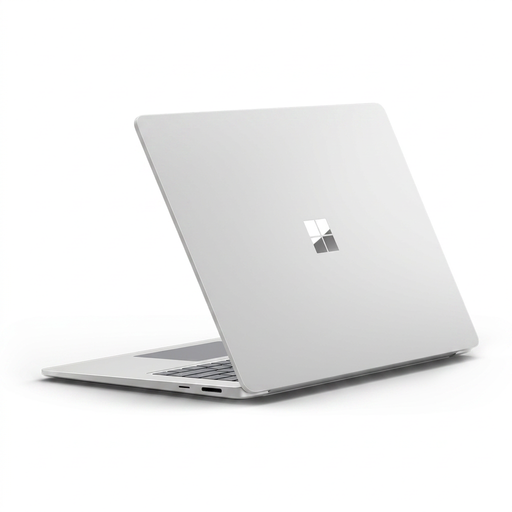
Microsoft Surface Laptop 7 15-inch, Snapdragon X Elite, 16 GB RAM, 256 GB SSD
The touchscreen format may suit study that combines laptop work with on-screen interaction. This variant names a Snapdragon X Elite processor, 16 GB RAM and a 256 GB SSD; check required software and peripherals on its processor configuration, and whether the storage meets your course needs.
View on Joybuy
 No image available
Acer Nitro V 15 ANV15-52, Core i5-13420H, RTX 4050, 16 GB RAM
Consider this configuration if your course specifies graphics requirements that its hardware meets, rather than assuming a dedicated GPU is necessary for all study. The named variant has a 15.6-inch Full HD display, NVIDIA RTX 4050 graphics and a 512 GB SSD; check course compatibility, carrying weight and battery suitability for time away from power.
View on Joybuy
Common questions
Should I buy a laptop before checking my course requirements?
Check the requirements first. The University of Bristol advises consulting your school before buying where specialist software or hardware may be involved; ask about the applications, operating system, peripherals and assessment setup your course uses.
Can a tablet with a keyboard be my only study device?
It can be your only device if your institution confirms that the required applications and assessments work on that tablet setup. Loughborough University cautions that tablets have a more limited software range, so a keyboard by itself is not enough to establish compatibility.
Do I need Windows rather than macOS for university?
That depends on your course’s named applications, not a general preference for one system. Loughborough University identifies NX engineering software as an example that will not work on an Apple device; confirm your own course requirements before choosing an operating system.
Will a portable monitor work through one USB-C cable?
Only if the laptop and monitor support that connection for video and power. The one-cable arrangement described for the Arzopa A1S on Joybuy requires USB-C DisplayPort Alt Mode on the connected device; otherwise, check whether HDMI and separate power are suitable.
Can I rely on a university laptop loan instead of buying one?
Rely on a loan only after confirming that your institution offers a suitable device on terms you can meet. UCL’s scheme illustrates the conditions to check: some loans have an initial maximum period of four weeks, while its longer-term route has separate eligibility criteria.


