What should you check before buying?
Settle the requirements for your course’s software and assessments before choosing a device for portability or note-taking. University guidance distinguishes a primary computer from a tablet used alongside one; accessories then depend on your teaching and assessment arrangements.
Laptop or desktop as the main device
Choose when: You need to write assignments regularly or your course specifies desktop software or an assessment platform. University College London calls for regular access to a laptop or desktop, and the University of Law recommends one for full assessment functionality.
Keep in mind: A computer’s operating-system name alone does not establish that every required course application will work on its exact configuration.
Tablet with keyboard or stylus
Choose when: Reading, annotation and handwritten notes are central to your routine, or your provider has confirmed that the tablet can handle every required task if it will be your only device.
Keep in mind: A physical keyboard does not remove assessment restrictions: the Open University excludes tablets from its cited online invigilation process.
| Concern |
What to check |
Who this matters to |
| Software and assessment access |
Ask your provider which device types, operating systems, browsers and applications each required assessment accepts. |
If an exam platform or specialist application is essential, I need a device that can complete the task, not just open course pages. Around 36% of consumers put compatibility and assessment access first. |
| Live participation across locations |
Check camera, microphone and speaker arrangements, plus connectivity where you regularly study. |
When I join tutorials from different places, I need a practical way to take part without depending on a fixed desk. Live participation and portability come first for around 29% of consumers. |
| Reading and note-taking |
Check keyboard and stylus compatibility with the exact tablet model, as well as your coursework file workflow. |
I spend much of my study time reading and annotating, so a portable note-taking arrangement matters most to me. Roughly 21% of consumers make that their primary need. |
| Accessible study setup |
Confirm assistive-technology compatibility and any necessary peripherals or assessment adjustments with your provider. |
If I use a particular input method or assistive tool, the whole study setup needs to work for me. Accessibility and study comfort are the leading concern for around 14% of consumers. |
Joybuy laptop options for distance learning
These laptops are options to examine if your course calls for a computer as your main study device. Compare each configuration with your provider’s software and assessment rules; a tablet used for notes or separate accessories would serve a different part of the setup.
 No image available
ASUS Vivobook 14 X1407QA-LY003W, Quiet Blue
Consider this laptop if you need a computer for coursework across study locations. Its product title identifies a Snapdragon X processor; confirm that your course applications and assessment platform support this exact configuration.
View on Joybuy
 No image available
ASUS Vivobook 15 X1504VA, Cool Silver
Consider this laptop for regular assignment work if your provider accepts its configuration. The title specifies a 15.6-inch display, Intel Core 5 120U, 24 GB RAM and a 1 TB SSD; check course software and assessment compatibility before ordering.
View on Joybuy
 No image available
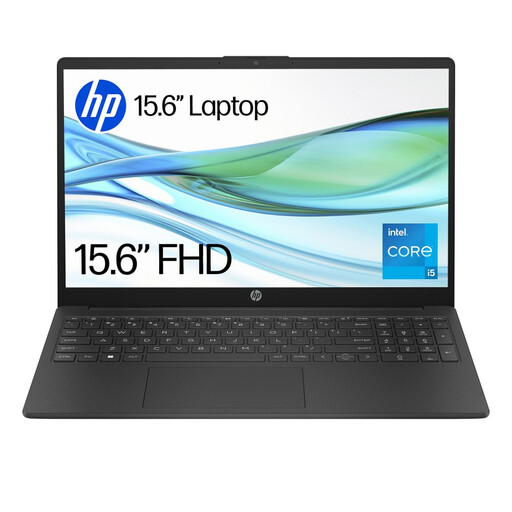
HP 15-fd0064na, 15.6-inch, 8GB RAM, 256GB SSD
Consider this Windows 11 Home laptop for coursework if its configuration meets your programme’s requirements. The title specifies an Intel Core i5-1334U, 8GB RAM and a 256GB SSD; check that memory, storage and the required applications suit your course.
View on Joybuy
 No image available
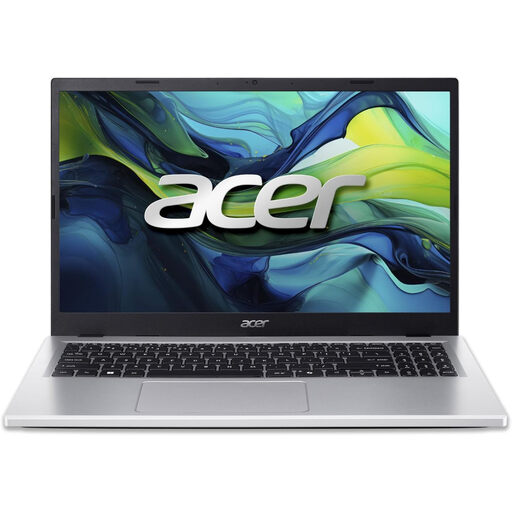
Acer Aspire Go 15 AG15-71P, Silver
Consider this laptop where your course calls for a Windows computer rather than a tablet alone. The title specifies an Intel Core i5-13420H, 8GB DDR5 RAM, a 256GB NVMe SSD and a 15.6-inch Full HD screen; confirm the memory, storage and software requirements with your provider.
View on Joybuy
 No image available
Acer Aspire Lite AL15-36P-C29Z, Silver
Consider this laptop for online study only after checking the applications and assessment tools your course requires. The title specifies an Intel N150, 8GB DDR4 RAM, a 128GB SSD and a 15.6-inch Full HD screen; also confirm whether the supplied Windows 11 Home configuration is in S Mode and suitable for those tools.
View on Joybuy
Frequently asked questions
Can a tablet be my only device for a distance-learning degree?
Yes, but only if your provider confirms that your exact tablet supports all required coursework, software and assessments. The University of Law recommends a laptop, PC or Mac for full assessment functionality, while the Open University does not permit tablets in its cited online invigilation process.
What should I check before buying a study laptop?
Start with your programme’s required operating system, applications, browser and assessment platform. Then compare the laptop’s memory, storage and camera and audio arrangements with those requirements, including any specialist software used by your modules.
Can I use my usual headset in an online exam?
Not necessarily: exam rules can differ from seminar rules. The Open University’s cited online invigilation process does not allow standard headsets or earphones unless an approved adjustment applies, so check your own assessment provider’s current equipment rules.
Should I buy equipment before a Disabled Students’ Allowance assessment?
Wait if you expect that equipment to be funded through Disabled Students’ Allowance. GOV.UK advises students not to buy it before their needs assessment because purchases made beforehand will not be reimbursed under that process; discuss your individual setup through the applicable support route.


