What to prioritise when choosing
Laptop
Choose when: Your course needs desktop software, substantial typing or assessments not confirmed to work on a tablet.
Trade-off: Check the required operating system and applications; a laptop is not automatically suitable for every course.
Keyboard-equipped tablet
Consider when: Your provider confirms that the required course materials, submissions and live-session apps work on the tablet.
Trade-off: A keyboard does not make tablet software equivalent to desktop software, and the keyboard may be a separate accessory.
For consumers assembling a home online-course setup, start with the constraint that would prevent you from studying, then check any accessory or connection need.
| Concern |
What to check when buying |
Who this matters to |
| Course compatibility |
Ask the provider about the required operating system, applications, browser, file formats and assessment method. The Open University says a laptop or desktop is essential for its own study. |
Consumers whose assignments depend on specific apps need a device that can run them; around 29% put software and assessment compatibility first. |
| Connection at the study desk |
Check broadband availability for your address, then test the existing connection where you will attend class. Ofcom notes that predicted speeds can differ from the speeds received. |
When a live class struggles at the study desk, consumers need to distinguish weak Wi-Fi from the incoming broadband service; around 24% prioritise that connection problem. |
| Hearing and speaking in class |
Check whether you need to speak, whether your existing microphone works, and whether a headset connector fits the device. Test the selected microphone and output in the meeting app. |
Consumers joining spoken tutorials, especially in a shared home, may put reliable two-way audio ahead of adding a separate camera; around 18% prioritise spoken participation. |
| Accessible reading and control |
Try required course pages and assessment software with the screen reader, magnification, captions or alternative input you use. |
Consumers who rely on accessible reading or controls need those tools to work through the actual course workflow; around 17% prioritise accessibility. |
| Video participation |
Check whether video is expected, test the existing camera and lighting, and confirm that any external webcam is compatible with the device. |
Consumers whose course software, connection and audio already work may still need suitable video; around 12% put camera needs first. |
Joybuy product choices
These Joybuy choices relate to laptops for coursework, a home Wi-Fi coverage issue and personal audio. Check your course and device requirements before choosing; the products do not mean that every learner needs an additional accessory.
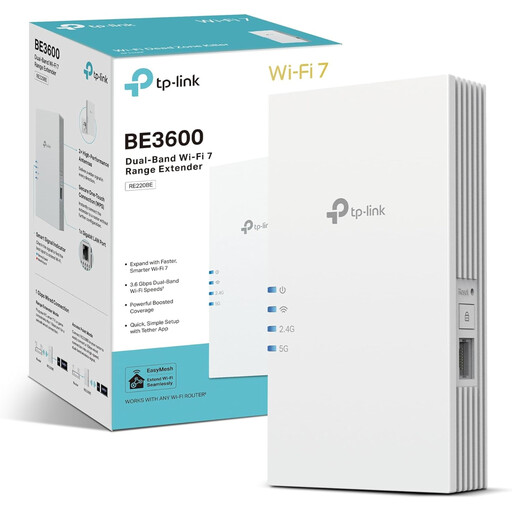 Image unavailable
TP-Link RE220BE BE3600 Wi-Fi 7 Range Extender
Consider an extender if the existing router connection works but Wi-Fi is weak where you study; it will not improve the broadband service delivered to your home.
Wi-Fi 7 range extender; the product description specifies a 1 Gbps LAN port and EasyMesh support.
View on Joybuy
 Image unavailable
Lenovo IdeaPad Slim 3 15.3-inch WUXGA Laptop (83K7009MUK)
A laptop option for typing assignments and accessing course materials, subject to your provider’s software and operating-system requirements.
Windows 11 Home; 15.3-inch WUXGA display; AMD Ryzen 5 7535HS; 24GB DDR5 RAM; 512GB PCIe SSD; Wi-Fi 6.
The product description also lists a full-size keyboard and integrated HD webcam with privacy shutter.
View on Joybuy
 Image unavailable
ASUS Vivobook 15 X1504VA Laptop
A laptop option for coursework involving typing and web-based materials; check that its operating system supports your required course applications.
Windows 11 Home; 15.6-inch display; Intel Core 5 120U; 24GB RAM; 1TB SSD; Wi-Fi 6.
The product description lists an integrated webcam and microphone.
View on Joybuy
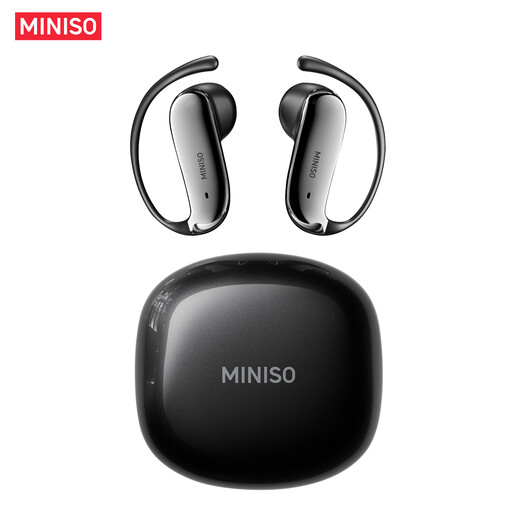 Image unavailable
MS218 Open-Ear Bluetooth 6.0 Earphones (Black)
An option for listening to course audio without a wired connection. The product title does not establish that these earphones provide a microphone for speaking in class.
Open-ear design; Bluetooth 6.0.
View on Joybuy
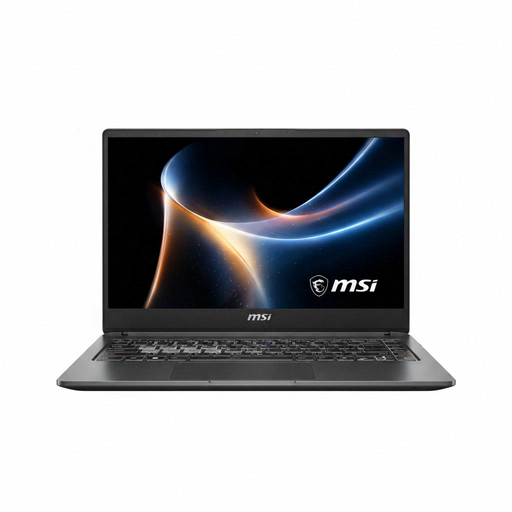 Image unavailable
MSI Prestige N16 Flip AI+ C1XMT-044UKY 16-inch 2-in-1
A convertible laptop option for typing and viewing course materials; confirm that required apps and assessments work with its operating system.
Windows 11 Home; 32GB RAM; 1TB SSD; 2.8K 120Hz OLED touchscreen; UK keyboard.
The product description lists an integrated webcam and microphone.
View on Joybuy
Online study setup FAQs
Can I use a tablet instead of a laptop for every online course?
No single answer applies to every course: check the required applications and assessment tasks with your provider. The Open University says a laptop or desktop is essential for its study, but that requirement should not be assumed for unrelated courses.
Why will a Teams meeting not open in my tablet’s browser?
Microsoft says Teams meetings are not supported in mobile web browsers, so use the Teams mobile app on a tablet. Check separately that the tablet supports your course’s other activities.
How should I check a microphone or camera before class?
Connect the accessory, select the intended input and output in the meeting app, and check device and browser permissions if you join through a browser. Microsoft identifies camera, microphone and speaker permissions as possible causes of Teams-on-the-web problems.
Will a Wi-Fi extender fix a slow broadband service?
No: an extender can relay a router’s Wi-Fi into a weak-signal area, but it does not upgrade the broadband connection delivered to your home. Check address-level service availability separately; Ofcom notes that predicted speeds can differ from the speeds received.
Can I return online-bought equipment if it is unsuitable?
For an applicable UK distance purchase, GOV.UK guidance says consumers generally have 14 days after receiving an item to tell the seller they wish to cancel, followed by another 14 days to return it; exceptions apply. Faulty or misdescribed goods have separate consumer remedies, so check which rules apply to your purchase.


