Who needs which setup?
The useful starting point is what your course requires you to do beyond taking notes in lectures.
Students using specialist course software
If your work involves installed engineering applications, programming tools or hardware interfaces, check the department’s device requirements before choosing your note-taking method. University of Bath identifies Windows-only software for its mechanical engineering students, while University of Nottingham cautions that some ARM-based devices may not support required engineering tools or interfaces.
Students who annotate slides by hand
If diagrams, equations and marks on lecture PDFs form a substantial part of your notes, a pen-compatible screen may be useful. University of Leeds Library describes stylus annotation of lecture materials on a tablet or laptop; Lancaster University also recommends keeping digital notes accessible across the devices you use.
Students seeking one device for notes and assignments
If you want to type coursework, open learning resources and revisit notes on one device, compare a conventional laptop, a keyboard-equipped tablet and a 2-in-1 against your actual assignments. A keyboard-equipped tablet still needs a separate check for required applications; as UWE Bristol advises, specialist software can rule out a tablet as the primary study device.
What matters when choosing?
Check required course software first, then decide how much handwriting and keyboard work your usual week involves. A tablet keyboard can help with typing, but it does not change which applications the tablet can run.
| Concern |
What to check |
Who this matters to |
| Course-software compatibility |
Ask for the required application names, supported operating systems and processor types; check whether each task can be completed through a browser or needs local installation. |
If assessed work relies on a particular application or hardware interface, I need a device that can run it—not just one that takes good notes. About 31% of consumers put course-software compatibility first. |
| Handwritten annotation |
Confirm pen compatibility for the exact device and test the intended slide or PDF annotation workflow. |
When lectures involve diagrams or writing directly on slides, I want those marks alongside my other notes. For about 25% of consumers, handwritten annotation is the primary need. |
| Keyboard-based coursework |
Check the keyboard arrangement and whether you can create, edit and submit assignments in the required formats. |
If I regularly draft reports or revise documents away from a desk, typing comfortably matters more than writing on the screen. Keyboard-based coursework comes first for about 25% of consumers. |
| Portable study access |
Consider what you will carry between classes and whether notes remain usable without a connection; check charging needs for your timetable. |
Between classes, I need access to lecture files without making my daily setup difficult to carry or use. About 19% of consumers make dependable, portable access their main concern. |
Joybuy devices for notes and coursework
These tablets and Windows laptops offer different starting points for handwritten notes, typed coursework or a 2-in-1 arrangement. Choose a route only after checking the applications and accessories your course requires.
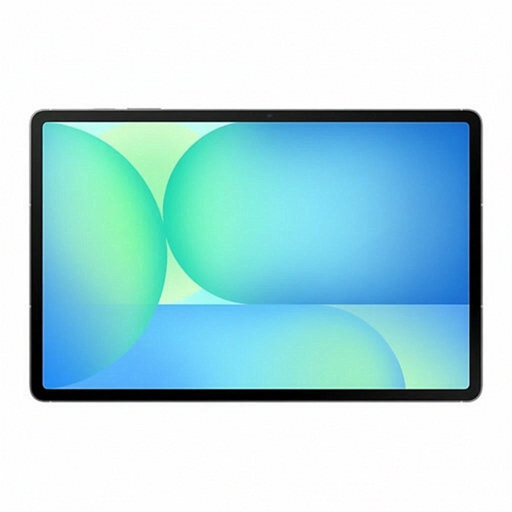 Image unavailable
Samsung Galaxy Tab S10 FE+ 13.1-inch Wi-Fi, 128 GB, Silver
Consider this tablet-led option if you want to work with lecture materials on a 13.1-inch screen. The listed variant has Wi-Fi and 128 GB storage. Before choosing it for handwriting or as your main study device, confirm pen compatibility and whether your course applications run on the tablet.
View on Joybuy
 Image unavailable
HP OmniBook Ultra Flip 14-fh0006na, 16 GB RAM, 1 TB SSD
This Windows 11 Home 2-in-1 is a laptop-led option for typed assignments when you also want a convertible form. The listed configuration has 16 GB RAM and a 1 TB SSD. If your work requires pen input or particular graphics capabilities, check those details for this exact configuration, along with your course’s application requirements.
View on Joybuy
 Image unavailable
ASUS Vivobook 15 X1504VA, Core 5 120U, 24 GB RAM, 1 TB SSD
This conventional 15.6-inch laptop is a starting point if typed coursework takes priority over writing directly on a screen. Its listed configuration includes an Intel Core 5 120U, 24 GB RAM and a 1 TB SSD. Check the requirements of specialist course applications before choosing it for assessed work.
View on Joybuy
 Image unavailable
HP OmniBook X Flip 16-as0004na, 16-inch touchscreen
Consider this Windows 11 Home 2-in-1 if you want a larger touchscreen alongside a keyboard for coursework. The listed variant has an Intel Core Ultra 5 226V, 16 GB RAM and a 512 GB SSD. Confirm active-pen compatibility before planning to handwrite notes, and check its size and charging needs against your lecture timetable.
View on Joybuy
 Image unavailable
Apple 11-inch iPad Air (2026, M4), Wi-Fi, 128 GB, Blue
This tablet is an option if annotating lecture material matters more to you than using installed desktop applications. The listed Wi-Fi variant has an 11-inch display and 128 GB storage. Check which Apple Pencil and keyboard fit this exact model, whether you need them separately, and whether your course work can be completed in the available applications.
View on Joybuy
Common questions
Can a tablet be my only university device?
A tablet can be your main device if its applications cover every required assignment as well as your note-taking. Check this with your course before buying: UWE Bristol does not recommend tablets as a primary study device where specialist applications cannot be installed, and Loughborough University notes limitations in the software available to tablets.
What should I ask my course before choosing an operating system?
Ask for the exact application names, supported operating systems and processors, minimum hardware requirements, and whether each task can use a university virtual desktop. University of Bath identifies Windows-only engineering software in its departmental guidance, while University of Nottingham flags potential compatibility issues with some ARM-based devices.
Do I need a keyboard with a lecture-note tablet?
A keyboard is worth checking if you expect to draft and edit substantial assignments on the tablet. Confirm that the accessory fits the exact model and that the tablet can produce the files your course accepts; Apple and Samsung list keyboards for particular tablet models, not one universal accessory.
How can I keep lecture notes accessible across devices?
Choose a note-taking workflow that lets you find your files and open them on the devices you actually use. Lancaster University recommends cloud-stored digital notes for access across devices, while University of Leeds Library describes annotating lecture materials in OneNote on a tablet or laptop.
May I record a lecture on my laptop or tablet?
Check the rule for your university and teaching session, and obtain any required permission before recording. Jisc identifies consent, copyright and data-protection considerations; University College London’s Faculty of Social & Historical Sciences requires permission from the staff member leading the session under its cited student audio-recording policy.


