Households sharing photos and local videos
If files are on a Windows laptop, MacBook or Chromebook, a TV can provide a larger screen for showing them to others. Decide whether you also need to display the whole desktop or just particular content.


If your laptop has an HDMI output and your TV has a free HDMI input, a cable is a direct way to show laptop content on the TV. If the laptop uses another video output, choose an adapter for that specific port; for cable-free sharing, check that the laptop and TV or receiver support the same wireless method. Photos appearing on screen does not establish that a protected streaming service will play through the same connection.
The right connection depends on what is stored on your laptop and which ports or wireless features your devices have.
If files are on a Windows laptop, MacBook or Chromebook, a TV can provide a larger screen for showing them to others. Decide whether you also need to display the whole desktop or just particular content.
If the TV has HDMI but the laptop has USB-C, Thunderbolt or Mini DisplayPort instead, identify the laptop’s video-capable output before choosing an adapter or cable.
Wireless sharing is worth considering when the laptop and TV or receiver support the same method. Check the relevant Miracast or Google Cast requirements, as well as Wi-Fi where the devices will be used.
Start with the laptop’s output and the TV’s input or wireless receiver, then consider the content you want to show. A streaming device can add a compatible wireless receiver to an HDMI-equipped TV, but it does not make every casting method interchangeable.
| Priority | What to check | Your needs |
|---|---|---|
| Wired ports | Look for an HDMI output on the laptop and a free HDMI input on the TV. For USB-C, Thunderbolt or Mini DisplayPort, check the laptop’s video-output capability and the adapter’s compatibility with that port. | I want to show files or my desktop without setting up a wireless connection. If my laptop lacks HDMI, the adapter needs to match its actual output. |
| Wireless method | For Windows wireless display, check Miracast support on the computer and TV or adapter, as described by Microsoft. For casting from Chrome, Google identifies compatible Google Cast TVs and streaming receivers; check the browser and Wi-Fi connection too. | I would rather share content without a cable between the laptop and TV. I need a receiver that works with the method my laptop will use. |
| Content and sound | Decide whether you need the full desktop, a browser tab or a local file on the TV. If using wireless casting, check how the chosen casting mode handles audio before relying on the TV’s speakers. | For a photo slideshow, sound may not matter. For a video or browser tab, I want to know where its audio will play. |
| Protected video | If you intend to stream Netflix from a device connected to the TV, Netflix says HDCP is required. Check the laptop, any adapter or intermediate equipment, and the TV against the service’s playback requirements. | I also want to watch subscription video, so a successful photo or desktop connection alone would not settle which route to buy. |
| Placement and power | For a cable, check its length against the laptop’s intended position. For a wireless receiver, check for a free HDMI input, its power requirements and Wi-Fi coverage; Microsoft specifies HDMI and USB power for its Wireless Display Adapter. | My laptop needs to sit somewhere practical while the TV is in use. If I leave a receiver connected, I also need a way to power it. |
A USB-C socket does not, by itself, establish the video capability needed for a particular HDMI adapter. Apple’s connection guidance also distinguishes between Mac ports and adapter-dependent output modes.
Check the exact laptop model and port specifications, then match the adapter to the TV input and any resolution or refresh-rate requirement.
Microsoft’s Windows wireless display route uses Miracast, while Google’s Chrome casting route needs a Google Cast receiver. Buying hardware for one method does not establish support for the other.
Identify the method you plan to use on the laptop and confirm that the TV or HDMI-connected receiver supports it.
A connection that displays ordinary laptop content may still encounter protected-video restrictions. Netflix says HDCP is required when streaming from a device connected to a TV.
If subscription video matters, check the service’s playback guidance and the compatibility of the complete connection, including any adapter or receiver.
Microsoft specifies HDMI and USB power for its Wireless Display Adapter. Google says a strong Wi-Fi connection on both the computer and streaming device is required for good Chrome-casting performance.
Check the TV’s available ports, a suitable power source and Wi-Fi coverage at the TV before choosing a wireless receiver.
If the TV cannot provide the required USB power, a separate suitable charger may be needed.
These references help identify connection requirements; they are not a list of products available in the selection below.
For MacBook owners comparing a direct HDMI connection with an adapter for a Mac’s other video output.
For households considering Chrome casting to a Google Cast-enabled TV or compatible streaming receiver.
For Windows households considering Miracast wireless display and a compatible TV or display adapter.
These options cover HDMI cables for laptops with HDMI output, a USB-C adapter for a laptop with a compatible video-capable port, and a wireless HDMI display adapter. Check the stated connection requirements against your own laptop and TV before choosing.
 No image available
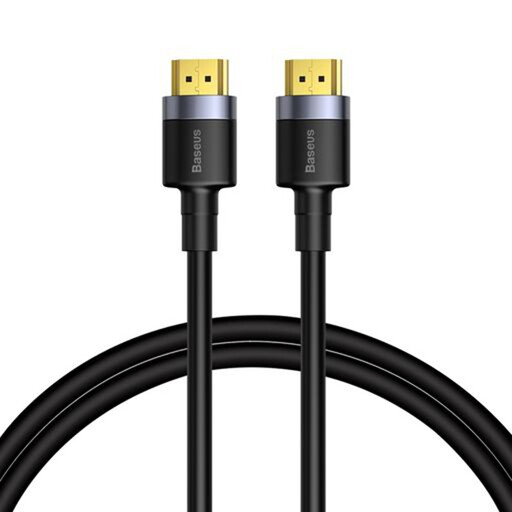
A wired option when the laptop has an HDMI output and the TV has a free HDMI input. The named variant is 2 m long; check that it reaches the laptop’s intended position. If protected streaming matters, check the complete connection against the service’s requirements.
 No image available
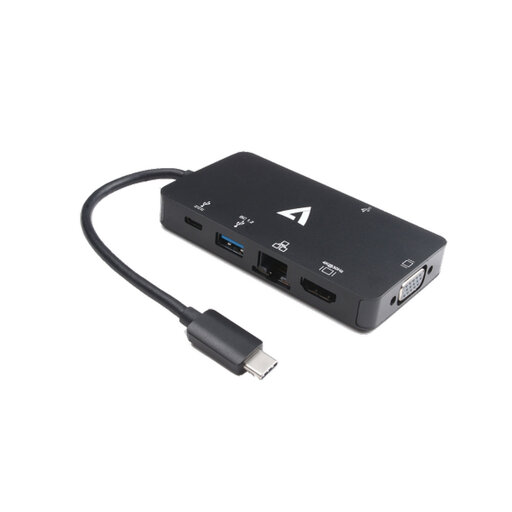
Consider this for a laptop without HDMI only after confirming that its USB-C port supports the video output needed by the adapter. The product title lists 4K HDMI, VGA, Gigabit Ethernet, 100W Power Delivery and dual USB 3.0 ports. Check the required display mode and protected-streaming compatibility for your setup.
 No image available
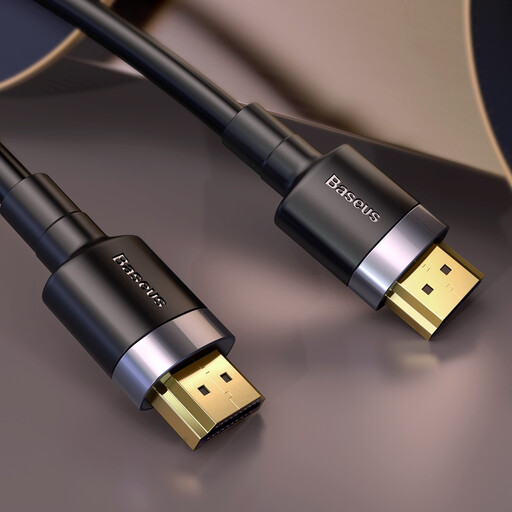
A wired option for a laptop and TV with matching HDMI ports when the intended placement calls for more reach than a 2 m cable. The title specifies 3 m, while the product description lists several lengths, so confirm the variant being ordered. Check protected-streaming requirements separately if relevant.
 No image available
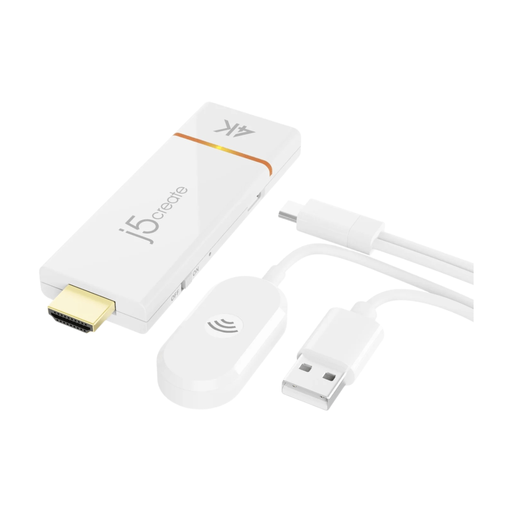
This is an option to investigate for sharing a laptop screen with an HDMI-equipped TV without a cable between them. Before buying, confirm which wireless method and laptop systems the JVAW56 supports, how it is powered, and whether it meets the requirements of any protected streaming service you intend to use.
Yes, if the laptop has an HDMI output and the TV has a free HDMI input. Which? describes HDMI as one laptop-to-TV route, while Apple Support documents direct HDMI connections for Macs with the relevant port. For a different laptop output, check which compatible adapter or cable it needs.
No. Microsoft’s Windows wireless display guidance calls for a Miracast-capable display or adapter; Google’s Chrome casting guidance calls for a Google Cast-compatible receiver. Check the method supported by your laptop and receiver before choosing a device.
Yes, when it supports the laptop’s casting method. Google describes casting from Chrome to compatible Google Cast receivers, including supported streaming devices. A Microsoft Wireless Display Adapter instead serves compatible Miracast-enabled Windows devices and needs HDMI and USB power at the TV.
Protected video can have requirements beyond those needed to display photos. Netflix says HDCP is required to stream from a device connected to a TV. Check that service’s playback guidance and each part of the connection, including any adapter or receiver, rather than relying on a successful photo-mirroring test.