Who each setup suits

Home-office renovation planners

If you compare quotes, schedules, floor plans and supplier pages at a fixed desk, focus on confirmed support for your two external monitors. Check whether the laptop connects to them directly or needs a compatible dock.

Room-to-room and site-visiting planners

If plans and notes need to stay visible as you move around a property or visit a showroom, two built-in screens offer a way to work without setting up separate monitors. ASUS lists two built-in screens for its Zenbook DUO UX8406 line.

Existing Apple-workflow users

If you want macOS at a two-monitor desk, check the precise Mac model and chip. Apple’s current UK MacBook Air specification supports up to two external displays, but Apple says display capacity varies by model, chip and resolution.

What matters when choosing

Laptop and two desk monitors

Choose when: Most planning happens at one desk and you want room for plans, spreadsheets and supplier pages on separate monitors.

Allow for: Desk space, monitors and connections; a dock cannot provide a display arrangement the laptop does not support.

Laptop with two built-in screens

Choose when: You need plans and notes visible while moving between rooms or working away from a permanent desk.

Allow for: Laptop-sized work areas and a keyboard arrangement that may need more space than a conventional laptop.

ConcernWhat to checkWho this matters to
Two-monitor desk setup Confirm the exact laptop’s limit for two external displays at your intended resolutions, then check the monitor inputs and any dock. If I keep plans open beside quotes at a permanent desk, I need both external monitors to work together. Around 43% of consumers put a dependable two-monitor desk setup first.
Portable second workspace Check whether the second screen is built in and whether the keyboard and screen positions suit where you will work. Moving between rooms, I want notes visible beside a plan without setting up monitors each time. For around 29% of consumers, a portable two-screen workspace is the primary need.
Documents and numeric input Consider the keyboard layout and numeric keypad if you regularly enter measurements, quantities or budgets. When I spend long sessions updating budgets and room lists, comfortable entry matters more to me than an integrated second screen. Around 28% of consumers place that planning work first.

Mistakes to avoid

  • Assuming any USB-C port can drive two monitors

    The connector’s shape does not establish which display functions the laptop supports. HP’s guidance for its cited Thunderbolt dock makes computer and monitor compatibility a condition of using its features.

    Compare the exact laptop’s display-output specification with the dock’s supported modes and your monitors’ inputs before ordering.

    Depending on those connections, you may need a compatible dock, additional cables or different monitors.

  • Reading a dock’s display rating as a laptop rating

    Dell lists multi-display modes for its WD25TB4 dock, but those modes do not establish what every connected laptop can run.

    Check the laptop’s external-display limit alongside Dell’s dock compatibility information for your intended arrangement.

  • Choosing built-in dual screens for a permanent desk

    ASUS specifies two 14-inch screens for the Zenbook DUO UX8406 line. Their physical size differs from a pair of larger desk monitors, which may matter when you keep detailed plans open for long sessions.

    Decide where most planning will happen before choosing portability over a verified desk-monitor arrangement.

  • Assuming every MacBook Air supports the same displays

    Apple says external-display capacity depends on the Mac model and chip and can vary with display resolution.

    Match your exact Mac configuration and intended monitor resolutions against Apple’s applicable technical specification.

Relevant brands to consider

ASUS

The Zenbook DUO line is relevant if you want two screens built into the laptop rather than a permanent laptop-and-monitor setup.

  • ASUS lists dual 14-inch OLED touchscreens, a detachable keyboard and a kickstand for the Zenbook DUO UX8406.
  • Its two laptop-sized screens should not be treated as the same physical workspace as two large desk monitors.

Apple

A MacBook Air is relevant to planners who want macOS with two external desk displays.

  • Apple’s current UK MacBook Air specification supports up to two external displays while the built-in display remains active.
  • Apple says capacity varies by Mac model, chip and display resolution; check the configuration you intend to buy.

Lenovo

The ThinkPad E16 Gen 2 Intel is relevant to desk-based planning that involves frequent entry of budgets and quantities.

  • Lenovo describes this 16-inch model as having a full-size keyboard with a numeric pad.
  • Check external-display support for the exact configuration separately; the keyboard does not establish monitor compatibility.

Dell

Dell’s Pro Thunderbolt 4 Dock WD25TB4 is relevant when displays and peripherals will be connected at a fixed desk.

  • Dell lists multiple display modes and power-delivery specifications for this dock.
  • Those dock specifications do not establish which modes a particular laptop and monitor combination can use.

HP

HP’s dock guidance is useful when assessing a compatible Thunderbolt laptop-and-dock arrangement.

  • For the cited HP Thunderbolt dock, HP identifies the computer and monitor capabilities needed to use its features.
  • That guidance applies to the cited dock and compatible computers, not to every HP laptop or dock.

Joybuy product choices

These two laptops represent different ways to plan across two screens: built-in displays for moving around the project, or a MacBook Air for a separately checked external-monitor setup at a desk.

ASUS Zenbook DUO UX8406CA-QL135W laptop

ASUS Zenbook DUO UX8406CA-QL135W, 14-inch dual OLED, Core Ultra 7 255H, 16 GB, 1 TB SSD

The two built-in screens suit planning that moves between rooms without separate monitors. The listed configuration has an Intel Core Ultra 7 255H processor, 16 GB LPDDR5X memory and a 1 TB SSD; confirm the exact panel resolution before buying.

View on Joybuy
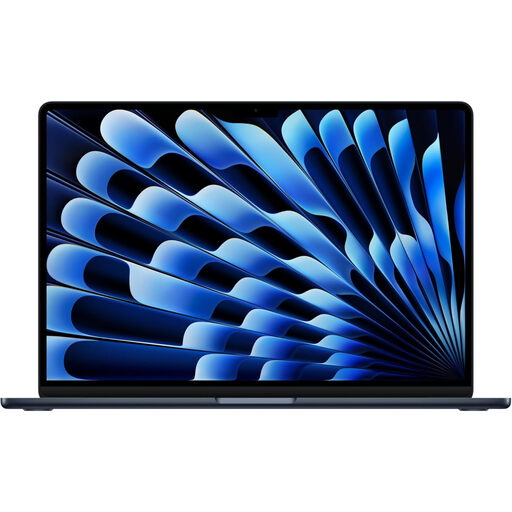
Apple 13-inch MacBook Air M5 in Midnight

Apple 13-inch MacBook Air (2026), M5, 24 GB, 1 TB SSD, Midnight

This macOS laptop is a choice for planning at a desk with external monitors. It has an M5 chip with a 10-core CPU and 10-core GPU, 24 GB memory and a 1 TB SSD. Apple’s current UK MacBook Air specification supports up to two external displays, but confirm the exact configuration, intended resolutions and connections before buying.

View on Joybuy

Common questions

Can any laptop with HDMI run two external monitors?

No: one HDMI port does not establish support for two external displays. Check the exact laptop’s display-output specification and the intended connections; a dock’s stated display modes do not replace the laptop compatibility check.

Do I need a dock to use two screens?

Not necessarily; the answer depends on the laptop’s supported outputs and how your monitors connect. If you plan to use a dock, check its display modes against the laptop and monitors rather than assuming it adds display support.

Does a current MacBook Air support two external displays?

Apple’s current UK MacBook Air specification states support for up to two external displays while the built-in display remains active. Check the exact model, chip and intended resolutions: Apple says those details can affect external-display capacity.

How do I arrange two screens in Windows?

After Windows detects the connected displays, use Settings, then System and Display to identify and arrange them and choose how the desktop extends across them. Microsoft Support also describes display detection controls; if a screen is missing, check its cable and dock connections.

What should I do with an old laptop in the UK?

Check the collection or recycling options available through your local authority or retailer rather than putting an old laptop in ordinary waste. GOV.UK explains that UK waste electrical and electronic equipment rules are intended to encourage recovery, reuse and recycling.