Desk-based dataset comparers
If you keep tables, charts and documentation open at a fixed workstation, establish your external-display requirement before comparing docks or laptops.


Choose the display arrangement before choosing the laptop: its own screen plus one monitor is a different requirement from two external monitors. If you need two external monitors, check the exact laptop’s stated display support at your intended resolution and refresh rate, including dock compatibility where relevant. Then choose memory and storage for the data tools and local files you expect to use together.
If you keep tables, charts and documentation open at a fixed workstation, establish your external-display requirement before comparing docks or laptops.
If you use browser tabs, spreadsheets, notebooks and local data files together, compare the memory and storage of the exact configuration rather than relying on its screen size.
If you move between work locations, consider both how the laptop travels and how you will reconnect it to your desk display arrangement.
Choose this when: You want a dataset or chart on a desk monitor while keeping notes or browser tabs on the laptop.
Trade-off: It uses one external connection, but gives you less simultaneous screen space than two external monitors.
Choose this when: Your desk workflow calls for two separate monitors; Apple specifies support for up to two external displays on the M5 MacBook Air line.
Trade-off: A Windows laptop and dock can also be considered, but the intended display arrangement must be supported by the particular laptop-and-dock combination.
| Concern | What to check | Who this matters to |
|---|---|---|
| Display compatibility | Confirm whether you need one or two external monitors. For two, check the exact laptop’s supported resolution and refresh rate, plus the dock and cables if used. | If two external monitors are essential to my desk layout, I need the complete setup to drive them as intended. Around 40% of consumers would put confirmed display compatibility first. |
| Memory and storage | Compare memory and SSD capacity on the exact configuration; check whether its memory can be upgraded if that affects your decision. | With data files, browser tabs and analysis tools open together, I need capacity suited to that workload. For around 30% of consumers, memory and storage would be the primary concern. |
| Travel and reconnection | Check the laptop’s video-capable ports and how your chosen monitor or dock will reconnect. If using a dock, check its charging compatibility too. | Moving between locations, I want to return to my desk without rebuilding the display setup each time. Portability and reconnection would come first for around 30% of consumers. |
A dock’s listed display modes do not establish what a particular host laptop can drive. Lenovo publishes system-and-dock display configurations, while Dell lists display modes for its Pro Thunderbolt 4 Smart Dock.
Check the exact laptop, dock, monitor resolutions and refresh rates, cables and charging requirement as one setup.
An incompatible combination may mean changing the dock, cables or adapters.
A laptop screen plus one monitor does not require the same external-display support as two external monitors.
Write down how many external monitors you need, then check that arrangement in the exact model’s specifications.
Configurations within a family can differ. Dell lists several Latitude 7450 memory options and describes its LPDDR5x memory as onboard.
Check the selected configuration’s memory and SSD against your expected simultaneous tools and local files before buying.
Onboard memory makes the purchase-time capacity choice particularly important.
The M5 MacBook Air line is relevant if you want documented support for two external monitors and your data tools work with macOS.
ThinkPad systems are worth considering for a Windows desk setup built around a compatible dock.
Latitude configurations and Dell docks provide options to compare for a Windows workstation.
The Zenbook 14 OLED UX3405 is relevant if a portable Windows laptop with several connection types suits your workspace.
EliteBook configurations are another option to compare for Windows data work.
These choices address two different ways to get more screen space: the M5 MacBook Air configurations are relevant to a desk with external monitors, while the Zenbook DUO has two built-in displays. Check that the arrangement you want matches the model you choose.
 No image available
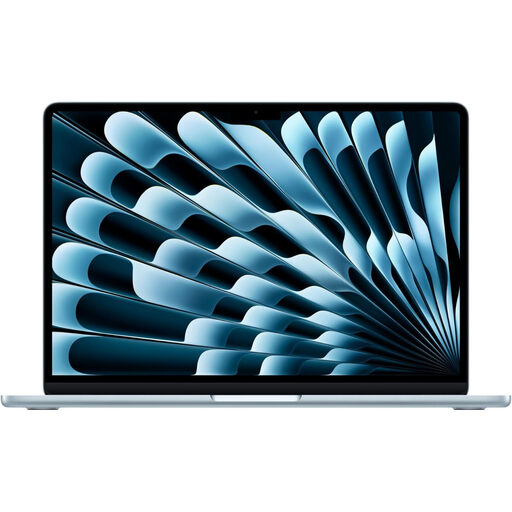
Consider this configuration if you need a laptop for a two-external-monitor desk setup and use macOS-compatible data tools. Apple specifies support for up to two external displays on the M5 MacBook Air line; check the stated modes against your monitors.
This variant lists an M5 chip with a 10-core CPU and 10-core GPU, 24GB memory and a 1TB SSD.
 No image available
Consider the 15-inch configuration if you want a larger built-in screen alongside a desk setup using external monitors. Apple specifies support for up to two external displays on the M5 MacBook Air line; check your monitors’ intended modes and your tools’ macOS compatibility.
This variant lists an M5 chip with a 10-core CPU and 10-core GPU, 16GB memory and a 1TB SSD. Assess whether that memory capacity suits your concurrent work.
 No image available
Consider its two built-in touch displays if you want separate work areas without making external monitors your only route to a two-screen workflow. Check the panel resolution before buying; if you also need external monitors, confirm the exact display-output arrangement separately.
The listed configuration has two 14-inch OLED touch displays, an Intel Core Ultra 7 255H, 16GB LPDDR5X memory and a 1TB SSD.
No. Port count does not establish the number of independent external displays a laptop supports. Check the exact model’s display specification and, if you will use a dock, the supported laptop-and-dock arrangement at your monitors’ resolution and refresh rate.
Connect the monitor, then open Settings, System and Display to arrange the detected screens to match their positions on your desk. Microsoft Support also describes an option to remember window locations based on monitor connection.
Check that your exact laptop supports both monitors through the chosen dock at the resolutions and refresh rates you intend to use. Confirm the monitor inputs, cables and charging requirement too; the dock’s maximum display mode alone does not establish what the laptop can deliver.
That depends on the datasets and tools you plan to run together; 16GB is not a universal capacity target. Compare configurations against your browser tabs, analysis applications and local files, and check upgradeability before choosing a model with onboard memory.