Home workers with a slow workflow
If documents, office applications or downloads regularly interrupt your work, identify the bottleneck before deciding whether a supported software or storage change is enough.


Keep your current laptop if it can run a supported operating system, handle your work applications and meet your employer’s device rules; replace it if those conditions cannot be met or document work, downloads and meetings remain persistently slow. Before choosing a new model, confirm employer approval and software compatibility, then match its memory, storage and meeting setup to the work you do.
If documents, office applications or downloads regularly interrupt your work, identify the bottleneck before deciding whether a supported software or storage change is enough.
If you access employer systems on your own device, confirm the approved operating system, required applications and device-management rules before choosing a replacement.
If you move between work locations or join video meetings, consider carrying weight and meeting equipment alongside the requirements of your employer’s systems.
Decide whether the existing laptop can still do the job before comparing replacements. For a new laptop, employer requirements and your actual mix of applications, files, desk equipment and meetings should guide the configuration.
| Concern | What to check | Who this matters to |
|---|---|---|
| Employer approval | Ask which operating systems, work applications and personal-device management arrangements are permitted. | If I use my own laptop for employer systems, I need approval before its specifications can help me work. About 33% of consumers put compatibility and security approval first. |
| Responsiveness and storage | Compare the applications you run together and your local file needs with the exact memory and storage configuration. | When documents or downloads delay my work, I want to know whether the current laptop’s limits can be addressed or warrant replacement. For about 27% of consumers, reducing those delays is the primary need. |
| Desk setup | Check the ports and connections needed for your display, keyboard, headset or other desk equipment. | If I work mainly at one desk, connecting the equipment I use every day matters more than frequent carrying. A desk-focused setup comes first for about 20% of consumers. |
| Movement and meetings | Confirm your meeting app’s requirements and the camera, microphone and internet setup at each work location. | Moving between rooms or joining regular calls makes carrying the laptop and setting up meetings central to my choice. About 20% of consumers prioritise that combination. |
Microsoft lists minimum requirements for Windows 11 and Microsoft 365, but meeting them does not establish how well your particular combination of documents, browser tabs and meetings will run.
List the applications you use at the same time, typical file sizes and available storage, then assess the exact configuration against that workload.
An employer may require an approved operating system, device management, encryption or particular applications. The National Cyber Security Centre identifies device management as an important part of bring-your-own-device arrangements.
Ask your employer which personal devices are allowed and what must be installed or configured before you buy.
Dell and HP describe options that vary within their Latitude and EliteBook ranges. A family name alone does not identify the memory, storage, ports or operating system of a selected laptop.
Check the exact model and configuration against your work software and desk equipment.
Microsoft says Windows 10 support ended on 14 October 2025. A laptop continuing to switch on does not establish that it meets an employer’s security requirements.
Check Windows 11 eligibility and your employer’s policy before continuing to use the device for work.
Lenovo’s ThinkPad range is relevant when comparing portable, work-oriented laptops and 2-in-1 designs.
Dell’s Latitude range offers business laptops and 2-in-1s for desk-based or mobile work.
HP’s EliteBook range is relevant to buyers comparing business-oriented laptops for different workloads.
These laptops are options to compare if you have decided to replace your home-working computer. Check each configuration against your employer’s rules and the applications you use; keeping a suitable existing laptop remains an option.
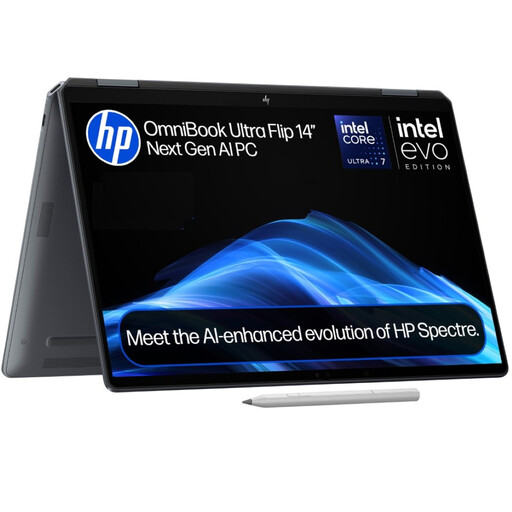 Image unavailable
Consider this convertible if you want to move your work between locations. Its named configuration has 16GB RAM, a 1TB SSD and Windows 11 Home. Confirm that your employer permits this Windows edition and check the exact configuration before relying on graphics details.
 Image unavailable
For home-based office work involving locally stored files, compare this configuration with the space your files require. The named variant has a 15.6-inch display and an Intel Core 5 120U processor. Confirm its operating system and required work-app compatibility with your employer.
 Image unavailable
Its 14-inch configuration is worth considering if you move the laptop around your home. The named variant has 16GB RAM and a 512GB SSD. Before buying a Snapdragon-based laptop for work, confirm that your required applications and employer management tools support it.
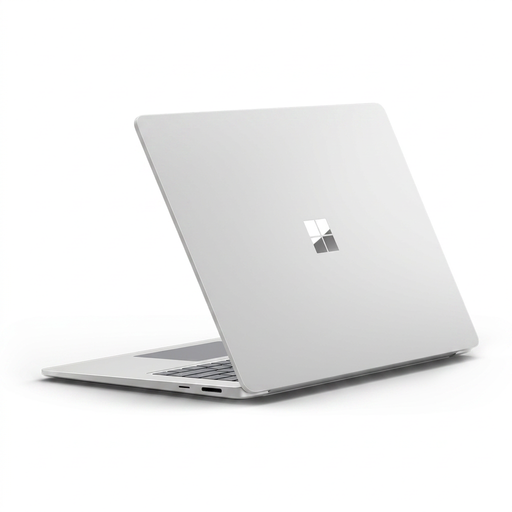 Image unavailable
Consider the 15-inch touchscreen configuration if your work is mainly desk-based. It has 16GB RAM and a 256GB SSD; check whether that storage suits your local files. Confirm that your work applications and employer device-management tools support its Snapdragon platform.
 Image unavailable
Compare this 15.6-inch model for everyday office work at a home desk. The named configuration has 8GB DDR5 RAM and a 256GB NVMe SSD; assess both against your simultaneous applications and local files. Confirm the shipped Windows 11 edition and whether S Mode affects installation of required work software.
Consider replacement if your laptop cannot run a supported operating system or required work tools, or if document and application delays remain disruptive after you assess its software and available storage. Microsoft says Windows 10 support ended on 14 October 2025, so check Windows 11 eligibility and your employer’s policy if that is your current system.
Ask whether personal devices are permitted and which operating system, applications, security tools, encryption and management arrangements are required. The National Cyber Security Centre treats device management as a key part of bring-your-own-device arrangements; clarify what enrolment would mean for your own laptop.
No. Microsoft lists 4GB RAM and a storage device of at least 64GB among the Windows 11 minimum requirements, but those are eligibility thresholds, not a performance assessment for your workload. Compare the exact laptop with the applications you run together and the files you keep locally.
Check the operating system required by your meeting app, then confirm your internet connection and camera, microphone and speaker arrangements. Zoom lists those components in its desktop-app requirements; your employer may also specify a particular app or device setup.