Joybuy laptop choices
These MacBook Pro and Windows laptop configurations are relevant to holiday-video editing. Compare their stated hardware with your software needs, and confirm independent output to your two external monitors before choosing a model.
 No image available
Apple MacBook Pro 14.2-inch M5 Pro, 24GB/2TB, Silver
Consider this configuration if you want a smaller MacBook Pro for editing at home and away. Its listed M5 Pro has a 15-core CPU and 16-core GPU, with 24GB unified memory and 2TB storage; confirm its display support at your monitors’ resolutions and refresh rates.
View on Joybuy
 No image available
ASUS ProArt P16 H7606WW-SE006W, RTX 5080, 64GB/2TB
Consider this Windows configuration if your editing application can use its discrete graphics. The listed specification includes an AMD Ryzen AI 9 HX 370, an RTX 5080 Laptop GPU with 16GB graphics memory, 64GB RAM, a 2TB SSD and a 16-inch 4K OLED touchscreen. Confirm independent output to both monitors for your planned connections.
View on Joybuy
 No image available
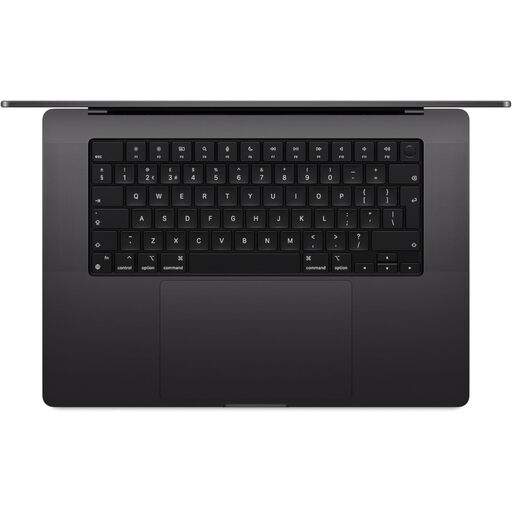
Apple MacBook Pro 16.2-inch M5 Max, 36GB/2TB, Space Black
Consider this larger MacBook Pro if its memory and storage suit your editing projects. The listed M5 Max has an 18-core CPU and 32-core GPU, with 36GB unified memory and 2TB storage. Check the exact model’s simultaneous-display limit before planning your two-monitor desk.
View on Joybuy
 No image available
Apple MacBook Pro 16.2-inch M5 Max, 48GB/2TB, Space Black
Consider this configuration if your editing application and projects call for its stated memory capacity. Its listed M5 Max has an 18-core CPU and 40-core GPU, alongside 48GB unified memory and 2TB storage. Confirm that the exact model supports both external monitors at your chosen settings.
View on Joybuy
 No image available
Lenovo Legion Pro 7 16IAX10H, 83F5000UUK, 64GB/2TB
Consider this Windows laptop if its listed hardware matches the demands of your editing software. The configuration names an Intel Core Ultra 9, 64GB RAM, a 2TB SSD and an NVIDIA GeForce RTX 5090. Check the exact external-display outputs and simultaneous-display limit before selecting it for two monitors.
View on Joybuy
Frequently asked questions
Can two USB-C ports run two external monitors?
Not necessarily. Port count does not establish support for two independent external displays; check the exact laptop model, graphics configuration and supported resolutions and refresh rates. Apple specifically documents that MacBook Pro display limits vary by model and display settings.
What specifications are a starting point for editing holiday videos in Premiere?
Adobe recommends at least an eight-core processor and, for Windows or Intel-based Macs, 32GB RAM or more; its guidance also recommends a GPU with at least 4GB VRAM. Match those recommendations to your footage, effects and exact software rather than treating any one specification as a performance guarantee.
Should I connect the monitors directly or use a dock?
Either can work if the laptop supports the intended display arrangement and the connections carry the required signals. Check the laptop, dock, cables and monitor inputs together; a dock does not increase the laptop’s maximum supported display count.
Can Premiere put editing controls and video preview on different screens?
Yes. Adobe provides separate guidance for using a second monitor for the Premiere interface and for sending video output to another screen. Set the operating system to extend the displays, then configure the Premiere workspace for the layout you want.


