Who needs which configuration?

Multi-VM developer or lab user

If you run several virtual machines for development, testing or a lab, plan memory for the host and all active guests before prioritising a thinner chassis. Microsoft Learn identifies concurrent host and VM memory as a Hyper-V requirement.

x86 guest compatibility buyer

If you rely on existing x86 or x86-64 Windows or Linux images, check the host architecture and your chosen hypervisor before buying. Oracle notes that both virtual hardware and the host affect which guest operating systems are available.

Mobile macOS VM user

If you want a MacBook for VM work, identify your required guests and applications first. Broadcom says VMware Fusion on Apple silicon cannot run x86 operating systems simply because its installer works on both Mac architectures.

What matters when choosing?

x86-64 Windows or Linux laptop

Choose it when: You need conventional x86 guest images or a Windows Hyper-V setup.

Allow for: Higher-capacity workstations can be less convenient to carry; check the exact model’s memory and storage options rather than assuming its processor determines VM capacity.

Apple-silicon MacBook

Choose it when: Your required guest operating systems and applications can run in an Arm-compatible VM environment.

Allow for: Broadcom says Fusion on Apple silicon does not run x86 operating systems; choose enough unified memory at purchase because it cannot be upgraded later.

Concern What to check Who this matters to
Memory and storage headroom Total the RAM needed by concurrently running VMs and the host. Check installed RAM, expansion options and space for VM images and snapshots. If I run several VMs together or keep large images locally, I need room for both the guests and my everyday applications; around 42% of consumers put capacity first.
Guest and hypervisor compatibility Confirm each guest’s architecture and the chosen hypervisor’s requirements. For Hyper-V, check the Windows edition and required processor and firmware features. When an existing VM image or development tool must keep working, changing host architecture could disrupt my setup; compatibility is the primary concern for around 33% of consumers.
Portability and expansion Compare the exact laptop’s weight and dimensions with its installed memory, upgrade path and internal storage options. If I carry my VM laptop between locations, I may accept less expansion rather than choose a larger workstation; around 25% of consumers prioritise portability.

Mistakes to avoid

  • Choosing a strong processor without enough usable RAM

    Microsoft Learn says Hyper-V needs memory for the host and all VMs running at the same time. Dell lists onboard LPDDR5x memory for the Precision 5690, so its installed configuration matters if your workload grows.

    Add up planned concurrent VM allocations, leave capacity for the host and check whether the exact laptop’s memory can be upgraded.

  • Expecting an x86 VM image to work unchanged on Apple silicon

    Broadcom says the universal VMware Fusion installer does not enable an Apple-silicon Mac to run x86 operating systems. An existing guest image therefore needs an architecture check before you change hosts.

    List the architecture of each required guest, driver and application. If an x86 guest is essential, choose a compatible host rather than assuming the image will transfer.

    Moving to an Arm-compatible environment may also take time to rebuild a guest setup.

  • Planning storage around the initial VM image alone

    Additional images and snapshots can increase local storage needs. Workstation families also differ in their internal SSD options.

    Plan space for the host, VM disks and future snapshots, then check the number and format of SSD slots in the exact configuration.

    If internal space runs short, the workload may require an additional drive or external storage.

  • Treating a model-family listing as an available configuration

    A family’s specification options do not establish which combination of memory and storage is available to buy. Dell’s Precision 5690 listing, for example, describes configurations without making every option an immediately purchasable laptop.

    Check current availability and the exact installed specification before choosing a model; recheck the details if you switch to a similarly named variant.

Relevant brands to consider

Lenovo

The ThinkPad P16v Gen 3 is a workstation option for buyers who want to assess memory and storage expansion for x86 VM work.

  • Lenovo’s P16v Gen 3 specification lists two DDR5 memory slots, support for up to 96GB and two M.2 storage slots.
  • Check the memory installed in the particular configuration; a model-family ceiling is not its starting capacity.

HP

HP’s ZBook Fury G1i range is relevant when configured memory and component access matter more than a compact chassis.

  • HP describes tool-free component access and product-line options up to 256GB DDR5 memory; its cited 18-inch configuration has 128GB RAM and a 2TB SSD.
  • Those product-line limits are not the specification of every ZBook. Check the exact configuration and whether an 18-inch laptop suits how you travel.

Dell

The Precision 5690 generation offers x86 workstation configurations to compare when selecting memory and an operating system for VM use.

  • Dell lists 16GB, 32GB and 64GB LPDDR5x configurations, alongside Windows and Linux operating-system options for this generation.
  • The listed memory is onboard. Confirm the installed amount and current availability rather than planning a later RAM upgrade.

Apple

MacBook Pro is an option for macOS users whose required VM guests and software are compatible with the chosen Apple-silicon setup.

  • Apple lists high unified-memory options on certain MacBook Pro configurations, allowing memory capacity to be selected at purchase.
  • Unified memory is not a later upgrade. Broadcom says VMware Fusion on Apple silicon cannot run x86 operating systems merely because the installer is universal.

Joybuy laptops to consider

These laptops offer different stated memory and storage configurations for local VM use. Match each one to your guest architecture, hypervisor and planned concurrent allocations; the Windows models listed here specify Windows 11 Home, which does not meet the cited Windows-edition requirement for Hyper-V.

Lenovo Legion Pro 7 16IAX10H laptop

Lenovo Legion Pro 7 16IAX10H (83F5000UUK), 64GB RAM, 2TB SSD

Consider its stated memory and storage if you expect several concurrent VM allocations and local images; check that your planned workload fits.

The listed configuration has an Intel Core Ultra 9 processor, 64GB RAM, a 2TB SSD and Windows 11 Home. Confirm the supported memory ceiling and your chosen hypervisor’s requirements before buying; the listed Windows edition does not meet Microsoft’s cited Hyper-V edition requirement.

View on Joybuy

ASUS ProArt P16 H7606WW-SE006W laptop

ASUS ProArt P16 H7606WW-SE006W, 64GB RAM, 2TB SSD

Its stated capacity is worth comparing with the RAM allocations and local disk space you plan for your VMs.

The listed configuration has an AMD Ryzen AI 9 HX 370 processor, 64GB RAM, a 2TB SSD and Windows 11 Home. Check memory upgrade options and guest compatibility for your workload; the listed Windows edition does not meet Microsoft’s cited Hyper-V edition requirement.

View on Joybuy
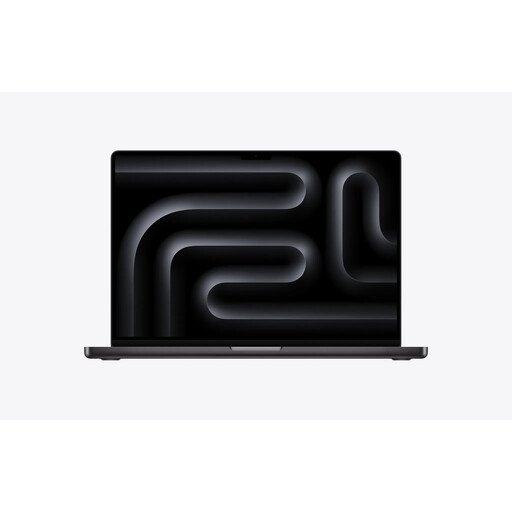
Apple MacBook Pro 16.2-inch M5 Max in Space Black

Apple MacBook Pro 16.2-inch (M5 Max), 48GB/2TB, Space Black

Consider this macOS configuration only after checking that each required guest and application works with your intended VM setup.

The listed model has an M5 Max, 48GB unified memory and a 2TB SSD. Broadcom says VMware Fusion on Apple silicon cannot run x86 operating systems; check guest architecture before purchase and size the configured memory for the host and concurrent VMs.

View on Joybuy

HP OmniBook X Flip 16-as0004na laptop

HP OmniBook X Flip 16-as0004na, 16GB RAM, 512GB SSD

Consider this configuration for a lighter planned VM workload only if its stated capacity leaves enough room for the host and every guest you will run together.

The listed model has an Intel Core Ultra 5 226V processor, 16GB RAM, a 512GB SSD and Windows 11 Home. Check the memory upgrade path and hypervisor compatibility; the listed Windows edition does not meet Microsoft’s cited Hyper-V edition requirement.

View on Joybuy

Frequently asked questions

What does a Windows laptop need to run Hyper-V?

Microsoft lists a Pro or Enterprise edition of Windows, a 64-bit processor with second-level address translation, VM Monitor Mode extensions, enabled hardware-assisted virtualisation, hardware-enforced data execution prevention and sufficient memory. Its 4GB RAM minimum is a platform requirement, not a capacity target for several active VMs; plan memory for the host and all concurrent guests.

Can VMware Fusion run my existing x86 Windows VM on an Apple-silicon Mac?

Not as an x86 guest: Broadcom says VMware Fusion’s universal installer does not enable Apple-silicon Macs to run x86 operating systems. Check whether an Arm64 version of the guest OS and the applications you need will work before choosing that host.

How much RAM and SSD space should I allow for virtual machines?

Size both around the VMs you will actually use rather than a single fixed target. Microsoft says Hyper-V needs memory for the host and all simultaneously running guests; add those planned allocations, then allow SSD space for the host, VM disks and snapshots.

Should I check firmware settings before using a hypervisor?

Yes, check that the hardware virtualisation feature required by your chosen hypervisor is enabled. Microsoft lists enabled hardware-assisted virtualisation as a Hyper-V requirement; if you need nested virtualisation, check support for that workload separately.