If your quizzes and documents work in a browser, a Chromebook is worth considering; Microsoft says its Microsoft 365 web apps work on Chromebooks, but its Windows and Mac desktop Office applications cannot be installed on them. Choose Windows for software that specifically requires Windows, or macOS if your established quiz and document tools work on a Mac. For quiet-study use, check the keyboard, screen reflections and actual noise rather than assuming a slim laptop will be quiet.
Who each route suits
Browser-first quiz makers
If you build quizzes and share documents mainly through web apps, a Chromebook may cover your workflow. Microsoft Support confirms that Microsoft 365 web apps are accessible on a Chromebook, but its Windows and Mac desktop Office applications cannot be installed there.
Required-software users
If a school, employer or quiz tool requires a named Windows desktop application or peripheral utility, check that requirement before choosing a laptop. A Windows 11 model is the relevant route when the application specifically requires Windows; its own hardware requirements still matter.
Quiet-study regulars
If you spend long sessions drafting and checking quizzes, try the keyboard and trackpad, consider reflections on the screen and check how the laptop sounds during your usual work. Headphone connections, notification settings and the retailer’s return terms can also affect how well the setup works in a quiet room.
What matters when choosing
Start with the applications your quizzes require, then decide how much local storage and desk comfort you need. A screen specification or operating-system name alone cannot establish whether a particular laptop will feel quiet to use.
| Concern |
What to check |
Who this matters to |
| Browser and cloud access |
Confirm that the quiz builder, document tools and any offline-file workflow work on the chosen operating system. Microsoft 365 web access on a Chromebook is not desktop Office. |
If I make and share quizzes through web apps, I want those tools to run without needing a desktop installation; around 40% of consumers put browser and cloud access first. |
| Required desktop software |
Check each essential application’s operating-system and hardware requirements, including any printer or peripheral utility. |
When my course requires a particular installed application, compatibility decides which laptop I can use; roughly 30% of consumers place required desktop software first. |
| Quiet-study comfort |
Try the keyboard, assess screen reflections in your study and check model-specific noise information if sound is critical. |
For long sessions writing and reviewing word lists, I need a setup that does not distract me; about 30% of consumers make study comfort their primary concern. |
Buying pitfalls
-
Assuming web Office means desktop Office
Microsoft Support says Chromebooks can access Microsoft 365 through the web, but cannot install its Windows or Mac desktop Office applications. A quiz or document feature that depends on an installed application may therefore change your platform choice.
List the quiz, document, school and printer tools you must use, then check their supported platforms before choosing ChromeOS.
-
Choosing an older Windows laptop without checking its software
Microsoft states that Windows 10 support ended on 14 October 2025. Meeting Windows 11’s minimum requirements also does not establish that a particular quiz application or peripheral will work.
Confirm the installed Windows version and compare the exact laptop configuration with your essential software’s requirements.
-
Treating a laptop family name as a specification
Lenovo’s ThinkPad E14 Gen 7 listings and Acer’s Chromebook Plus 514 line include distinct configurations. A display, keyboard or storage specification for one part number should not be assumed for another.
Match the part number at checkout to the manufacturer’s specification, paying particular attention to the keyboard layout, display finish, memory, storage and operating system.
Relevant brands to consider
Acer
Acer’s Chromebook Plus 514 line illustrates a browser-first choice. Acer United Kingdom lists the CB514-5H-34CK configuration with an English (UK) keyboard, 8GB memory, 256GB SSD and a 14-inch WUXGA anti-glare display.
- That specific configuration gives you a UK keyboard and anti-glare screen to consider for study use.
- Check your quiz and school tools before choosing ChromeOS; Microsoft Support says desktop Windows and Mac Office applications cannot be installed on a Chromebook.
Lenovo
Lenovo’s ThinkPad E14 Gen 7 line provides a Windows route. A UK-listed 14-inch configuration has Windows 11 Home, an English (UK) keyboard, 8GB DDR5 memory, a 256GB SSD and an anti-glare WUXGA IPS display.
- It is a configuration to examine when an essential application requires Windows.
- The ThinkPad E14 Gen 7 family includes different configurations, so confirm the part number and its specifications before buying.
Apple
Apple’s MacBook Air range is relevant if your existing quiz, document and peripheral workflow is Mac-compatible. Apple United Kingdom lists 13-inch and 15-inch models; the cited 13-inch configuration has a 13.6-inch display, 16GB unified memory and 512GB SSD.
- Apple lists USB-C/Thunderbolt connectivity, MagSafe charging and a 3.5 mm headphone jack for the cited MacBook Air specification.
- A Mac does not replace an application that requires Windows. Check the exact configuration, required ports and peripheral support.
Joybuy laptops for quiz preparation
These laptops cover Windows and Chromebook approaches to preparing vocabulary quizzes. Decide which operating system supports your tools before comparing screen size, memory and storage; check keyboard layout and noise for the exact model if either is important to your study setup.
 No image available
ASUS Vivobook 14 X1407QA-LY003W Copilot+ PC, Quiet Blue
Consider this Windows-route laptop for quiz work only after checking that your required applications and peripherals support its Snapdragon X/ARM configuration.
Snapdragon X processor, 16GB RAM and 512GB SSD. Confirm the keyboard layout and how it sounds during your usual work if those are deciding factors.
Joybuy
 No image available
Acer Chromebook Plus 514 CB514-5H, 14-inch WUXGA
This Chromebook is a choice for quizzes and documents that work in compatible web apps; confirm any school software and offline requirements first.
Intel Core i3-1315U, 8GB RAM, 256GB SSD and a 14-inch WUXGA (1920 × 1200) display. Microsoft Support says Windows and Mac desktop Office applications cannot be installed on a Chromebook.
Joybuy
 No image available
HP 15-fd0064na, 15.6-inch, Windows 11 Home
Consider this Windows model if a required quiz application supports Windows 11 and a 15.6-inch screen suits your desk.
Intel Core i5-1334U, 8GB RAM and 256GB SSD. Check the keyboard layout and actual operating noise rather than assuming its cooling design will be quiet.
Joybuy
 No image available
Lenovo IdeaPad Slim 3 Chromebook 14IAN8, 83BN001EUK
This is another option for browser-based quiz preparation, provided your essential tools work on ChromeOS.
Intel Core i3 N305, 8GB RAM, 256GB eMMC storage and a 14-inch display. Check whether the local storage and keyboard layout suit your work; desktop Windows and Mac Office applications cannot be installed on ChromeOS.
Joybuy
 No image available
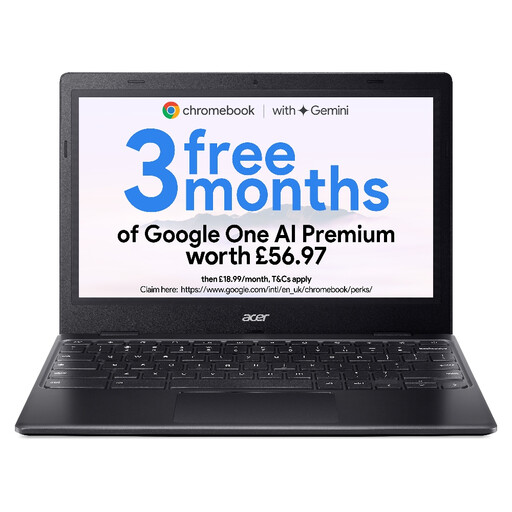
Acer Chromebook 311 CBOA311-1H, 11.6-inch HD
This smaller Chromebook is worth considering for compatible browser-based quizzes if its screen and storage meet your needs.
Intel Celeron N4500, 4GB RAM, 64GB eMMC storage and an 11.6-inch HD (1366 × 768) display. Check the keyboard layout and comfort for longer writing sessions; confirm ChromeOS support for every required tool.
Joybuy
Questions about choosing a laptop
Can I prepare vocabulary quizzes on a Chromebook?
Yes, if your quiz platform and document workflow work in Chrome or supported web apps. Microsoft Support says Microsoft 365 web apps are accessible on Chromebooks, but its Windows and Mac desktop Office applications cannot be installed there.
How long will a Chromebook receive updates?
Google says ChromeOS devices receive 10 years of automatic updates from their platform release date. Check the automatic-update date for the exact model you are considering, rather than counting ten years from your purchase date.
How can I make laptop use less distracting in a quiet study?
Use a less intrusive notification setting and position the screen to reduce reflections, then try the keyboard and trackpad during the retailer’s applicable return window. If noise is critical, look for measurements of the exact model or test it with your usual workload; size and processor name do not establish how it sounds.
Which after-sales details should I check on a laptop listing?
Check the seller, exact model or part number, supplied charger, warranty and the retailer’s return conditions before ordering. Terms can differ between listings: the cited Joybuy Acer Chromebook Plus 514 listing, for instance, states a one-year manufacturer warranty, which should not be assumed for other laptops.


