Start with a compact laptop if desk space is tight, but confirm that the volunteer-hours service, files and peripherals work with its operating system before choosing a model. A Chromebook can suit browser-based records; Windows is the more direct route for Windows-only software, while a Mac is an option when the organisation’s tools work with macOS. If records identify volunteers, the organisation also needs appropriate access and security processes.
Who is this for?
Volunteer coordinators with small desks
If a laptop must share limited space with a notebook or paperwork, check its open-lid dimensions as well as its screen size. A compact screen saves room, but a larger one may make long spreadsheet rows easier to review.
Browser-first record keepers
If hours are entered through a web portal or online spreadsheet, a Chromebook may be an option once the full workflow works in ChromeOS. Google advises checking the individual Chromebook’s update schedule.
Organisers responsible for compatibility and records
If the organisation uses specific applications or handles identifiable volunteer information, confirm its software requirements and data-handling processes before settling on a laptop.
What matters when choosing?
Choose the operating-system route around the organisation’s actual record-keeping workflow, then check whether the laptop fits the desk and connects to the devices used there.
Windows laptop
Choose when: The organisation requires Windows software, files or support, and a compact model fits the desk.
Check: Windows alone does not guarantee that a particular application or older peripheral will work with the chosen model.
Mac laptop
Choose when: The hours service and required files work with macOS, and the organisation can support that workflow.
Check: Confirm spreadsheet macros and peripheral connections; Apple lists USB-C/Thunderbolt rather than USB-A ports on the 13-inch MacBook Air.
Chromebook
Choose when: Every essential record-keeping task works in the browser or approved ChromeOS apps.
Check: Desktop software, offline tasks and peripherals may change that choice; check the exact device’s final-update date too.
| Concern |
What to check |
Who this matters to |
| Desk space and screen |
Measure the available space for the open laptop. Try a typical hours-entry row on the screen size you are considering. |
When paperwork shares my small desk, I need room to type without making records awkward to read. Around 29% of consumers put desk fit and usable screen space first. |
| Browser workflow |
Test the actual portal, a representative spreadsheet and any required exports or offline entry. |
If I enter hours online, I want a straightforward way to finish the whole task without switching devices. For around 24% of consumers, a workable browser-led routine is the primary concern. |
| Software and records |
Confirm required applications and sign-in methods. Where records contain personal data, agree access and backup processes. |
I need the organisation’s files to open correctly and volunteer information to be handled appropriately. Software compatibility and record protection come first for around 29% of consumers. |
| Support and accessories |
Check the exact configuration, required connections, included accessories and, for a Chromebook, its final-update date. |
For routine hour entry, I want a device that meets the task without overlooking an essential accessory or its support life. Around 18% of consumers make that their main priority. |
Mistakes to avoid
-
Buying a Chromebook before testing the workflow
Browser access alone does not establish that the organisation’s files, exports, printing or offline tasks will work in ChromeOS.
Try the real service and representative files, then check the individual device’s final-update date in Google’s update schedule.
An unsupported task could leave the organisation needing another compatible device or a manual workaround.
-
Assuming every laptop in a series has the same configuration
HP states that components vary across configurations of its Chromebook 14a series, including memory, storage and connections.
Compare the exact model number and configuration with the peripherals you intend to use.
A variant with unsuitable connections may require an adapter or hub.
-
Treating a new laptop as the whole security plan
Where volunteer records contain personal data, the Information Commissioner’s Office says UK GDPR calls for technical and organisational measures appropriate to the risk. The laptop alone does not establish those measures.
Agree who can access records, how accounts and backups are managed, and how the device will be erased before reassignment or disposal.
-
Choosing by advertised battery life alone
A manufacturer’s battery figure reflects its stated test conditions, which may differ from a day of browser entry, spreadsheets and connected accessories.
Check the test conditions and plan a practical charging position for the desk.
Brands to consider for these laptop routes
Apple
Apple’s 13-inch MacBook Air is a compact macOS reference point when the organisation’s hours service and files work with macOS. Apple lists a 13.6-inch display for this model.
- Apple lists two Thunderbolt 4 USB-C ports on the referenced MacBook Air configuration.
- Check Windows-only applications, spreadsheet macros and any USB-A accessories before choosing this route.
Microsoft
Microsoft’s 13-inch Surface Laptop is a compact Windows reference point. Microsoft lists a 1920 × 1280 touchscreen, USB-C, USB-A and a headphone connection for the referenced model.
- Its listed connections may accommodate a mix of USB-C and USB-A desk peripherals.
- Confirm that required applications and devices work with the exact configuration, including its Snapdragon-based processor.
HP
HP has both a referenced 14-inch Windows configuration and a Chromebook 14a series, making it useful to compare exact variants after choosing a software route.
- The referenced HP Windows configuration lists Windows 11 Home, 16GB RAM and a 512GB SSD.
- HP says features vary across Chromebook 14a configurations; check the precise model code and included accessories.
Joybuy laptop options
These models offer different screen sizes for a small-desk setup, including Chromebook options for a confirmed browser-based workflow. Check the organisation’s software requirements and each laptop’s open-lid dimensions before choosing.
 No image available
Apple 13-inch MacBook Neo (2026), A18 Pro, 8GB, 256GB SSD, Silver
The 13-inch screen class makes this a model to assess where desk space is limited; confirm the organisation’s service, files and peripherals work with this specific laptop.
- The listed A18 Pro chip has a 6-core CPU and 5-core GPU.
- Measure its open-lid footprint against the available desk space.
Joybuy
 No image available
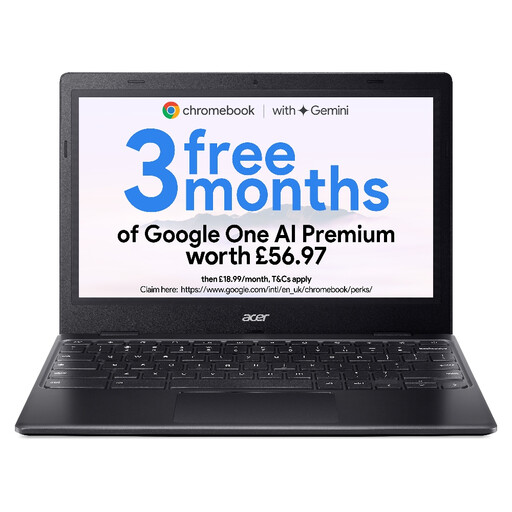
Acer Chromebook 311 CBOA311-1H, 11.6-inch HD, 4GB, 64GB eMMC, Black
Consider this smaller-screen Chromebook if the full hours-entry workflow works in ChromeOS and remains comfortable on an 11.6-inch display.
- The listed display resolution is 1366 × 768, with an Intel Celeron N4500 processor.
- Check the exact model’s update schedule and open-lid dimensions before purchase.
Joybuy
 No image available
Acer Chromebook Plus 514 CB514-5H, 14-inch WUXGA, 8GB, 256GB SSD, Iron
This 14-inch Chromebook is worth considering if browser-based tracking is confirmed and the desk can accommodate the larger screen.
- The listed display resolution is 1920 × 1200, with an Intel Core i3-1315U processor.
- Check open-lid dimensions, required peripherals and the exact model’s update schedule.
Joybuy
 No image available
Lenovo IdeaPad Slim 3 Chromebook 14IAN8, 14-inch, 8GB, 256GB eMMC, Grey, 83BN001EUK
This is another 14-inch option for a browser-compatible records workflow, provided its open-lid size suits the desk.
- The listed configuration has an Intel Core i3 N305 processor.
- Check peripheral connections and the exact model’s ChromeOS update schedule.
Joybuy
Common questions
Can a Chromebook handle volunteer-hours tracking?
Yes, if the organisation’s entire workflow works in the browser or approved ChromeOS apps. Test its portal, files, exports, printing and offline requirements; Google also advises checking the exact Chromebook’s update schedule.
Should I choose a 13-inch or 14-inch laptop for a small desk?
Choose by the laptop’s open-lid dimensions and how comfortably you can use the actual hours-entry screen, not by display size alone. Start with a compact option when surface space is tight; consider 14 inches if it fits and makes regular spreadsheet or form review easier.
What if volunteer-hour records contain personal data?
The organisation needs security measures appropriate to its circumstances and risks, rather than relying on a laptop model to provide compliance. The Information Commissioner’s Office describes the UK GDPR security requirement as involving appropriate technical and organisational measures; agree access, account protection and backup processes for the records.
How should a laptop used for volunteer records be retired?
Follow the organisation’s retention process, back up information that must be kept and erase the device before reassignment or disposal. The National Cyber Security Centre warns that simply deleting files may leave data recoverable; use an erasure method appropriate to the device and its intended next use.


