Travel-first casual editors
You make short videos with simple cuts, titles and music, and want to edit while away from home. Portability matters, but you do not need to choose hardware for a professional post-production workflow.


Choose a laptop if you need to edit short travel videos away from home and want one computer for everyday use; choose a desktop if you normally work at one desk and value room for a larger display and separate storage more than portability. Either route needs to meet the requirements of your chosen editor and footage, while a refurbished computer also needs a check of its operating-system and application support.
You make short videos with simple cuts, titles and music, and want to edit while away from home. Portability matters, but you do not need to choose hardware for a professional post-production workflow.
You usually edit at a desk and keep a growing collection of footage and photos. Screen space and a workable plan for project storage may matter more to you than carrying the computer.
You are open to an older laptop or desktop, provided you can check its exact specification, operating-system eligibility, editing-software compatibility and condition before buying.
Decide where you will edit, then check the requirements of the software you intend to use. A refurbished machine can be either a laptop or a desktop, so assess its support status alongside—not instead of—those choices.
| Concern | What to check | Who this matters to |
|---|---|---|
| Editing responsiveness | Check your editor’s current CPU, memory, graphics and operating-system requirements against the exact configuration. Microsoft’s Windows 11 installation minimum is not an editing specification. | If I want basic cuts, titles and music without buying for a more demanding workflow, I need to match the computer to my actual editor and footage; around 31% of consumers put editing responsiveness first. |
| Portability | Decide whether editing must happen on trips. If so, check laptop weight, screen size, ports and whether you can connect the storage or display you expect to use. | When I need the same computer on trips and for everyday tasks, being able to carry it matters more than a fixed desk setup; roughly 25% of consumers make portability their primary concern. |
| Storage and display | Check SSD capacity and plan where originals, projects, exports and backups will go. Confirm the exact screen resolution and stated colour coverage for the configuration. | As my footage and photo library grows, I need space to work and a screen whose specifications I can assess; around 25% of consumers put this workflow first. |
| Refurbished support | Check the model identifier, installed OS, upgrade eligibility, intended editor’s compatibility and relevant repair status before choosing an older machine. | If I am considering refurbished equipment, I want to know that the software I need can remain supported; roughly 19% of consumers prioritise that value-and-support check. |
Microsoft lists 4 GB of memory and 64 GB of storage as Windows 11 installation minimums. Those figures do not establish whether an editing application and its media will run suitably for your projects.
Choose the editor first, then compare its current requirements with the computer’s exact processor, memory, graphics, storage and OS.
Dell lists different memory and SSD options for its Inspiron 16 configurations, while Lenovo identifies soldered memory on the cited IdeaPad Flex 5 configuration. The family name alone cannot tell you what you can upgrade later.
Check the precise model or part number, fitted memory, SSD and display specification, and whether the components you might need to change are upgradeable.
Microsoft says Windows 10 Home and Pro stopped receiving security updates after 14 October 2025. A computer still running Windows 10 should not be assumed to have a supported upgrade path.
Confirm the exact processor and Windows edition, then check Windows 11 eligibility and the intended editor’s OS requirements before buying.
Originals, project files, exports and application cache all need storage. Adobe recommends fast SSD or NVMe storage for video work and separate system, cache and media drives where practical; separate drives are not compulsory for every short project.
Decide where active projects and a separate backup of irreplaceable footage will live. If you choose a desktop, also check which display and peripherals are included.
MacBook Air and MacBook Pro are laptop routes; Mac mini and iMac suit a fixed workspace. Compare the exact Apple-silicon model, unified memory and storage rather than the brand alone.
Inspiron laptops give Windows buyers configurations to compare, including 16-inch models.
IdeaPad laptops are another portable Windows route; the cited IdeaPad Flex 5 configuration has 16 GB of memory and a 512 GB SSD.
HP lists Windows laptops in conventional and convertible forms, including configurations with 16 GB of memory and 512 GB SSD storage.
These laptops relate to editing while travelling or using one computer for everyday tasks and light photo work. Compare their stated configurations with your chosen editor; a higher-specification laptop is not automatically necessary for short, basic projects.
 No image available
A laptop to consider if you want to edit while travelling and use a 15-inch screen for photos and video timelines.
The listed M5 has a 10-core CPU and 10-core GPU, with 16GB of unified memory and a 1TB SSD. Check your intended editor’s compatibility and the display specifications needed for your photo work.
 No image available
Consider this configuration if your chosen software or projects call for its stated dedicated graphics and larger storage; check whether you need that capability for short, basic edits.
Its title specifies an AMD Ryzen AI 9 HX 370, NVIDIA GeForce RTX 5080 with 16GB graphics memory, 64GB RAM, a 2TB SSD and Windows 11 Home. Confirm editor compatibility and the display’s colour specification for your work.
 No image available
This portable Windows option is worth comparing if you want a touchscreen and dedicated graphics alongside storage for active projects.
The title lists an Intel Core i9 processor, RTX 3050 graphics, 16GB RAM, a 1TB SSD and Windows 11 Home. Check the exact editor’s graphics requirements, including GPU memory, and the screen’s colour specification.
 No image available
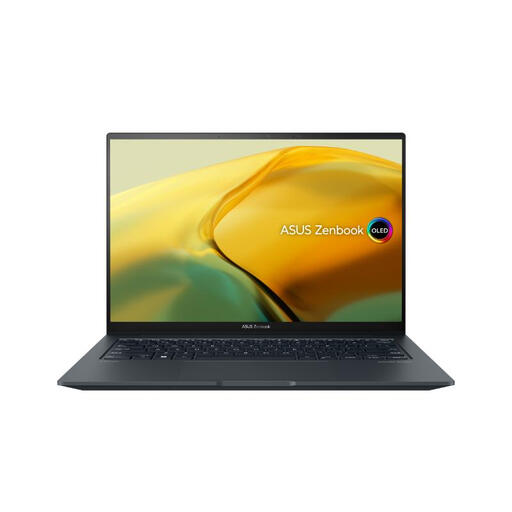
The dual-screen layout is relevant if you want room for editing panels while using a laptop; decide whether that arrangement suits how you work.
The title lists an Intel Core Ultra 7 255H, 16GB LPDDR5X memory and a 1TB SSD. Confirm that memory meets your editor’s needs and verify the exact screen resolution before buying: the listing’s description and detailed specification give conflicting resolutions.
 No image available
This everyday laptop is an option to assess for short projects when its exact processor and graphics meet your chosen editor’s requirements.
The title lists an Intel Core 5 processor, 16GB RAM and a 512GB SSD. Confirm the precise processor model, graphics and display colour specification before relying on it for video or colour-sensitive photo work.
Not necessarily: Microsoft’s 4 GB memory and 64 GB storage figures are installation minimums, not a video-editing recommendation. For example, Adobe recommends 32 GB RAM or more for reliable, faster Premiere work on Windows or Intel-based Macs; check the requirements of the editor and footage you will actually use rather than applying that figure to every basic project.
Check the exact processor, memory, SSD, battery condition, installed Windows edition and eligibility for a supported OS, as well as your editor’s requirements. Microsoft says Windows 10 Home and Pro stopped receiving security updates after 14 October 2025, so verify an upgrade path rather than assuming a Windows 10 listing will remain suitable.
Check the exact Mac model against Apple’s current macOS compatibility information and the requirements of your intended editing software. Apple’s service guidance also distinguishes vintage from obsolete products based on when it last distributed them; check the particular model’s service status if future repair matters to you.
Not always; the important decision is where your footage, active projects, exports and backups will fit. Adobe advises fast SSD or NVMe storage for video production and separate media and cache drives where practical. An external SSD can provide working space if internal capacity is limited, but keep a separate backup of footage you cannot replace.