What matters when choosing?
Check the department’s software requirements before comparing portability or extras: a convenient device is less useful if it cannot complete a required task.
| Concern |
What to check |
Who this matters to |
| Course software and connected hardware |
Confirm the required operating system and processor architecture, and whether applications must run locally. Check any specified memory, storage or hardware interfaces. |
If my course needs specialist applications or connected equipment, I need a device that supports the exact work before I choose a form factor. About 36% of consumers put that compatibility first. |
| Everyday portable study |
Try the keyboard and screen size; compare stated weight, connections and battery information with your study locations. |
When I move between lectures, accommodation and other study spaces, I want one computer I can carry and use for writing and online sessions. Around 29% of consumers make everyday portability their primary need. |
| Handwritten notes and annotation |
Check pen and keyboard compatibility, then confirm that required assessments and applications work on the tablet setup. |
If I regularly mark up PDFs or draw diagrams, direct pen input matters to me, but I still need a way to complete other course tasks. Roughly 14% of consumers put note-taking first. |
| Desk setup and reliable access to files |
Check laptop-to-monitor connections and plan a backup routine. Match any replacement charger to the device. |
With a small study space or work spread across locations, I need room to work and dependable access to my files after choosing the main computer. About 21% of consumers prioritise that setup need. |
Laptops and a portable display on Joybuy
These selections cover laptops for a main portable study computer and one portable monitor to consider alongside an existing compatible laptop. Check course software requirements before treating any laptop here as suitable for specialist work.
 Image unavailable
ASUS Vivobook 15 X1504VA, Core 5 120U, 24 GB, 1 TB SSD
Consider this laptop if you want a main computer for assignments across study locations and its configuration meets your course requirements. The listed variant has a 15.6-inch display, Intel Core 5 120U processor, 24 GB memory and 1 TB SSD. Check expected battery runtime if you often work away from a socket.
View on Joybuy
 Image unavailable
ASUS Vivobook 14 X1407QA-LY003W, Snapdragon X, 16 GB, 512 GB SSD
Consider this 14-inch laptop for portable study only after checking the applications and equipment your course requires. It lists a Snapdragon X processor, 16 GB memory and a 512 GB SSD. In particular, confirm support for any specialist software or hardware interfaces on its processor architecture, and check battery runtime for your routine.
View on Joybuy
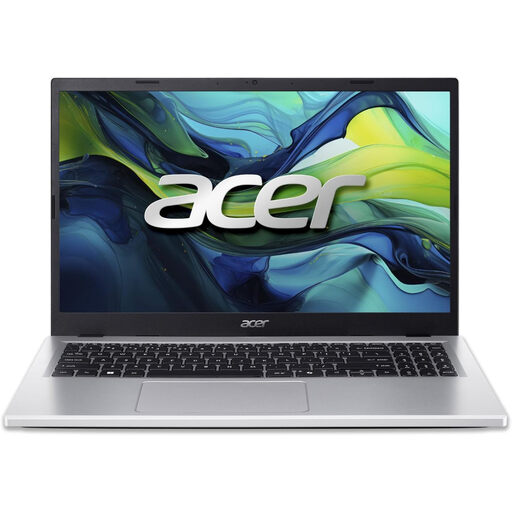 Image unavailable
Acer Aspire Go 15 AG15-71P, Core i5-13420H, 8 GB, 256 GB SSD
This Windows 11 Home laptop is a candidate for everyday assignments if its supplied configuration meets your needs. It lists a 15.6-inch Full HD screen, Intel Core i5-13420H processor, 8 GB memory and a 256 GB SSD. Check course requirements against those figures and confirm the supplied memory configuration rather than assuming an upgrade is included.
View on Joybuy
 Image unavailable
Lenovo IdeaPad 1, Ryzen 3 7320U, 8 GB, 128 GB SSD
Consider this 15-inch Full HD laptop for writing and research if its storage and application setup suit your course. The named variant has an AMD Ryzen 3 7320U processor, 8 GB memory, a 128 GB SSD and Windows 11 Home in S Mode. Check whether required applications work with the supplied setup and whether the storage and battery information fit your routine.
View on Joybuy
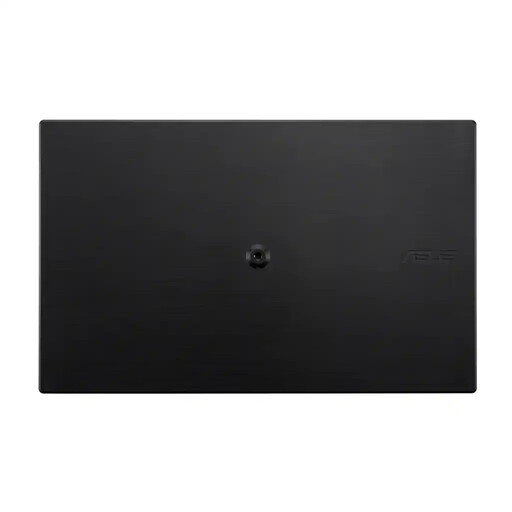 Image unavailable
ASUS ZenScreen MB166C, 15.6-inch USB-C monitor
This portable display is for adding screen space to a compatible main computer, not for running coursework on its own. Its listed features include a 15.6-inch Full HD IPS screen and USB Type-C connection. Confirm that your laptop supports the required display connection before choosing it.
View on Joybuy
Common questions
Can a tablet with a keyboard be my only university device?
Only rely on it alone after your department confirms that its applications, assessments and file workflows work on that setup. University College London says students need regular access to a laptop or desktop, while the University of Sussex does not recommend a tablet as the main method of learning.
When should I choose a Windows laptop instead of a Mac, Chromebook or tablet?
Choose a compatible Windows laptop when your course requires Windows-only software, locally run specialist applications or hardware interfaces that the alternative cannot support. University of Bath engineering guidance identifies such software requirements; University of Nottingham also advises checking processor architecture for affected engineering tools.
Could a portable monitor replace a separate desktop?
It can add screen space to a laptop, but it does not replace a computer. Imperial College London’s Electrical and Electronic Engineering guidance suggests a lightweight external monitor for students using a laptop; check the laptop’s display output and any adapter requirement first.
How should I back up coursework?
Use the storage and backup service your own provider supplies, and keep a routine that does not leave files on only one device. University College London describes its student OneDrive storage as backed up, while the University of Sussex describes OneDrive access for its students; check what applies to you.
What should I check when replacing a charger?
Match the replacement to the exact device’s charging requirements and buy from a trustworthy seller. Inspect plugs and cables before use, and stop using visibly damaged equipment rather than attempting an improvised repair.


