What to check before buying
Start with the operating system and browser environments your work requires locally, then plan the standing-desk connections and how often you will carry the laptop.
| Concern |
What to check |
Who this matters to |
| Browser and OS coverage |
List the browsers, versions and operating systems you must test locally; confirm remote-service support for anything else, including staging-site access. |
If my test plan includes Safari, Edge and mobile devices, I need to know which environments require local hardware before I choose an OS. Around 42% of consumers would put browser and OS coverage first. |
| Desk and display connections |
Check the exact configuration’s display output, charging and compatibility with your intended monitor, dock and input devices. |
When I work at the standing desk for much of the day, I want a repeatable setup with a separate screen and controls. Roughly 33% of consumers would prioritise desk and display connections. |
| Portability |
Compare the exact configuration’s weight and charger; read the conditions behind any manufacturer battery claim. |
If I carry the laptop between workspaces, its size and what I need to bring with it affect my choice. About 25% of consumers would make portability their primary concern. |
Laptop choices on Joybuy
These laptops offer Windows options for local testing and a MacBook Air option for native macOS work. Compare each configuration with your required test tools and standing-desk connections rather than choosing on memory or screen size alone.
 No image available
ASUS Vivobook 14 X1407QA-LY003W, Snapdragon X, 16GB, 512GB SSD, Quiet Blue
Consider this Windows-route model if a 14-inch laptop fits how you move between workspaces.
The listed configuration has a Snapdragon X processor, 16GB memory and a 512GB SSD. Before buying, confirm that your development tools and test framework work with this processor and that your intended display connection supports the monitor you use.
View on Joybuy
 No image available
MSI Modern Laptop C2RMG-282UK, 15-inch FHD, Core 5, 16GB, 512GB SSD, 9S7-15H431-282
Consider this model if you want a larger built-in screen alongside a standing-desk setup.
The title lists a 15-inch FHD display, Intel Core 5 processor, 16GB memory and a 512GB SSD. Check the precise USB-C display standard and your monitor or dock’s required display modes before choosing desk accessories.
View on Joybuy
 No image available
ASUS Vivobook 15 X1504VA, Core 5 120U, 24GB, 1TB SSD, Cool Silver
Consider this Windows-route model if you prefer a 15.6-inch built-in screen and the listed memory and storage configuration.
The title specifies an Intel Core 5 120U processor, 24GB memory and a 1TB SSD. If a single-cable USB-C desk setup matters to you, confirm video output and dock compatibility for this exact model.
View on Joybuy
 No image available
Lenovo LOQ Essential 15ARP11, Ryzen 7 170, RTX 5050, 16GB, 1TB SSD
Consider this Windows-route model if your own tools call for its listed configuration, while accounting for how often you carry the laptop.
The title specifies a 15.6-inch 144Hz FHD display, AMD Ryzen 7 170 processor, GeForce RTX 5050, 16GB memory and a 1TB SSD. Check the connections needed for your monitor or dock, particularly if you want USB-C video output.
View on Joybuy
 No image available
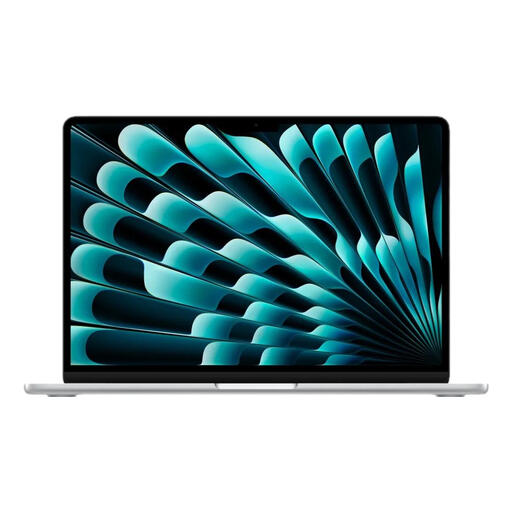
Apple 13-inch MacBook Air M5, 16GB, 1TB SSD, Silver
Consider this MacBook Air if native macOS and Safari work is part of your web-testing plan.
The product title lists 16GB memory and a 1TB SSD. Apple’s UK MacBook Air specifications list two Thunderbolt 4/USB-C ports and support for up to two external displays; confirm your intended dock and monitor arrangement. Check the exact processor configuration before buying, as the product information gives conflicting CPU core counts.
View on Joybuy
Frequently asked questions
Should I choose a larger laptop screen instead of an external monitor?
Not automatically: for frequent standing-desk work, assess how you will position the screen and separate input devices, not just the laptop panel’s size. The Health and Safety Executive’s workstation guidance considers the screen, keyboard, other equipment, furniture and working conditions together.
Can one laptop handle every desktop and mobile browser test locally?
No single laptop supplies every native desktop and mobile environment. BrowserStack describes remote access to browser and device combinations across Windows, macOS, iOS and Android; check the versions, test framework and staging-site access your project requires.
What should I check before buying a USB-C dock?
Match the dock to the exact laptop configuration’s display output, charging requirements and available ports, then check it against your monitor’s resolution and refresh-rate requirements. Apple lists Thunderbolt 4/USB-C ports for MacBook Air, while Microsoft’s Surface Laptop specifications differ by size.
Will advertised battery life tell me how long browser testing will last?
No: a manufacturer battery figure reflects its stated test conditions, not your particular development and browser-testing workload. Read those conditions and plan a suitable power connection for regular desk use.


